
Closte
Closte

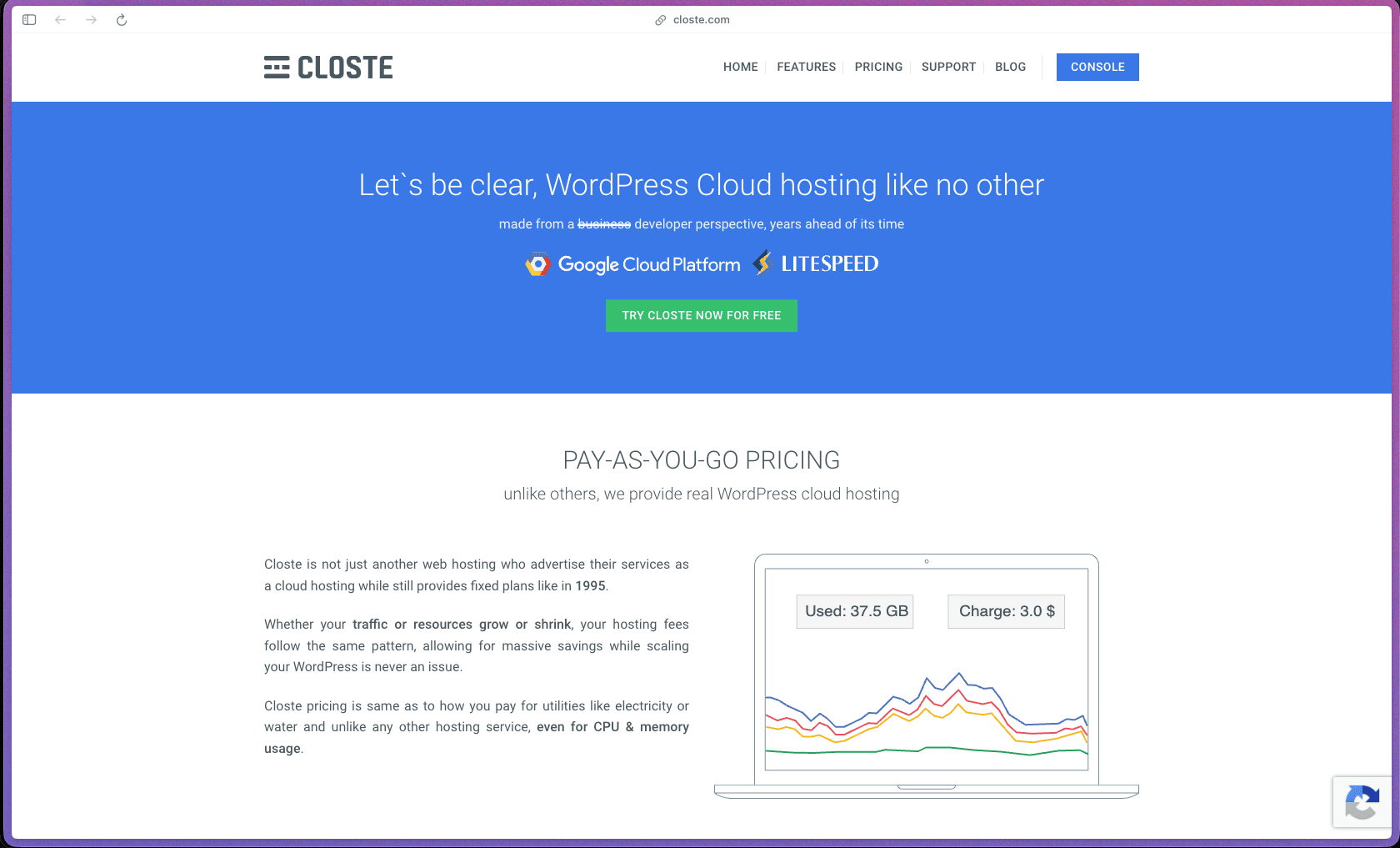
Closte solves a real frustration for developers and agencies: paying a flat monthly rate for hosting resources you don't consistently use, or being throttled when traffic spikes unexpectedly. By running on Google Cloud infrastructure with LiteSpeed Enterprise caching, it offers performance that independent G2 reviewers say outperforms several well-known managed WordPress hosts on Core Web Vitals—without the fixed overhead of a traditional plan. The all-inclusive pricing (CDN, SSL, DNS, staging, backups, and security are all included by default with no add-on fees) keeps the total cost predictable for teams that want to know exactly what they're paying for.
Closte uses a usage-based pay-as-you-go pricing model—you are billed for actual CPU, memory, disk, and bandwidth consumption rather than fixed monthly plan tiers, similar to how cloud utilities like AWS or GCP charge for resources. A 7-day free trial is available with no credit card required upfront.
Closte offers a 7-day free trial with no credit card required, and a 99.95% uptime SLA backed by a formal service level agreement. Refund policy for paid usage beyond the trial period is not specified on the official site—buyers should confirm the billing stop process directly with Closte support before starting a paid account.
Closte is "growing/stable"—founded in 2016, it has been operating for close to a decade with an active product and a documented customer base, but it has a modest public review footprint (1 G2 review, limited Capterra presence) compared to larger managed WordPress hosts. The core platform, pricing model, and technology stack (Google Cloud + LiteSpeed) have been consistent since launch, and the feature set has matured to include staging, team collaboration, automated backups, and WP-CLI—but external community size and review volume remain small relative to hosts like Kinsta or WP Engine. Buyers who value peer review volume as a trust signal should factor in the limited public review data; buyers who prioritize technology stack and pricing structure will find the product well-documented and clearly defined.
- Rated 4.0 out of 5 on G2 from a small number of verified reviews; one detailed G2 review from a multi-site agency reports that Closte outperformed Cloudways, KnownHost, and Nexcess on Google Core Web Vitals metrics.
- Closte was founded in 2016 by a team with over 20 years of IT industry experience, and the company's founding story is rooted in hands-on experience managing hosting for 5,000+ clients—suggesting the platform was built to solve real operational problems rather than as a greenfield product.
- Reddit discussions (r/webhosting) show Closte being compared favorably to WPX and Cloudways by users evaluating managed WordPress hosts, indicating a presence in serious hosting evaluation conversations.
- Website Planet's independent 2026 review describes Closte as a credible option for developers and mid-tier to enterprise WordPress hosting with a strong performance stack.
- Pay-as-you-go resource billing covers CPU, memory, disk, bandwidth, and HTTP requests—meaning you're charged for what the site actually consumes rather than a fixed tier, which can significantly reduce monthly hosting costs for low-traffic or variable-traffic sites.
- LiteSpeed Enterprise web server with LiteSpeed Cache for WordPress (LSCWP) is pre-configured on every site, providing server-level caching without requiring a paid cache plugin or manual performance setup.
- Google Cloud CDN is built into all plans at no additional cost, routing content delivery through Google's global network rather than a third-party CDN add-on.
- Google Cloud DNS provides low-latency, highly resilient DNS management as part of the platform stack, removing the need to configure DNS through a separate registrar or DNS provider for hosted sites.
- Staging environments let you clone a live WordPress site to a temporary Closte subdomain, make and test changes safely, and push to production with a single click when ready—included at no extra cost.
- Automated incremental backups run continuously and can be restored from the dashboard without contacting support, with the backup system built into the platform rather than requiring a third-party backup plugin.
- Automated core WordPress updates handle minor version updates without manual intervention, while major version updates are semi-automated with a review step, reducing site maintenance overhead for agencies managing many installations.
- SSL certificates are automatically provisioned and renewed for all hosted sites without manual configuration or third-party certificate management.
- SSH and SFTP access gives developers full server-level access for custom deployments, file management, and script execution.
- WP-CLI is supported, allowing developers to manage WordPress installations, run database queries, update plugins, and perform administrative tasks from the command line without using the web dashboard.
- Web-based log viewer and live site debugging from a local IDE are available, supporting developers who need to diagnose performance or error issues on hosted sites without exporting log files manually.
- WordPress Multisite is supported on the platform, making it suitable for networks running multiple subsites from a single WordPress installation.
- Unlimited bandwidth is included by default—bandwidth is not metered or capped as a hard limit on paid accounts.
- WP Ultimo (a WordPress multisite SaaS builder plugin) is explicitly supported with auto-configured basic setup and increased power quotas, making Closte a practical hosting environment for teams building white-label or client-facing WordPress multisite networks.
- Transactional email sending is included as a built-in service for WordPress outbound email (order confirmations, contact form notifications, etc.)—though incoming email (receive) is not supported and Google Workspace is recommended for full mailbox functionality.
- Brotli compression (Google's compression standard) is enabled by default, reducing asset transfer sizes for faster page loads compared to gzip-only configurations.
- Automated HTTPS migration handles moving a site from HTTP to HTTPS without manual redirect configuration, including SSL provisioning and URL rewriting.
- Automated email integration setup configures outbound WordPress email sending automatically when a new site is added, removing a common post-installation manual step.
- Primary domain changes are automated through the dashboard without manual database search-and-replace, reducing the risk of broken links when migrating or renaming sites.
- Resource usage monitoring tracks real-time and historical CPU, memory, bandwidth, and disk consumption per site, giving account holders visibility into what is driving their usage-based billing.
- Team collaboration tools allow multiple users to access a shared centralized dashboard without sharing account passwords—each team member has their own access credentials managed at the account level.
- Multiple PHP versions are supported per site, allowing developers to pin specific WordPress installations to the PHP version required for compatibility with their plugins or themes.
- Multiple datacenter location options are available through the Google Cloud infrastructure, letting teams choose the server region closest to their primary audience for reduced latency.
- DDoS protection, malware detection, and a web application firewall (WAF) are included by default with all hosted sites—no additional security plugin or third-party WAF service is required.
- Security hardening is applied at the server level out of the box, with Closte explicitly stating that no additional security plugins or third-party services are needed for baseline site protection.
- The platform enforces team access via individual credentials per user, so agencies and development teams never need to share master account passwords to grant site access.
- 99.95% uptime SLA provides a formal contractual availability commitment for hosted sites.
- WordPress developers and freelancers managing 5–50 client sites who want to avoid paying fixed-tier hosting fees for sites with inconsistent traffic, and instead pay only for the resources each site actually uses.
- Digital agencies running client WordPress sites who need a single centralized dashboard with team collaboration, staging environments, and automated backups without configuring separate tools for each capability.
- WooCommerce store owners with variable traffic patterns (e.g., seasonal spikes) who want hosting that automatically scales up during high-traffic periods and costs less during quiet months, rather than being locked into a fixed plan sized for peak load.
- Developers building WordPress Multisite or WP Ultimo-based SaaS networks who need a hosting environment explicitly optimized and pre-configured for multisite installations.
- Technical founders who prefer server-level access (SSH, WP-CLI, IDE debugging) and want a managed host that doesn't restrict developer tooling behind a locked-down dashboard.
- Use it for hosting a portfolio of client WordPress sites when you need one dashboard for all sites, individual team member logins, staging for each site, and usage-based billing that scales down automatically when client sites are idle.
- Use it for hosting a WooCommerce store with seasonal traffic when you want hosting costs to reflect actual traffic—lower in off-peak months and automatically scaling up during sale campaigns—without manually upgrading and downgrading plans.
- Use it for migrating a high-traffic WordPress site from shared hosting when you need LiteSpeed caching, Google Cloud CDN, and Google Core Web Vitals performance improvements without paying enterprise hosting prices.
- Use it for building a WordPress Multisite or WP Ultimo SaaS network when you need a hosting environment that supports multisite natively with increased resource quotas and auto-configuration.
- Use it for testing and launching new WordPress builds safely when you need a full staging environment for every site that clones to production with one click, without paying extra for a staging add-on.
- Cloud-hosted managed WordPress hosting platform, accessible via web-based dashboard; no server management required for standard operations—the underlying Google Cloud infrastructure is fully managed by Closte.
- Built on Google Cloud Platform (compute and CDN), LiteSpeed Enterprise web server, Google Cloud DNS, and Google Brotli compression as the core technology stack.
- SSH, SFTP, and WP-CLI access are provided for developers who need direct server-level interaction beyond the dashboard.
- WordPress Multisite is supported, and WP Ultimo is explicitly tested and pre-configured on the platform.
- Outbound transactional email sending is included; incoming email hosting is not supported and requires an external provider such as Google Workspace.
- Note: Closte uses Google Cloud CDN exclusively—integration with third-party CDN providers such as Cloudflare, Bunny CDN, or QUIC.cloud is not supported, which means Cloudflare APO and Argo services are unavailable for Closte-hosted sites.
Closte occupies a specific niche in managed WordPress hosting: usage-based (pay-as-you-go) billing on Google Cloud, compared to the fixed monthly plans used by most competing managed hosts including Kinsta, WP Engine, SiteGround, and Cloudways. For sites with consistent high traffic, fixed-plan hosts may offer more predictable monthly costs; Closte's model is most cost-effective for variable-traffic sites, development agencies with a mix of active and low-traffic client sites, or teams that have historically over-provisioned their hosting tier. The all-inclusive feature set (CDN, CDN, staging, backups, security, team collaboration, and SSL with no add-on charges) also differentiates it from hosts that charge separately for features like staging environments or CDN access.
- Ticket-based support is available with a stated average response time of 1 hour, which is faster than many managed hosting providers at the same price point.
- A knowledge base and FAQ section at closte.com/support covers getting started guides, platform-specific questions, billing explanations, and technical configuration details; a blog provides additional technical content.
- No community forum, Discord, or public user group is listed on the official site; peer community resources are limited to third-party hosting forums such as Reddit's r/webhosting where Closte occasionally appears in discussions.
- Only Google Cloud CDN is supported—Cloudflare, Bunny CDN, QUIC.cloud, and other third-party CDN providers cannot be used with Closte-hosted sites, which means Cloudflare-specific features like APO, Argo, and firewall rules are unavailable.
- Incoming email hosting is not supported—Closte provides outbound transactional email sending only; teams needing full mailboxes (send and receive) must use a separate email provider such as Google Workspace.
- PayPal is not accepted as a payment method; only major credit cards are supported for billing.
- The public review footprint is small (1 G2 review as of mid-2026), which limits the amount of independently verifiable peer feedback available for buyers who rely on review volume as part of their evaluation process.
Related Products
Recently Added!
Umso - Website Builder
Recently Added!
Porkbun

Recently Added!
Network Solutions
Recently Added!
Namecheap

Liquid Web

Recently Added!
InterServer
Recently Added!
InstaWP
Recently Added!
InMotion Hosting
Recently Added!
Hover
Products With Lifetime Deals
Recently Added!
FluentForms

Recently Added!
Divi Theme

Recently Added!
ConvertPro

Recently Added!
CartFlows

Recently Added!
Bullet Proof Security

Recently Added!
WP Booking Calendar

Recently Added!
BeaverBuilder

Recently Added!
Avada

Recently Added!
Independent Analytics

You Recently Viewed These
Recently Viewed
BitFlows

Recently Viewed
Amelia

Recently Viewed
Dynamic.ooo

Recently Viewed
Microthemer & Amender

Recently Viewed
LifterLMS

Recently Viewed
Masteriyo

Recently Viewed
Zynith SEO

Recently Viewed
Wrike

Recently Viewed
WPMU Dev

Recently Viewed
wpDataTables

Recently Viewed
WP Booking Calendar
Recently Viewed
Webflow
