
Buffer
Buffer

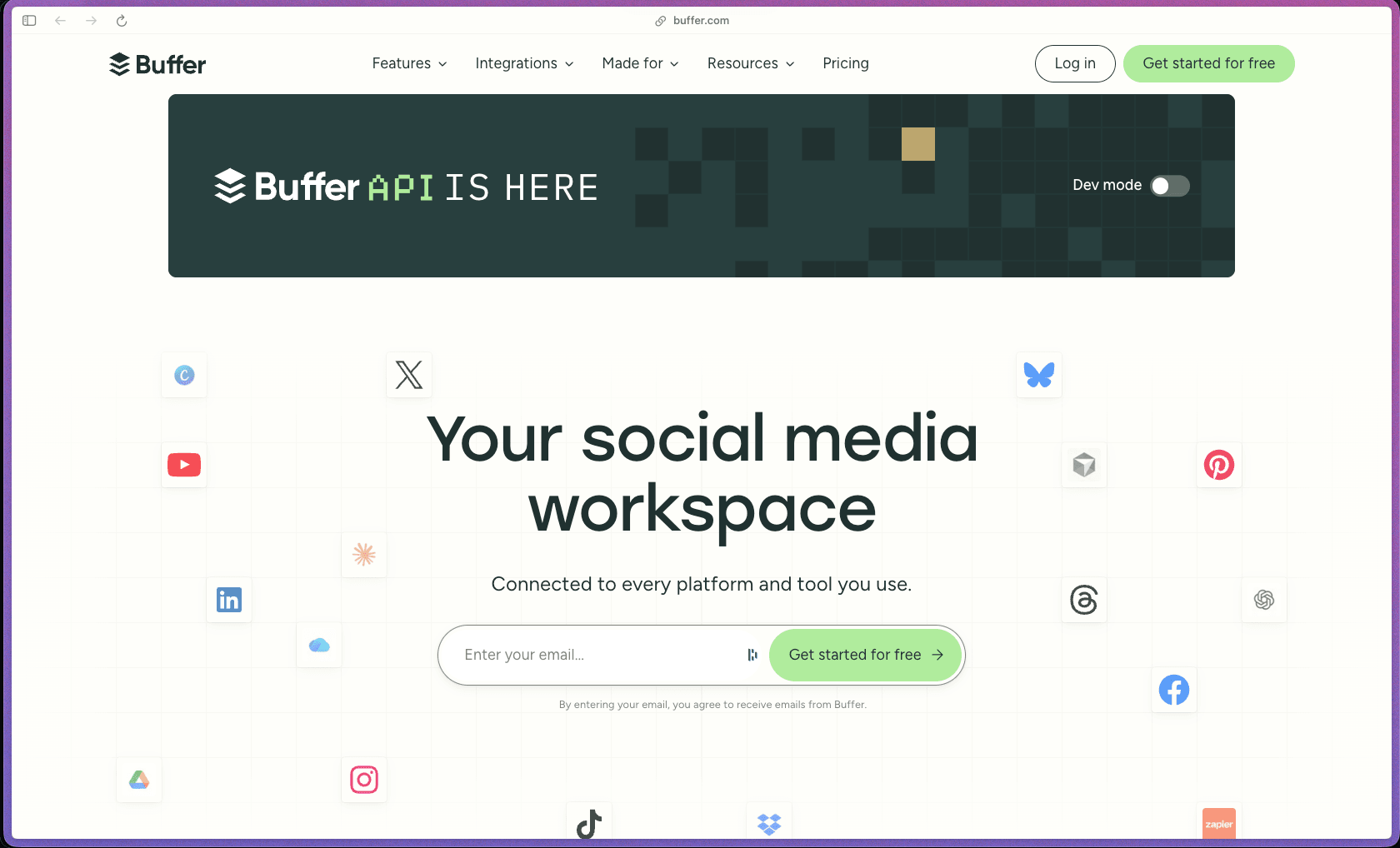
Buffer has been in active development since 2010 and has accumulated a large verified review base across G2 and Capterra where ease of use is consistently its most praised quality—something that matters a lot for solo founders and small teams who need social media management that works without a learning curve. The per-channel pricing model is genuinely flexible for small operators: you pay only for the accounts you actively manage, the free tier has no time limit, and you can grow the plan gradually rather than committing to a bundled seat count. The 2025 feature releases—unified comment inbox, bulk CSV scheduling, LinkedIn advanced analytics, dark mode, and a redesigned iOS app—show ongoing product investment rather than a team that has shifted to maintenance mode.
Buffer operates on a freemium model with a permanently free plan (up to 3 channels, 10 scheduled posts per channel) and paid plans billed on a per-channel, per-month basis—monthly or annually—covering Essentials, Team, and Agency tiers. Higher-tier plans unlock analytics, unlimited scheduling, team collaboration, and expanded channel limits; pricing scales per channel, with a volume discount applied automatically once you exceed 10 channels.
Buffer offers a 14-day free trial on the Agency plan; exact refund or money-back guarantee terms are not prominently stated on the official pricing page. The Free plan is available with no time limit and no credit card required, providing a no-risk way to test the core scheduling workflow before upgrading to a paid tier.
Buffer is "mature/established"—launched in 2010, it is approximately 15+ years old with one of the larger verified review bases in the social media scheduling category and a stable, independent company track record without acquisition or shutdown risk signals. The platform has expanded significantly beyond its original scheduling-only scope and now covers comment management, AI-assisted content drafting, Start Page link-in-bio, RSS feed integration, bulk CSV scheduling, and advanced analytics—reflecting cumulative feature investment over many years of active development. The 2025 launch summary and the January 2026 Brizy AI release pattern suggest a team that is still actively shipping at meaningful velocity rather than in maintenance mode.
- Rated 4.3 out of 5 on G2 from 1,000+ verified reviews, with reviewers consistently highlighting ease of use and scheduling workflow as the strongest features; recurring feedback notes that deep analytics require a paid tier upgrade.
- Rated 4.5 out of 5 on Capterra from 1,400+ reviews, with 92% positive review sentiment and a 4.6 ease-of-use score—among the higher ease-of-use ratings in the social media management category on Capterra.
- Buffer was founded in 2010 and is one of the longer-established social media scheduling platforms still in active independent development; the product has been continuously updated for 15+ years.
- Trustpilot shows a split picture—a 2.2 out of 5 from approximately 96 reviews (a low-volume pool with billing and account disconnection complaints weighting the average negatively), contrasting with the significantly more positive sentiment on G2 and Capterra's larger, use-case-focused review pools.
- Buffer's 2025 product recap notes active launches including a unified comment inbox across six platforms, bulk CSV post importing, Channel Groups, and LinkedIn advanced analytics—indicating consistent shipping cadence throughout the year.
- The scheduling queue lets you set recurring posting times per channel and fill the queue in advance, so content publishes at the right times automatically without needing to manually post each piece in real time.
- A visual content calendar gives you a monthly overview of all scheduled posts across all connected channels, making it easy to spot gaps in your posting schedule and rearrange posts by dragging them to different dates.
- The post composer supports writing unique captions for each social network from a single draft—one click schedules platform-specific variations of the same content simultaneously to multiple channels.
- Channel Groups allow you to save a set of channels and publish to all of them at once from a single action, reducing the time spent selecting accounts individually for multi-channel announcements.
- Bulk scheduling via CSV import lets you upload up to 100 posts at once from a spreadsheet, covering post content, media, and publish times—useful for batching a large volume of scheduled posts in a single workflow.
- The Start Page is a built-in customizable link-in-bio landing page for use in bio links on Instagram and other platforms, hosted by Buffer—removing the need for a separate Linktree or equivalent service.
- Instagram Grid Preview shows exactly how an upcoming post will look positioned within the existing Instagram grid before it goes live—now available on all plans including the free tier.
- Buffer supports 11 social platforms including Instagram (business, creator, and personal), Facebook Pages and Groups, X/Twitter, LinkedIn Pages and Profiles, TikTok, Pinterest, YouTube Shorts, Google Business Profile, Mastodon, Threads, and Bluesky—covering both major established networks and newer platforms from a single dashboard.
- The Feeds feature pulls content from RSS sources, blogs, and YouTube channels directly into Buffer's interface, making it easier to curate and share relevant third-party content without switching between tabs to find articles to post.
- Buffer integrates with Zapier and other automation platforms for connecting social scheduling workflows to external apps; specific integration depth is documented in Buffer's help center.
- The AI Assistant helps turn a rough idea or brief into a complete post draft, generates platform-specific variations of content for different social networks, and can repurpose a high-performing post into a new format—without leaving the Buffer composer.
- The Trending Topics feature pulls real-time trending Threads conversations directly into Buffer's composer interface, so you can find relevant conversations and join them without manually browsing the Threads platform.
- Optimal timing suggestions help determine when to post based on engagement data from each connected channel, removing the guesswork of manually identifying peak audience activity windows.
- The Hashtag Manager auto-suggests hashtags as you type in the composer based on relevance, helping you build discoverable posts without manually researching hashtag sets each time.
- Basic analytics covering likes, comments, reach, impressions, and engagement rate populate automatically for all connected channels as soon as an account is connected, including up to six months of historical data—so you are not starting from a blank dashboard.
- Advanced analytics covering LinkedIn performance metrics and deeper post-level breakdowns are available on paid plans, with channel-specific advanced analytics support varying by social network.
- The Community tool (engagement inbox) aggregates comments and replies from Instagram, Facebook, LinkedIn, Threads, Bluesky, and X into a unified inbox, so you can respond to all inbound engagement without switching between each platform's native app.
- Tags allow posts to be labeled by campaign, content type, or any custom category system, enabling basic campaign-level performance tracking to identify which content buckets drive the most engagement over time.
- Posting schedules can be set independently per channel, with different posting times, frequencies, and queue orders for each connected social account—rather than applying a single schedule across all platforms.
- The Team plan adds unlimited user seats with assignable permission levels, allowing agencies and teams to define what each team member or client can access and edit within the Buffer account.
- Buffer is a cloud-hosted SaaS platform; all account data and scheduled content are stored on Buffer's managed infrastructure with no on-premises hosting option available.
- Team permission controls on the Team and Agency plans allow administrators to restrict what individual users can access, edit, or publish—providing a basic access control layer for teams and client-managed accounts.
- Solo founders and solopreneurs managing their own brand presence across 3–5 social platforms who need a clean, low-friction scheduler they can maintain without dedicating significant time to social media operations.
- Content creators on Instagram, TikTok, and Threads who need to schedule posts in advance, manage link-in-bio, and track engagement without learning a complex enterprise social media tool.
- Small marketing teams of 2–5 people who need collaborative post drafting and approval workflows on a team plan where multiple users can access the same channels without sharing login credentials.
- Freelance social media managers handling 5–15 client accounts who want a per-channel pricing model that scales proportionally with the accounts they manage rather than a flat per-seat license that becomes expensive for a solo operator managing many clients.
- Small business owners maintaining a Google Business Profile alongside standard social channels who want all posting—including Google Business updates—managed from a single dashboard without a separate tool.
- Agencies managing 15+ social channels who want the volume discount in Buffer's per-channel pricing structure, where the per-channel rate decreases automatically once the account exceeds 10 channels.
- Use it for batching a week or month of social media content in one session when you want posts to publish on a consistent schedule without logging into each platform daily.
- Use it for managing multiple client social accounts as a freelancer or small agency when you need a per-channel pricing model that keeps costs proportional to the number of accounts you're actually billing for.
- Use it for responding to comments and DMs across multiple platforms when you want to clear your engagement inbox from a single interface rather than switching between Instagram, LinkedIn, X, and Threads separately.
- Use it for bulk importing a full campaign's worth of scheduled posts at once via CSV when you have a large batch of content ready and want to load it into the queue in one upload rather than creating posts individually.
- Use it for tracking which post formats and topics drive the most engagement on each channel when you need a lightweight analytics view to inform future content decisions without a dedicated analytics tool.
- Use it for creating and maintaining a link-in-bio landing page when you want the Start Page hosted and managed within the same tool where you schedule Instagram posts, without a separate Linktree account.
- Cloud-hosted SaaS platform accessible via web browser on any device; no installation required and no server setup needed.
- Native mobile apps for iOS and Android are available, allowing post scheduling, idea capture, and comment management from mobile devices.
- Supports 11 social platforms for publishing: Instagram (business, creator, and personal accounts), Facebook Pages and Groups, X/Twitter, LinkedIn Pages and Profiles, TikTok, Pinterest, YouTube Shorts, Google Business Profile, Mastodon, Threads, and Bluesky.
- Advanced analytics coverage varies by platform; Facebook Pages, Instagram, X/Twitter, and LinkedIn Pages have advanced analytics support, while platforms like Pinterest, TikTok, YouTube Shorts, and Bluesky have basic analytics only.
- A browser extension is available for saving content from the web directly to the Buffer queue while browsing.
- Zapier integration and RSS Feeds connector are supported for automating content sourcing and external workflow connections.
Buffer's clearest positioning is simplicity and approachability—the platform is consistently described by G2 and Capterra reviewers as the easiest social media management tool to use, which matters most for solo operators and small teams who need something that works without a training investment. Compared to broader enterprise platforms like Hootsuite or Sprout Social that offer deep reporting suites, listening tools, and enterprise workflow features, Buffer deliberately stays focused on the scheduling, publishing, and engagement workflow—which makes it more affordable and less complex but also means it is not the right fit for teams who need social listening, competitive benchmarking, or detailed campaign attribution reporting as core requirements. The per-channel pricing model—where you pay only for connected accounts rather than for seat licenses—makes Buffer more cost-predictable for freelancers and agencies managing variable numbers of client accounts compared to per-seat tools where the cost is tied to the number of users rather than the accounts managed.
- Support is available through Buffer's help center (support.buffer.com) with a detailed article library covering channel setup, scheduling, analytics, troubleshooting, and billing; reviewers on G2 and Capterra describe the support documentation as comprehensive, though live support response times are noted as slow on lower-tier plans.
- Buffer maintains an active blog and resource library (buffer.com/resources) with in-depth guides on social media strategy, platform-specific tips, and product updates—functioning as a supplementary self-service knowledge base alongside the formal help center.
- A Buffer Community forum is available at buffer.com/community for peer discussion and feature feedback; the team also maintains active social accounts on LinkedIn, Threads, Bluesky, Instagram, TikTok, and Mastodon where product updates and tips are regularly published.
- Deep per-channel analytics (LinkedIn advanced analytics, full post-level breakdowns) require a paid plan; the free plan includes no analytics access and the Essentials plan covers basic analytics only—buyers who need detailed performance reporting should verify that the specific channels they care about are covered by advanced analytics before selecting a plan tier.
- Buffer's per-channel pricing scales affordably for small account counts but can become expensive for teams managing many accounts at standard Essentials or Team rates before the volume discount activates at 11+ channels—reviewers consistently cite per-channel cost accumulation as the main pricing concern.
- Social listening, competitor benchmarking, audience demographic data, and influencer tracking are not included; Buffer focuses on owned content publishing, scheduling, and comment management rather than social monitoring or paid media analytics.
- The Free plan caps at 10 scheduled posts per channel at any time (published posts free up slots), which is limiting for high-volume content plans requiring a large standing queue.
Related Products
Recently Added!
Wrike

Recently Added!
TimeDoctor

Recently Added!
RingCentral

Recently Added!
Retable

Recently Added!
Parallels Desktop

Recently Added!
Pabbly Connect

Recently Added!
Nuelink

Recently Added!
Kit (formerly ConvertKit)
Recently Added!
Intercom
Products With Lifetime Deals
Recently Added!
FluentForms

Recently Added!
Divi Theme

Recently Added!
ConvertPro

Recently Added!
CartFlows

Recently Added!
Bullet Proof Security

Recently Added!
WP Booking Calendar

Recently Added!
BeaverBuilder

Recently Added!
Avada

Recently Added!
Independent Analytics

You Recently Viewed These
Recently Viewed
BitFlows

Recently Viewed
Amelia

Recently Viewed
Dynamic.ooo

Recently Viewed
Microthemer & Amender

Recently Viewed
LifterLMS

Recently Viewed
Masteriyo

Recently Viewed
Zynith SEO

Recently Viewed
Wrike
Recently Viewed
WPMU Dev

Recently Viewed
wpDataTables

Recently Viewed
WP Booking Calendar
Recently Viewed
Webflow
