
AutomateWoo
AutomateWoo

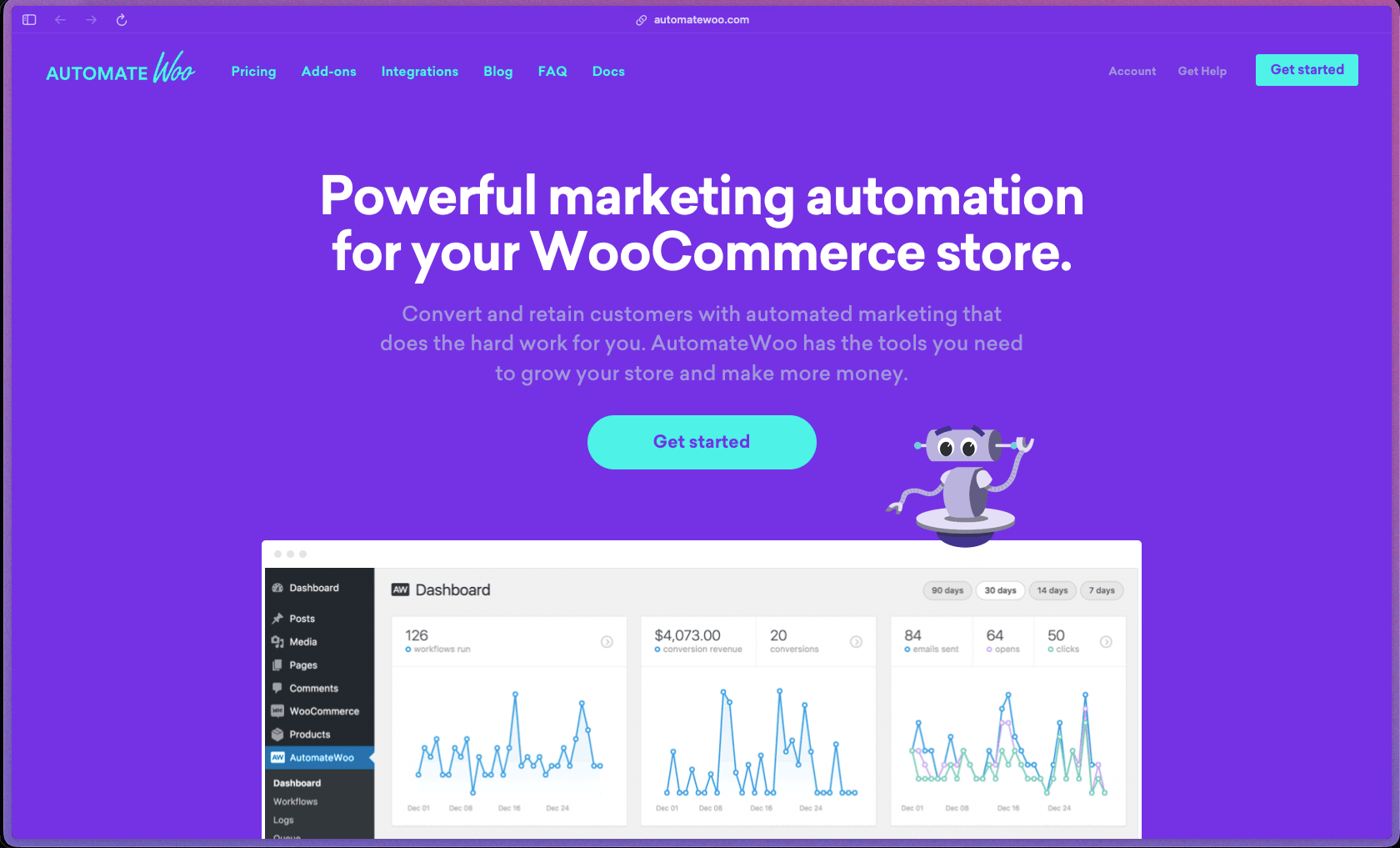
AutomateWoo is built and maintained by Automattic (the company behind WooCommerce and WordPress.com), which provides a stronger long-term continuity signal than most third-party WooCommerce plugins at this price point. The workflow engine handles a wide range of store automation scenarios—abandoned cart, VIP customer tagging, subscription lifecycle events, coupon generation, SMS via Twilio, and wishlist marketing—from a single plugin rather than requiring multiple tools with separate subscriptions. The 30-day no-questions-asked refund policy and position in the official WooCommerce Marketplace reduce the evaluation risk for new buyers.
AutomateWoo is sold as an annual subscription per site through the WooCommerce Marketplace (woocommerce.com), billed yearly, and is available in a single-site plan only—the legacy multi-site plans are no longer sold to new customers. No free version or free trial is offered.
AutomateWoo is built and maintained by Automattic (the company behind WooCommerce and WordPress.com), which provides a stronger long-term continuity signal than most third-party WooCommerce plugins at this price point. The workflow engine handles a wide range of store automation scenarios—abandoned cart, VIP customer tagging, subscription lifecycle events, coupon generation, SMS via Twilio, and wishlist marketing—from a single plugin rather than requiring multiple tools with separate subscriptions. The 30-day no-questions-asked refund policy and position in the official WooCommerce Marketplace reduce the evaluation risk for new buyers.
AutomateWoo is firmly in the "mature/established" category—originally launched in mid-2015 as an independent product and subsequently acquired by Automattic/WooCommerce, it has been under continuous active development for over a decade with a publicly accessible version history. The plugin is maintained by the core WooCommerce team at Automattic, receives regular updates tracked through the WooCommerce Marketplace changelog, and has comprehensive official documentation—all signals of institutional-level maintenance rather than solo-developer support. The discontinuation of multi-site plans in February 2020 is the one notable change to its commercial model, but the single-site subscription product remains actively sold and supported.
- Rated 4.5 out of 5 on G2 based on 4 verified reviews, with a 75% five-star breakdown—note that review volume is low, so individual ratings carry more weight than a large-sample average.
- Listed and actively sold on the official WooCommerce Marketplace (woocommerce.com/products/automatewoo), confirming Automattic's continued development and distribution of the product.
- The plugin has been commercially available since at least July 2015, as confirmed by the AutomateWoo blog's version 2.0 release post dated October 2015, indicating a development history of over 10 years.
- User feedback on Reddit from WooCommerce store owners specifically references AutomateWoo as a reliable choice for abandoned cart recovery and subscription lifecycle automation, with no widely reported technical reliability concerns noted in public discussions.
- Official documentation at woocommerce.com/document/automatewoo is comprehensive, covering getting started guides, trigger/rule/action references, and example workflow builds—a signal of ongoing investment by Automattic's documentation team.
- The Workflow Builder lets you construct automated sequences from a combination of triggers (customer actions or store events), rules (conditions that qualify or exclude records), and actions (emails, SMS, coupon generation, tags, or integrations)—giving you full control over exactly when and how automation fires.
- Abandoned cart recovery detects customers who leave items in their cart without completing a purchase and sends a sequence of timed reminder emails (or SMS notifications) automatically, including the ability to include a personalized discount incentive in the recovery email.
- Follow-up email workflows trigger automatically after specific order events—such as a product purchase, order completion, or product category purchase—allowing post-purchase review requests, cross-sell suggestions, or onboarding sequences to be sent without manual scheduling.
- Win-back campaign workflows target customers who haven't purchased in a defined period, automatically sending re-engagement emails or discount offers to bring lapsed buyers back without requiring a manual export-and-email process.
- Personalized coupon generation creates unique, single-use discount codes dynamically for each customer within a workflow, eliminating the risk of coupon sharing that comes with distributing a single public code.
- VIP customer tagging automatically upgrades customers to a VIP status level based on configurable spend thresholds, which can then trigger separate workflows with exclusive offers or early access communications for high-value customers.
- Review Rewards let you incentivize product reviews by automatically sending a discount coupon to customers after they post a review, with optional controls to limit reward coupons based on minimum star rating or review count.
- Wishlist marketing sends automated reminder emails to customers when a wishlisted item is about to go on sale or when a wishlist hasn't been acted on after a set period, supporting both WooCommerce Wishlists and YITH Wishlists.
- Card Expiry Notifications automatically alert customers whose saved payment card is approaching its expiry date, reducing failed renewal payments for stores running WooCommerce Subscriptions.
- Birthday Emails (via the Birthdays add-on) send a customized email and discount coupon to customers on or around their birthday, using a birth date field collected during registration or checkout.
- SMS notifications via Twilio can be triggered for any workflow action—sending order updates, abandoned cart reminders, or admin alerts via text message—covering any trigger available in the workflow engine, not just a fixed set of SMS templates.
- WooCommerce Subscriptions integration enables trigger-based workflows on subscription-specific events including renewals, failed payments, plan status changes, and expiry—allowing automated communication and coupon incentives at each stage of the subscription lifecycle.
- The Subscriptions Add-on extends workflow capabilities to dynamically modify subscription line items, billing schedules, shipping costs, and currencies during a workflow run—making complex subscription structures like prepaid or seasonal plans manageable without developer intervention.
- ActiveCampaign integration allows contacts to be added or removed from ActiveCampaign lists and tagged based on WooCommerce events, connecting store purchase data directly to email marketing automation sequences in ActiveCampaign.
- WPML support enables workflows and emails to be sent in the customer's language on multilingual WooCommerce stores, making AutomateWoo usable for stores serving multiple language markets.
- Refer a Friend (add-on) adds a referral marketing layer to the workflow system, allowing existing customers to share personalized referral links and be rewarded automatically when a referred purchase is completed.
- Guest email capture uses pre-submit form technology to detect and store a visitor's email address as they type it into the checkout form—before they submit—so that abandoned cart workflows can fire even if the guest never completed the order.
- Session tracking detects registered customers as soon as they begin browsing (even before they actively log in) so that cart abandonment and browse abandonment workflows can be triggered at the correct time without requiring an explicit login action.
- Workflow scheduling allows each workflow to run immediately, after a defined delay, or at a specific time of day or day of the week—useful for ensuring follow-up emails arrive during business hours rather than at 3am.
- A "Run Once Per Customer" setting on workflows prevents duplicate communications from firing to the same customer repeatedly—an important guardrail for transactional and lifecycle workflows that should only send once.
- Workflow Run Limit automation allows a workflow to automatically disable itself after it has run a specified number of times—useful for time-limited promotions or one-off campaigns that need to stop automatically.
- Customer tagging lets you label customers with custom tags during workflow actions, which can then be used as conditions in other workflows to create sequential, chained automation sequences.
- Conversion tracking can be enabled on any workflow, recording whether a customer who received a workflow communication subsequently made a purchase—letting you measure the revenue impact of each automated sequence, not just open or click rates.
- AutomateWoo extends the WooCommerce Reports section with campaign-specific reporting, including a dedicated abandoned cart report showing the current value of stored carts and recovery performance over time.
- A full activity log records every email sent and every conversion attributed to each workflow, providing a detailed audit trail for compliance and troubleshooting without relying on a third-party logging tool.
- Dynamic variables let you insert live data—product names, order totals, customer first name, review links, coupon codes, and more—directly into email subject lines and body content through a template tag system, without writing code.
- Email templates use the standard WooCommerce transactional email design as a base, meaning store-branded emails can be set up immediately without designing a new template from scratch.
- Plain-text email support is available for workflows where a less formal, more personal-feeling communication is more effective than an HTML-designed email.
- Workflows can be scoped to target specific customer segments by combining multiple rules—such as customers in a specific country, customers who paid with a specific payment method, or customers whose order total exceeds a threshold.
- AutomateWoo operates entirely within your self-hosted WordPress and WooCommerce environment—customer data used in workflows (email addresses, order history, subscription status) is stored in your own database and is not transmitted to AutomateWoo's servers for workflow processing.
- All email delivery still routes through your configured WordPress mail/SMTP setup (such as SendGrid, Mailgun, or WP Mail SMTP), meaning email authentication (SPF, DKIM) and deliverability are managed through your existing mail configuration rather than a proprietary sending service.
- WooCommerce store owners running physical or digital product stores who want to recover lost revenue from abandoned carts through automated multi-step email sequences without subscribing to a separate email platform.
- WooCommerce Subscriptions-based businesses—such as subscription boxes, software tools, or membership e-commerce—who need automated renewal reminders, failed payment re-engagement, and card expiry notices to reduce involuntary churn.
- Store owners with an existing customer base who want to run win-back campaigns targeting inactive customers on a rolling automated schedule without manually segmenting their list and bulk-exporting to an external tool.
- WooCommerce stores selling products in categories where post-purchase review collection is valuable—such as beauty, food, books, or software—who want to incentivize reviews automatically with a reward coupon.
- Referral-driven e-commerce businesses that want to reward existing customers for introducing new buyers without setting up a standalone referral platform.
- WooCommerce agencies building automated marketing setups for client stores where a self-hosted, single-annual-license plugin avoids per-contact pricing that would scale poorly with the client's customer list size.
- Use it for abandoned cart recovery when your store has meaningful traffic but a high percentage of carts are left without completing checkout, and you want to send a timed sequence of reminder emails—optionally with a discount on the final email—without manual intervention.
- Use it for post-purchase review generation when you sell products where reviews significantly influence new buyer decisions and you want customers to receive a review request automatically a few days after delivery, with an optional reward for posting.
- Use it for subscription renewal and failed payment management when you run a WooCommerce Subscriptions store and need automated reminders before renewal, immediate failed payment alerts with a retry link, and card expiry notifications to reduce involuntary cancellations.
- Use it for customer lifetime value segmentation when you want to automatically identify and tag your highest-spending customers as VIP, then trigger a separate workflow with exclusive offers or early access to new products.
- Use it for birthday marketing when you want a low-effort, high-personalization touchpoint that sends each customer a unique discount coupon on or around their birthday without requiring a separate CRM tool or manual campaign setup.
- Use it for referral program management when you want existing customers to share personalized referral links and receive automatic rewards when their referred contacts make a first purchase.
- WordPress plugin (self-hosted): requires WooCommerce to be installed and active; sold and downloaded through the official WooCommerce Marketplace at woocommerce.com.
- WooCommerce Subscriptions is required to access the subscription-specific triggers and lifecycle automation features; it is not a hard dependency for the core plugin but is needed for subscription workflows.
- Twilio account required for SMS notifications; AutomateWoo connects to the Twilio API for SMS delivery, and Twilio usage is billed separately by Twilio based on messages sent.
- YITH WooCommerce Wishlist or WooCommerce Wishlists is required to use the Wishlist Marketing workflow trigger; the feature is not available without one of these companion plugins installed.
- WPML is supported for sending multilingual emails to customers on multilingual WooCommerce stores.
- ActiveCampaign API integration is available for syncing WooCommerce customer data and purchase events with ActiveCampaign lists and tags.
- Email delivery routes through the store's configured SMTP or transactional email service (SendGrid, Mailgun, Postmark, or similar); AutomateWoo does not provide a built-in email sending service.
AutomateWoo sits in a narrow category: WooCommerce-native marketing automation that runs entirely inside your WordPress install rather than syncing data to an external email marketing platform. This is meaningfully different from tools like Klaviyo or Mailchimp, which require ongoing data sync, per-contact pricing that scales with list size, and configuration of a separate SaaS account—AutomateWoo's annual flat fee covers unlimited contacts and emails sent through your existing mail setup. The trade-off is that it doesn't replace a full email marketing platform for broadcast campaigns or list segmentation-heavy strategies; it's specifically optimized for trigger-based automation tied to WooCommerce store events.
- Support is handled through the WooCommerce Marketplace support system; active license holders can submit support tickets directly through their WooCommerce.com account, and Automattic's support team covers AutomateWoo as part of the standard WooCommerce extension support structure.
- Official documentation is hosted at woocommerce.com/document/automatewoo and covers getting started guides, individual trigger/rule/action references, workflow examples (including complex use cases like prepaid subscriptions and multi-step sequences), and troubleshooting—one of the more complete documentation sets available for a commercial WooCommerce plugin.
- No dedicated Discord, Slack workspace, or community forum specific to AutomateWoo is publicly listed; community discussion takes place primarily in the WooCommerce community spaces (WordPress.org support forum and the WooCommerce community Slack) rather than a product-specific channel.
- AutomateWoo does not include a built-in email sending service—all outbound emails route through your WordPress SMTP configuration, meaning deliverability depends entirely on your mail setup (SendGrid, Mailgun, etc.) which must be configured separately and may incur additional cost.
- Single-site licensing only is available to new buyers; the legacy 5-site and 25-site plans were discontinued in February 2020, so agencies or developers managing multiple WooCommerce stores need to purchase a separate annual subscription per site.
- SMS notifications require a paid Twilio account configured separately—there is no bundled SMS sending; Twilio usage is billed by Twilio based on message volume and destination country, adding a variable cost on top of the AutomateWoo license fee.
- AutomateWoo is specifically built for WooCommerce; it has no utility outside of a WooCommerce store environment and cannot be used for general WordPress site automation without WooCommerce active.
Related Products
Elementor

Recently Added!
Crocoblock

Recently Added!
LearnDash

Recently Added!
BitFlows

Amelia

Recently Added!
Dynamic.ooo

Recently Added!
Microthemer & Amender

Recently Added!
LifterLMS

Recently Added!
Masteriyo

Products With Lifetime Deals
Recently Added!
FluentForms

Recently Added!
Divi Theme

Recently Added!
ConvertPro

Recently Added!
CartFlows

Recently Added!
Bullet Proof Security

Recently Added!
WP Booking Calendar

Recently Added!
BeaverBuilder

Recently Added!
Avada

Recently Added!
Independent Analytics

You Recently Viewed These
Recently Viewed
BitFlows
Recently Viewed
Amelia
Recently Viewed
Dynamic.ooo
Recently Viewed
Microthemer & Amender
Recently Viewed
LifterLMS
Recently Viewed
Masteriyo
Recently Viewed
Zynith SEO

Recently Viewed
Wrike

Recently Viewed
WPMU Dev

Recently Viewed
wpDataTables

Recently Viewed
WP Booking Calendar
Recently Viewed
Webflow
