
Gravity Forms
Gravity Forms

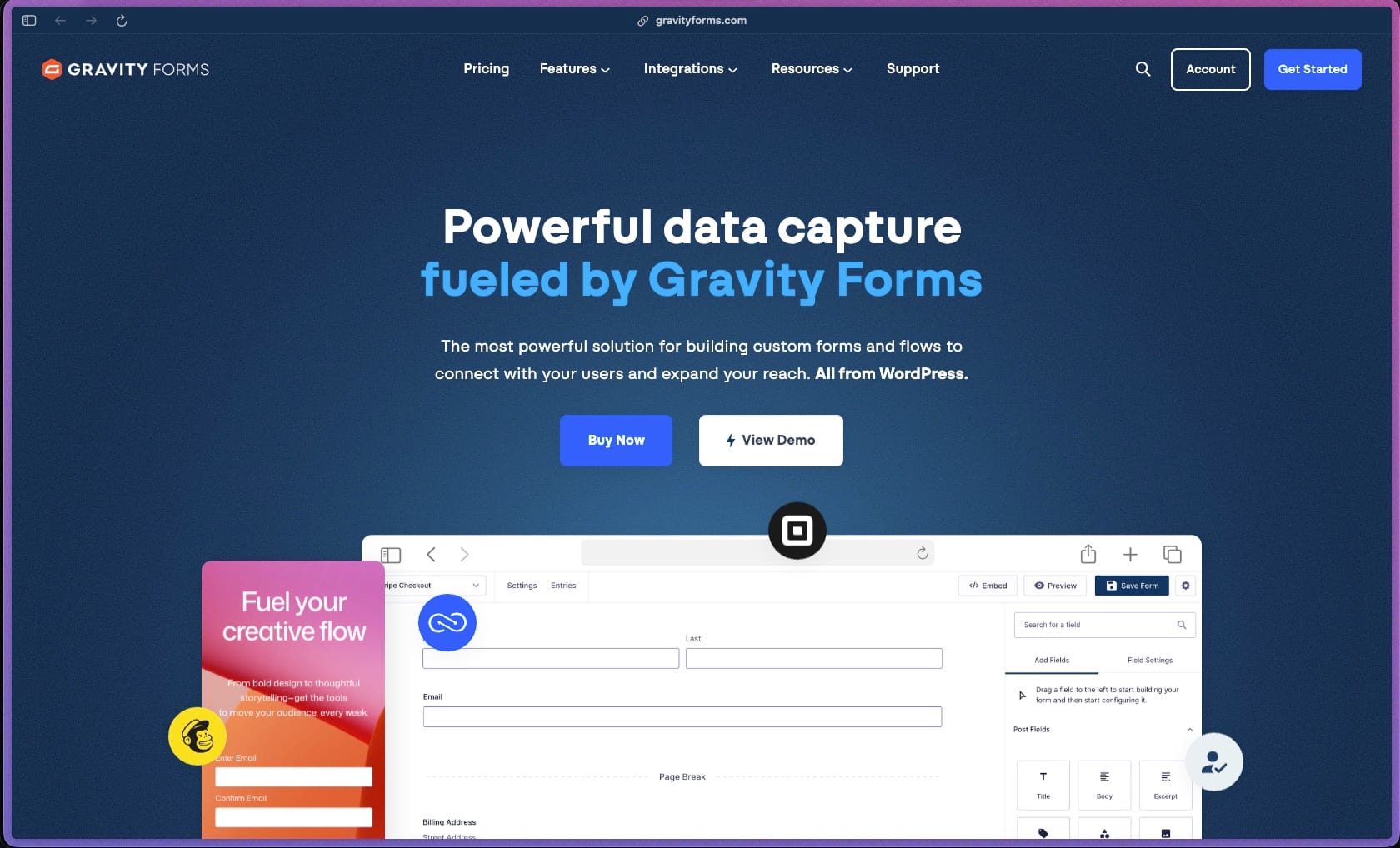
Gravity Forms has been the WordPress developer and agency community's go-to form plugin for over a decade — it covers contact forms, payment collection, multi-step workflows, conditional logic, user registration, quizzes, surveys, and post creation in a single plugin with a well-documented API that developers can extend in almost any direction. G2 reviewers with 60+ site deployments consistently describe it as their default form plugin precisely because of its predictability and integration depth — particularly its Zapier, Stripe, HubSpot, and Mailchimp add-ons, which connect form submissions to broader business workflows without custom code. The annual license model covering unlimited sites (Elite) makes it practical for agencies managing large client portfolios rather than buying per-site licenses for a plugin they deploy on every project.
Gravity Forms is sold as an annual subscription license on three tiers — Basic (1 site), Pro (3 sites), and Elite (unlimited sites) — with add-on access determined by the license tier; all plans include support and plugin updates for the license year. There is no free version; all plans are premium paid licenses with no freemium tier or permanently free option.
Gravity Forms offers a 30-day money-back guarantee on all license purchases — documented on the official pricing page, covering refund requests submitted within 30 days of the initial purchase. There is no free trial or free version — buyers evaluate using the 30-day guarantee window as their risk-reduction mechanism before committing to annual renewal.
Gravity Forms is firmly "mature/established" — first released in 2009, it has been in continuous active development for 15+ years, becoming one of the most recognized and widely deployed premium WordPress plugins in the ecosystem, referenced in agency workflows and developer tutorials going back over a decade. The product is under ongoing active development with new features regularly released — the 2024 overview video and 2025 review coverage both document recent additions including a new template library, improved column layouts, Orbital form theme, Compact View editor, and the Conversational Forms add-on — indicating sustained engineering investment rather than a maintenance-only release cycle. Gravity Forms is not listed on WordPress.org (it is a premium plugin sold exclusively through gravityforms.com), so WordPress.org install count data is not available — but third-party references and G2/Capterra review evidence across a 15-year timeframe are consistent with a large, stable deployment base.
- Rated 4.5 out of 5 on G2 from 235 verified reviews, and 4.6 out of 5 on Capterra from 91 verified reviews — with G2 reviewers describing it as their "go-to" and "default" WordPress form builder across deployments of 60+ and 100+ sites respectively.
- An independent 2026 review (Hackceleration) aggregating 15 Capterra and Trustpilot reviews found Gravity Forms averaged 4.5/5 with 13 of 15 reviewers recommending it — with "reliability" cited as the single most consistent theme across reviews.
- GravityKit documents Gravity Forms as used by "millions of websites" in its comprehensive usage guide published in 2026 — consistent with the plugin's presence across major hosting ecosystems and agency portfolios for 15+ years.
- G2 reviewers include a nonprofit using Gravity Forms for donor intake, volunteer management, and brand health surveys; a gift subscription business using it as the hub for complex orders and Mailchimp/Google Sheets integrations; and agencies using it across 60–100+ client sites — representing deployment across diverse verticals.
- Gravity Forms publishes documented case studies covering accessible application forms for a government agency, global running event registration with payment collection, gated content lead generation, and Zapier-connected training course automation — providing real-world deployment evidence across multiple use case categories.
- Drag-and-drop form builder with 30+ field types lets you create contact forms, multi-page applications, surveys, quizzes, and payment forms visually — with field arrangement, column layout (up to 4 columns per row), conditional visibility, and real-time preview all handled within the form editor without touching code.
- Multi-page forms split long forms into multiple separate pages using page break fields — reducing the visual overwhelm of presenting all fields at once for complex applications, registrations, or intake workflows.
- Conditional logic shows or hides individual fields, entire sections, form pages, and submit buttons based on a user's previous answers — allowing one form to serve multiple audience paths without building separate forms for each scenario.
- Save and Continue lets users save their form progress and return later via a unique resume link — covering long application forms where users need to gather documents or information before completing the submission.
- File upload fields support single and multi-file uploads with configurable file type restrictions and maximum file size limits — saving uploaded files directly to the WordPress server for document submission, photo collection, and portfolio submission workflows.
- Pre-built form template library provides ready-to-use, fully customizable starting points for the most common form types — covering contact forms, registrations, applications, surveys, payment forms, and event registrations to reduce build time for standard use cases.
- Entry management stores all form submissions in the WordPress database with a full entries view in the admin — filterable by date, status, and field values, with CSV export of any date range and selected fields for reporting and data transfer.
- Payment forms support product fields, pricing calculations, coupon codes, and checkout flows connected to Stripe, PayPal, Square, and other payment add-ons — allowing full e-commerce transactions, event ticket purchases, and subscription collection entirely within a Gravity Forms form.
- Conversational Forms add-on (Elite plan) transforms standard form layouts into a one-question-at-a-time interactive experience — displaying each field individually in a typeform-style format, which typically improves completion rates for longer or more sensitive form content.
- Quiz and Survey add-ons (Elite plan) add scoring, grading, answer feedback, and survey reporting fields to any form — covering educational assessments, certification tests, and customer feedback collection without a separate quiz or survey tool.
- Advanced Post Creation add-on (Elite plan) automatically generates WordPress posts, pages, or custom post types from submitted form data — useful for user-contributed content workflows, real estate listings, job boards, and directory entries where form submissions become published content.
- WCAG 2.1 AA accessibility compliance is built into every Gravity Forms output — including semantic HTML, proper ARIA labels, keyboard navigation, screen reader compatibility, and accessible error handling — covering organizations that need to meet web accessibility standards for their forms.
- Compact View editor provides a bird's-eye overview of all form fields simultaneously for reviewing and editing complex forms with many fields — without scrolling through a long sequential field list.
- Official add-ons for email marketing platforms cover Mailchimp, ActiveCampaign, HubSpot, AWeber, Constant Contact, Campaign Monitor, Drip, ConvertKit, and Klaviyo — automatically adding form submitters to lists, sequences, or contact records on submission without a Zapier middleman.
- Payment gateway add-ons support Stripe (one-time and recurring subscriptions), PayPal (standard and checkout), and Square — covering the most widely used payment processors for form-based collection without requiring WooCommerce or a full e-commerce plugin.
- Zapier add-on (Pro and Elite plans) connects any Gravity Forms form submission to 7,000+ apps in the Zapier ecosystem — routing form data, triggering multi-step Zaps, and connecting to CRMs, project management tools, Google Sheets, Slack, and any platform not covered by a native add-on.
- CRM and project management integrations include native HubSpot, Salesforce, Zoho, and Pipedrive add-ons — pushing form submissions into deal pipelines, contact records, and intake queues without manual data entry between the WordPress form and the CRM.
- Slack add-on sends form submission notifications to a configured Slack channel — providing real-time alert routing for form-based workflows (lead notifications, support requests, application alerts) directly in the team communication tool.
- Google Sheets add-on pushes form entries directly into a Google Spreadsheet on each submission — providing a structured, real-time data feed from any form into Google Sheets without CSV exports or third-party automation tools.
- Twilio add-on sends SMS notifications triggered by form submissions — covering mobile alert delivery for form-based workflows where email notification is insufficient for time-sensitive scenarios.
- Dropbox and other file storage add-ons route uploaded files from Gravity Forms file upload fields into cloud storage — covering document submission workflows where files need to land in a shared folder rather than only the WordPress server.
- Elementor and major page builder compatibility allows Gravity Forms forms to be embedded into Elementor, Divi, Beaver Builder, and Gutenberg-designed pages — using the dedicated Gravity Forms block for Gutenberg or shortcode embedding for classic editor contexts.
- Conditional email notifications route form submission emails to different recipients depending on what a user selected — so a support request goes to the support team, a sales inquiry goes to sales, and a partnership inquiry goes to business development, all from one form.
- Workflow automation via the Zapier add-on sends form submission data into multi-step automation sequences — including creating CRM records, sending Slack messages, adding to project boards, updating spreadsheets, and triggering email sequences in connected platforms.
- Automatic confirmation messages or redirect URLs display a thank-you message or send the submitter to a designated page after form completion — configurable per form and conditionally based on submission data, providing tailored post-submission experiences.
- User Registration add-on (Elite plan) creates new WordPress user accounts automatically on form submission — with optional payment gating (requiring purchase before account creation), BuddyPress profile population, and role assignment based on form field values.
- Partial Entry tracking (Pro and Elite plans) captures and saves incomplete form submissions before the user submits — allowing follow-up with users who started a form but didn't complete it, covering lead recovery for high-value application and registration forms.
- Webhooks add-on (Pro and Elite plans) sends form submission data as a JSON POST to any external URL — enabling real-time integration with any platform that accepts webhook data, without requiring Zapier as an intermediary.
- Built-in entry management dashboard displays all form submissions in a sortable, filterable table view — with the ability to view individual entries, add admin notes, mark entries as read or starred, and manage submission status from the WordPress admin.
- CSV export tool downloads form entries with date range filtering and field selection — covering data transfer to spreadsheets, CRMs, and reporting tools for any form without a third-party plugin.
- Survey add-on (Elite plan) provides built-in aggregate survey reporting — displaying response frequency charts and summary statistics for survey field types directly within the Gravity Forms entry dashboard.
- Quiz add-on (Elite plan) provides per-submission score reports and aggregate scoring data — covering assessment result tracking for courses, certifications, and screening tools built on Gravity Forms.
- Payment reporting within the entries dashboard tracks transaction status, amount collected, subscription status, and refund state for all payment form submissions — providing a transaction record without a separate payment reporting interface.
- Column layout controls let form builders set up to four columns per row, adjust column widths independently, and nest multiple fields side by side — producing compact, multi-column form layouts that reduce vertical scrolling for data-dense forms.
- Orbital form theme and block styling options provide visual customization of form appearance — adjusting color schemes, input sizes, button styles, and field spacing without custom CSS, with additional control available via the block editor styling panel when embedding as a Gutenberg block.
- Gravity Wiz add-on ecosystem (third-party, officially referenced by Gravity Forms) provides 40+ additional feature enhancements for Gravity Forms — including nested forms, repeater fields, address autocomplete, inventory management, and advanced population logic for use cases beyond the core feature set.
- Full developer API covers actions, filters, custom field types, feed add-on framework, and entry manipulation — documented at docs.gravityforms.com, allowing developers to build custom integrations, field types, and business logic extensions directly on top of the core plugin.
- reCAPTCHA v2 and v3 integration provides bot and spam submission filtering on any form — with both checkbox (v2) and invisible (v3) implementations available, covering the most common web form spam protection approach without a separate anti-spam plugin.
- Honeypot anti-spam field adds a hidden field to the form that human users never fill but bots typically do — filtering bot submissions without presenting a CAPTCHA challenge to real users, reducing form friction while maintaining spam protection.
- Data storage in WordPress database keeps all form entries on the site owner's own server — meaning form submission data is self-hosted and not transmitted to or stored by Gravity Forms' infrastructure for standard form entry data.
- SSL and HTTPS compatibility ensures form submissions are protected in transit when the WordPress site has an active SSL certificate — with no additional configuration required since Gravity Forms inherits the site's SSL status.
- Form-level security settings allow individual forms to be restricted to logged-in users only — preventing public access to application forms, internal surveys, or member-only submission workflows without a separate membership plugin.
- WordPress agencies and freelancers managing 10+ client sites who need an Elite license covering unlimited sites — using Gravity Forms as their standard default form solution across the entire client portfolio for contact forms, lead capture, registrations, and intake workflows.
- Nonprofit organizations and associations that need accessible, WCAG 2.1 AA-compliant forms for grant applications, volunteer intake, event registrations, and donation collection — with the Elite add-ons covering surveys, user registration, and payment processing in a single plugin.
- Educational institutions and training providers that need application forms, student registration with payment, quiz and assessment tools, and user account creation — handled through Gravity Forms' Quiz, User Registration, and payment add-ons rather than piecing together separate plugins.
- WordPress developers who need a reliable, developer-extensible form plugin with a full API, webhook support, and Zapier integration — using Gravity Forms as the data collection hub for broader multi-system business workflows that require custom logic beyond what template-based form builders support.
- Event organizers managing registration forms for conferences, workshops, and multi-day events who need conditional multi-step registration, payment collection, group registration options, and email notification routing — covered by Gravity Forms' payment add-ons and conditional logic without event-specific plugin overhead.
- Use it for building a multi-step client intake or application form when you need conditional branching based on user answers — routing applicants through different question paths depending on their business type, service interest, or qualifying criteria.
- Use it for accepting payments directly through a WordPress form when you want to collect event registration fees, course enrollment payments, or donation amounts via Stripe or PayPal — without setting up a full e-commerce plugin or separate checkout page.
- Use it for routing form submissions to multiple teams or external systems based on submission content when you want a single form to automatically send a lead to HubSpot, notify a Slack channel, and create a task in a project management tool simultaneously — via a combination of native add-ons and Zapier.
- Use it for creating accessible web forms for a government or education client when the forms must meet WCAG 2.1 AA compliance — covering screen reader support, keyboard navigation, and ARIA label requirements built into every form output without additional accessibility plugins.
- Use it for publishing user-generated content through a front-end form when you want non-admin WordPress users to submit posts, listings, or directory entries — using the Advanced Post Creation add-on to convert form submissions into published or draft WordPress content automatically.
- Use it for running quizzes, assessments, or surveys on a WordPress site when you need scored responses, graded results, and aggregate reporting — using the Quiz and Survey add-ons rather than a separate survey tool subscription.
- Self-hosted WordPress plugin — Gravity Forms is sold exclusively at gravityforms.com (not on WordPress.org) and installed as a premium plugin via download and manual upload or license-key-authenticated auto-update within WordPress.
- Requires WordPress — compatible with current and recent WordPress versions including Gutenberg and classic editor, with a dedicated Gravity Forms block for the block editor and shortcode embedding for classic editor contexts.
- Add-on ecosystem covers 40+ official add-ons including Stripe, PayPal, Square, Zapier, HubSpot, Mailchimp, ActiveCampaign, Salesforce, Slack, Google Sheets, Twilio, Dropbox, and many others — with add-on access determined by license tier (Basic, Pro, or Elite).
- Compatible with Elementor, Divi, Beaver Builder, Oxygen, and Gutenberg — forms embed via block or shortcode in any page builder layout.
- Full REST API and WordPress hook-based developer API allows custom field types, custom add-ons, and programmatic form/entry management — documented at docs.gravityforms.com with a comprehensive developer reference.
- Third-party Gravity Wiz add-on library (referenced by Gravity Forms) provides 40+ additional enhancements including repeater fields, nested forms, address autocomplete, and inventory limits — extending the core feature set for complex business scenarios.
Gravity Forms' most direct competitors in the WordPress form plugin space are WPForms, Formidable Forms, Ninja Forms, and Fluent Forms — all targeting the same WordPress form builder audience. Gravity Forms' positioning strength relative to these alternatives is the depth and reliability of its developer API and official add-on ecosystem — particularly for agencies and developers who need a form plugin that functions as a data workflow hub (collecting, routing, and transforming form data across multiple external systems) rather than only a front-end form renderer. Compared to hosted form tools like Typeform or Jotform, Gravity Forms keeps all entry data self-hosted in WordPress — relevant for organizations with data residency requirements — while offering deeper WordPress integration (post creation, user registration, WooCommerce, BuddyPress) that hosted SaaS tools can't provide natively.
- Gravity Forms provides ticket-based email support for all license holders during the active license year — with the Elite plan including priority support access, meaning Elite license holders receive faster response queue prioritization compared to Basic and Pro license holders.
- Documentation at docs.gravityforms.com covers the full product including all official add-ons — with structured setup guides for every integration, a developer API reference, code examples, hook documentation, and a dedicated "Can Gravity Forms Do...?" FAQ page that answers the most common capability questions with direct yes/no answers.
- The third-party GravityKit community and Gravity Wiz ecosystem provide supplementary tutorials, how-to guides, and community content around Gravity Forms use cases — expanding the available learning resources beyond official documentation for advanced and edge-case implementations.
- There is no free version of Gravity Forms — buyers must purchase a paid annual license to use the plugin, with no free tier, freemium plan, or WordPress.org repository version available; evaluation is only possible through the 30-day money-back guarantee after purchase.
- Most advanced features and all integrations beyond the core plugin require add-ons — and add-on access is gated by license tier: payment gateways (Stripe, PayPal), Zapier, Webhooks, and Partial Entries require Pro or Elite; User Registration, Conversational Forms, Survey, and Quiz require Elite — meaning buyers on the Basic license have limited integration and feature depth relative to what Gravity Forms is commonly described as offering.
- Some highly specialized use cases require purchasing third-party add-ons from Gravity Wiz or other vendors separately — features like repeater fields, inventory limits on form submissions, nested forms, and advanced calculation logic are not in the core plugin or official add-ons, and Gravity Wiz pricing adds to the total annual cost for teams that need these capabilities.
- G2 reviewers note that the default phone number field is basic — lacking built-in international format validation, country code selection, or number formatting enforcement without third-party add-ons or custom code.
Related Products
Elementor

Recently Added!
Crocoblock

Recently Added!
LearnDash

Recently Added!
BitFlows

Amelia

Recently Added!
Dynamic.ooo

Recently Added!
Microthemer & Amender

Recently Added!
LifterLMS

Recently Added!
Masteriyo

Products With Lifetime Deals
Recently Added!
FluentForms

Recently Added!
Divi Theme

Recently Added!
ConvertPro

Recently Added!
CartFlows

Recently Added!
Bullet Proof Security

Recently Added!
WP Booking Calendar

Recently Added!
BeaverBuilder

Recently Added!
Avada

Recently Added!
Independent Analytics

You Recently Viewed These
Recently Viewed
BitFlows
Recently Viewed
Amelia
Recently Viewed
Dynamic.ooo
Recently Viewed
Microthemer & Amender
Recently Viewed
LifterLMS
Recently Viewed
Masteriyo
Recently Viewed
Zynith SEO

Recently Viewed
Wrike

Recently Viewed
WPMU Dev

Recently Viewed
wpDataTables

Recently Viewed
WP Booking Calendar
Recently Viewed
Webflow
