
Formidable Forms
Formidable Forms

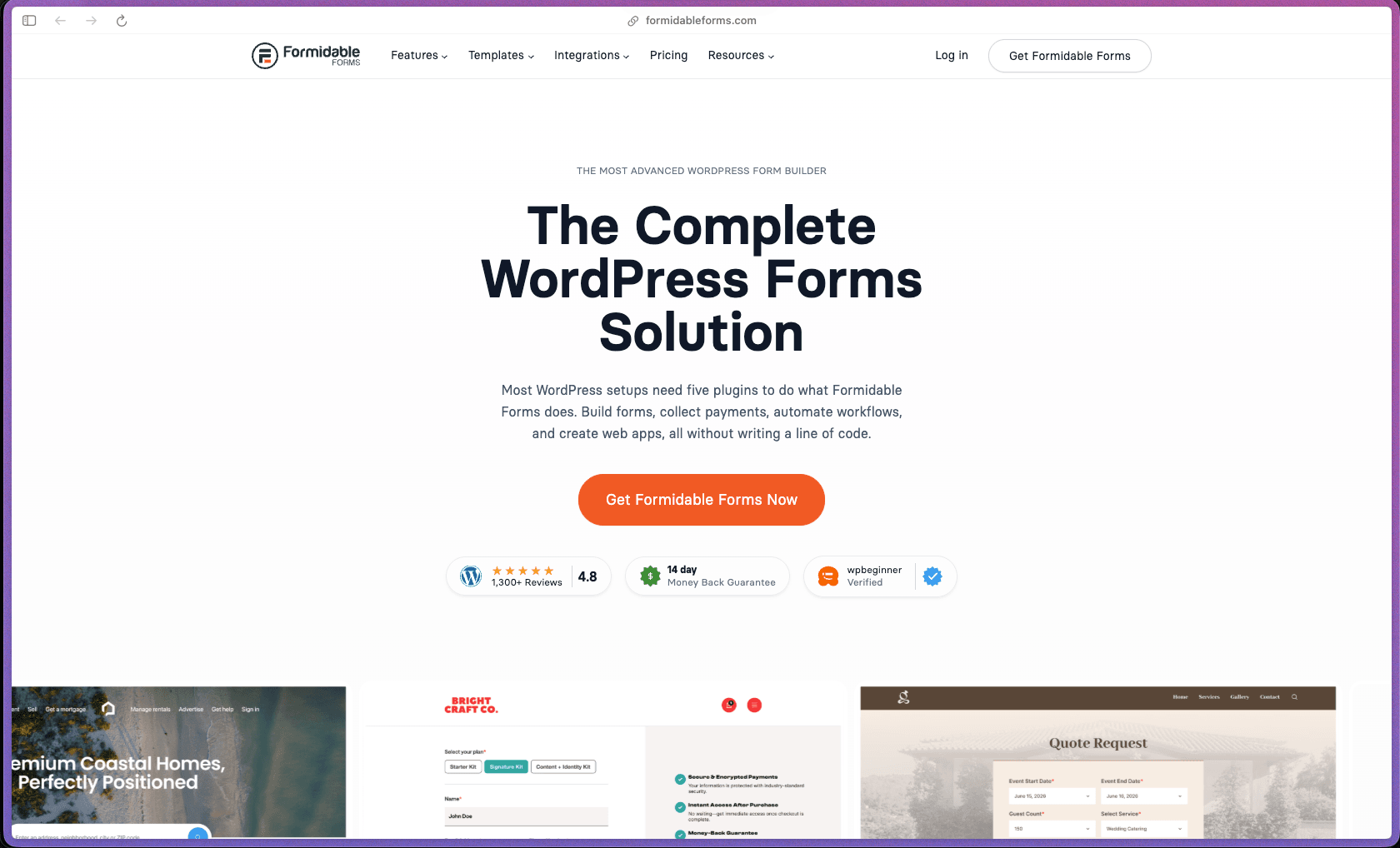
Formidable Forms occupies a distinct position in the WordPress form plugin category: while Fluent Forms, Gravity Forms, and WPForms are optimized for form collection, Formidable explicitly positions itself as an application builder—with a Views system that turns form entries into front-end directories, charts, PDF documents, calculators, and searchable data displays without custom code. That makes it particularly well-suited for WordPress sites that need interactive, data-driven features—quote tools, booking systems, client portals, job boards—without purchasing a separate plugin for each. With 300,000+ active installations, a 4.8/5 WordPress.org rating from 1,352 reviews, 99 G2 reviews, and WordPress.org availability dating back to 2009, its depth and longevity are well-evidenced.
Formidable Forms uses an open-core model—a permanently free version is available on WordPress.org with basic form building, Stripe payments, conditional logic, and 30+ templates, while Pro plans are sold as annual subscriptions (Basic, Plus, Business, and Elite tiers) with features unlocking progressively across tiers. No lifetime license option is currently listed on the official pricing page; renewals are billed annually at the standard (non-introductory) rate after the first year.
Formidable Forms offers a 14-day money-back guarantee on paid plans—refund requests submitted within 14 days of purchase are honored. The permanently free version on WordPress.org (including free Stripe payments) allows evaluation of the core form builder and basic feature set before purchasing a Pro plan.
Formidable Forms is firmly "mature/established"—it has been available on WordPress.org since 2009 (16+ years), placing it among the oldest dedicated WordPress form builder plugins in continuous active development, with a documented history of major releases including version 6.0 (introducing the Styler tab, style templates, and PDF editor in Views) and ongoing AI feature additions. The 300,000+ active installation base, 26 million+ total downloads, 1,352 WordPress.org reviews, and 99 G2 reviews collectively represent the kind of review density and install volume that develops over years of sustained use—not a recent spike from a single launch campaign. Its development trajectory shows deliberate expansion from "form builder" toward "application builder"—with Views, chart blocks, PDF generation, date calculators, AI form fields, form abandonment recovery, and Stripe payment options added in just the 2024 release cycle—indicating active, feature-forward development rather than maintenance-only releases.
- Rated 4.8 out of 5 on WordPress.org from 1,352 ratings—1,237 of those being 5-star reviews—placing it in the top tier of form plugins by review volume and positive skew on the WordPress.org repository.
- Over 300,000 active installations on WordPress.org with 26 million+ total downloads, ranking at #155 across all WordPress plugins by active install count as of March 2026.
- AutomagicWP assigns Formidable Forms an A health score with 100% support resolution on the public WordPress.org forum—indicating consistent, resolved public support threads rather than unanswered questions.
- G2 carries 99 verified reviews with an overall positive rating—reviewers specifically highlight the calculated fields, conditional logic depth, Views for front-end data display, and responsive support team as the most frequently cited strengths.
- Capterra reviewers describe it as a form plugin that doubles as an application builder—with specific mentions of handling calculations, digital signatures, payments, uploads, and Zapier/API integrations as standout capabilities over standard competitors.
- Formidable Forms has been available on WordPress.org since 2009—making it one of the longest-standing dedicated WordPress form plugins in the repository, with documented case studies from a surgeon building a patient management system, service businesses automating order fulfillment, and businesses cutting admin workload by 25% with instant quote forms.
- A drag-and-drop form builder with 100+ field types covers every standard and advanced input scenario—text, number, date, file upload, signature, repeating field groups, rating, address lookup, phone, color picker, and more—assembled via drag-and-drop without code.
- Calculated fields perform dynamic arithmetic on other form field values in real time—summing quantities, computing percentages, applying conditional pricing, and displaying calculated results to the user on the form itself before submission, enabling pricing calculators and instant quote tools.
- Date calculator fields compute the difference between two dates or offset a date by a defined number of days—enabling dynamic shipping estimate fields, countdown timers, expiry date calculations, and any form scenario where a calculated date value needs to be displayed or stored based on user input.
- Conditional logic shows, hides, requires, or populates fields based on previous answers—supporting deeply nested multi-condition logic that adapts the form dynamically as the user progresses, with support for AND/OR condition grouping beyond simple single-condition show/hide.
- Multi-step forms with progress bars break long forms into labeled sections—each section displayed on its own step with a progress indicator—with conditional page skipping routing users to different steps based on their earlier answers.
- Form abandonment tracking detects when a user starts filling out a form but leaves without submitting—capturing the partial entry data and optionally sending an automatic follow-up email to remind them to complete the form, recovering leads that would otherwise be lost.
- Repeating field groups allow a set of related fields (e.g., "item name," "quantity," "unit price") to be repeated any number of times by the user within a single form submission—enabling line-item order forms, multiple-entry registration forms, and any form scenario requiring a variable number of grouped inputs.
- Conversational form mode presents questions one at a time in a typeform-style sequential interface—available within the Formidable builder for engagement-focused intake forms where reducing form overwhelm is a priority.
- Quiz and survey forms support scored responses with automatic correct/incorrect evaluation, score totaling at submission, and visual summary reporting—covering standard quiz, knowledge test, and scored evaluation use cases within the same form builder used for contact and payment forms.
- User registration forms create new WordPress user accounts from form submissions and map form field values to WordPress user profile fields—with role assignment on registration and support for login forms and user-editable profile update forms that allow registered users to edit their own data from the front end.
- PDF generation (Pro) creates formatted PDF documents directly from form submissions and Views—covering certificates, order confirmations, invoices, and application records—exportable or automatically attached to submission notification emails.
- AI form field (Pro) integrates a GPT-powered text generation field into any form—allowing users to receive AI-generated responses, suggestions, or content inside the form interface based on their submitted inputs without requiring a separate AI service integration.
- Form templates library includes hundreds of pre-built templates organized by category and searchable by use case—covering contact forms, quote requests, job applications, surveys, calculators, payment forms, and more—with a template organizer for saving and categorizing custom templates.
- Formidable Views turns collected form entry data into front-end displays—rendering form submissions as searchable directories, employee listings, real estate databases, calendar views, charts, and data tables visible to site visitors without requiring custom development or a separate database display plugin.
- Chart block for WordPress Gutenberg renders visual charts and graphs from form entry data as a native Gutenberg block—displaying bar charts, pie charts, and line graphs of form submission data directly in the page editor with real-time styling preview.
- Payment processing integrations cover Stripe, PayPal, Square, and Authorize.net directly within form submissions—supporting one-time payments, recurring subscriptions, tiered pricing based on form field values, and coupon code entry at checkout, with PCI-compliant payment handling.
- Stripe payment options (added in 2024) extend Stripe integration to support bank transfers, digital wallets, and additional Stripe-supported payment methods beyond standard credit card processing—with Stripe payment support available in the free version of the plugin for basic payment collection.
- Mailchimp, HubSpot, Salesforce, ActiveCampaign, GetResponse, Constant Contact, and ConvertKit integrations map form submission data to contact lists, CRM records, and subscriber audiences automatically on submission—covering the most widely used email marketing and CRM platforms without a Zapier step.
- Zapier integration connects Formidable Forms submission triggers to the full Zapier app ecosystem—routing form data to thousands of connected applications not covered by native direct integrations.
- Digital signature add-on captures a touch-or-mouse drawn signature in a dedicated signature field—providing a signed submission record for contracts, consent forms, waivers, and agreements handled through WordPress forms.
- WooCommerce integration allows form fields to be embedded in WooCommerce product pages for product customization inputs, and submission data to be associated with WooCommerce orders—enabling product configurator forms, personalization inputs, and order-specific custom field collection at checkout.
- API/webhook integration allows form submission data to be sent as a structured HTTP POST payload to any external URL on submission—connecting Formidable Forms to custom applications, REST API endpoints, and any platform that accepts inbound webhook data.
- Google Sheets add-on logs each form submission as a new row in a defined Google Sheet automatically—enabling non-admin team member access to submission data without WordPress dashboard access.
- Conditional email notifications route form submission notification emails to different recipients based on form field values—so a department selection dropdown sends inquiries to the correct team inbox automatically without manual filtering or Zapier routing.
- Multi-action post-submission chains execute multiple sequential actions on a single form submission—simultaneously adding to a CRM, sending a confirmation email, creating a WordPress user account, triggering a Zapier webhook, and updating a View dataset—without separate automation middleware.
- Form abandonment follow-up automation detects incomplete form sessions and sends a configurable automatic reminder email to the partial submitter—with a direct link back to their in-progress form—converting incomplete leads into completed submissions on a scheduled delay.
- Scheduled form availability allows forms to be set as active only within a defined date/time window—opening for registration or applications on a specific date and automatically closing when the deadline passes or submission limit is reached.
- Entry update forms (front-end editing) allow registered users to return to a previously submitted form entry and update their data from the front end of the site—automating user-managed profile updates, editable applications, and user-modifiable submissions without admin intervention.
- Webhook POST on submission fires an outbound HTTP webhook containing submission data to any defined endpoint on form submission—connecting Formidable Forms to any external system that accepts inbound data without the user manually exporting or forwarding submission data.
- Form entry reports generate visual charts and graphs from submission field data—displaying answer distributions, numeric summaries, and trend data for checkboxes, dropdowns, radio buttons, and numeric fields—without exporting data to a spreadsheet for basic analysis.
- Views-based data dashboards render form entry data as customizable front-end displays—including sortable and searchable data tables, directory listings, calendar-style layouts, and chart blocks—giving site visitors and logged-in users direct access to aggregated or individual submission data from the site front end.
- Form conversion stats track submission counts and completion activity per form within the WordPress admin—providing basic form performance data without a third-party analytics tool for entry-level conversion monitoring.
- CSV export allows all entries for any form to be downloaded from the WordPress admin as a CSV file—suitable for offline analysis, sharing with stakeholders without WordPress access, or import into external reporting tools.
- The Formidable Styler provides a visual styling interface with its own dashboard tab—covering field colors, fonts, button styles, border radius, padding, background, and layout controls—including style templates that apply a saved design to any form in one click.
- Multi-column layouts and flexible field sizing allow form fields to be arranged side-by-side with configurable column spans and field widths—building compact, professional form layouts without CSS by dragging fields into columns within the visual builder.
- Custom CSS injection per form allows targeted styling overrides for forms that need visual adjustments beyond what the Styler covers—without modifying the site's global stylesheet.
- Dynamic field population prefills form field values from URL parameters, logged-in user data, previously submitted entry values, or other field values in the same form—reducing friction for returning users and enabling pre-populated quote and application forms.
- Conditional form logic supports deeply nested AND/OR condition grouping—allowing complex visibility, requirement, and population rules that adapt multiple form areas simultaneously based on combinations of previous answers, not just single-condition triggers.
- Google reCAPTCHA v2 and v3, hCaptcha, and custom CAPTCHA field types are all available for spam protection—selectable per form to balance anti-spam effectiveness against the user friction that visible CAPTCHA challenges introduce.
- Honeypot spam prevention adds an invisible field that human users leave blank but bots fill in—blocking automated spam submissions without any visible CAPTCHA challenge, available as a no-friction spam protection layer on top of or instead of reCAPTCHA.
- GDPR consent fields can be added to any form as a required checkbox—capturing explicit privacy policy acceptance before submission is allowed, covering the basic consent collection requirement for EU data protection compliance.
- All form entry data is stored in dedicated Formidable Forms database tables on your own WordPress server—not transmitted to Formidable's own servers—maintaining full local data residency for submission records.
- PCI-compliant payment processing is noted on the Formidable Features page for Stripe, PayPal, Square, and Authorize.net integrations—payment card data is handled by the respective payment gateway's PCI-compliant infrastructure rather than being stored in the WordPress database.
- Entry access controls for Views can restrict which submission records are visible to which users—limiting front-end data displays to the logged-in user's own entries, a defined user role, or all users—enabling secure user-specific dashboards without exposing other users' data.
- WordPress developers and agencies building client sites that need interactive data-driven features—quote calculators, online directories, patient intake systems, job boards, or client portals—without writing custom database queries or a custom admin UI for each project.
- Service businesses and consultants who want to automate intake workflows—online quote forms that calculate pricing, appointment requests with conditional routing to the right team member, and order forms with automatic confirmation PDFs—without a separate SaaS for each workflow.
- Educational institutions, coaches, and certification programs that need scored quiz forms, survey data reports with visual charts, and user registration linked to course access—all managed within a single WordPress plugin rather than separate quiz, survey, and LMS tools.
- WordPress agencies and freelancers who manage complex multi-feature client sites and need a form builder that handles payments, CRM integration, PDF generation, user registration, conditional logic, and front-end data display in one licensed tool across unlimited sites (Elite plan).
- Nonprofits, healthcare providers, and B2B services that handle sensitive application and intake data and need entry access controls, consent fields, GDPR compliance features, digital signatures, and local data storage within a self-hosted WordPress environment.
- Use it for building interactive pricing calculators and instant quote tools when you want site visitors to enter quantities, product specifications, or service requirements and see a dynamically calculated price in real time before submitting a request.
- Use it for creating front-end data directories and searchable databases when you want form submissions—property listings, employee profiles, vendor records, or service provider directories—to be displayed to visitors as a searchable, filterable front-end View without a custom database plugin.
- Use it for managing user-editable registration and profile forms when you want registered WordPress users to submit and update their own data from the front end—handling membership profiles, event applications, or account information without the user needing WordPress admin access.
- Use it for recovering abandoned lead forms when you want to capture partial submission data from users who start a form but leave before submitting—and automatically send them a reminder email with a link back to their in-progress form to complete it.
- Use it for collecting payments with calculated order totals when you want a form that dynamically computes the total based on quantities, options, and conditional pricing rules, then processes the payment via Stripe or PayPal directly from the form submission—without a WooCommerce product setup for each item.
- Use it for building quizzes and scored evaluations when you want respondents to complete a knowledge test, receive their score immediately on submission, and have the results stored in a View or exported as a PDF certificate—without a dedicated quiz plugin.
- WordPress plugin (self-hosted, open-core)—requires WordPress 6.3+ and PHP 7.0+; the free Formidable Forms Lite version is installable directly from the WordPress.org plugin repository; the Pro version is installed via file upload after license purchase.
- 100% self-hosted—all form entries, submission data, Views configuration, and plugin settings are stored in dedicated Formidable database tables on your own WordPress server; no submission data is transmitted to Formidable's own servers.
- Payment gateways supported natively: Stripe (including subscriptions, bank transfers, and digital wallets via Stripe Payment Options), PayPal, Square, and Authorize.net—all configurable within the Formidable plugin settings without a separate payment gateway plugin.
- Native integrations (30+): Mailchimp, HubSpot, Salesforce, ActiveCampaign, GetResponse, Constant Contact, ConvertKit, Zapier, Google Sheets, WooCommerce, Twilio SMS, and digital signature capture (add-on).
- AI form field integration connects to ChatGPT/OpenAI for AI-powered text generation within forms—requires an OpenAI API key configured in the Formidable settings.
- Developer API: action and filter hooks, REST API support, and a developer documentation library covering custom field types, custom Views display logic, and integration development.
- Page builder compatibility: works within WordPress Gutenberg blocks (including a native Chart Block), classic editor shortcodes, and is compatible with major page builder themes; specific Elementor widget compatibility is not prominently documented—buyers using Elementor should verify compatibility with the current version before purchase.
Formidable Forms' most direct category competitors are Gravity Forms, Fluent Forms, and WPForms—all operating in the WordPress form builder space. Its differentiation is the Views system and application builder positioning: where most form plugins stop at collecting and notifying on submissions, Formidable's Views turn submitted data into front-end-rendered directories, dashboards, calculators, and charts—effectively adding a lightweight application layer to WordPress without a separate database display tool. This makes it particularly relevant for WordPress projects that would otherwise require multiple plugins (a form plugin, a directory plugin, a chart plugin, a PDF plugin) to achieve what Formidable covers in a single license—though that breadth also means a slightly steeper learning curve for users who only need a simple contact form.
- Priority support is provided via the official Formidable support system for Pro plan holders; the public WordPress.org forum is supported for the free version with a 100% support resolution rate tracked by AutomagicWP, and multiple G2 and Capterra reviewers explicitly cite the support team's responsiveness as a key reason for continued use and recommendation.
- Documentation at formidableforms.com/knowledgebase covers installation, every field type, conditional logic, Views setup, all major integrations, payment configuration, calculated fields, date calculators, form abandonment, PDF generation, and developer hooks—structured with a separate developer documentation section and a library of tutorial videos on the Formidable Forms YouTube channel.
- A Facebook community group and active social channels provide supplementary peer support and user-to-user discussions; G2 reviewers note that while mastering advanced features (nested conditionals, complex Views) has a learning curve, the documentation and support team compensate for the occasional sparse inline help text within the builder UI itself.
- The free version's practical scope is limited—Capterra reviewers specifically note that the free tier is "very average" for real-world use cases and most meaningful functionality (Views, advanced conditional logic, calculated fields, PDF generation, CRM integrations) requires a paid Pro plan; buyers evaluating Formidable should test Pro-level features during the 14-day refund window rather than relying on the free version alone for purchase evaluation.
- Advanced features have a learning curve—G2 reviewers and Capterra reviewers both note that mastering calculated fields, nested conditional logic, and Views configuration takes meaningful time investment; teams that need a simple contact or multi-step form without complex calculations or data display may find lighter-weight alternatives (Fluent Forms, WPForms) less demanding to configure.
- Annual subscription pricing with no lifetime license option and full-price renewals after the introductory first-year rate—buyers should note that the introductory discount does not carry over to renewals, so the total year-2 cost is higher than the initial purchase price shown at checkout.
- No native mobile app is available—Formidable Forms is a WordPress admin web interface only; form management, entry review, and Views configuration require WordPress dashboard access on a desktop or mobile browser rather than a dedicated mobile application.
Related Products
Elementor

Recently Added!
Crocoblock

Recently Added!
LearnDash

Recently Added!
BitFlows

Amelia

Recently Added!
Dynamic.ooo

Recently Added!
Microthemer & Amender

Recently Added!
LifterLMS

Recently Added!
Masteriyo

Products With Lifetime Deals
Recently Added!
FluentForms

Recently Added!
Divi Theme

Recently Added!
ConvertPro

Recently Added!
CartFlows

Recently Added!
Bullet Proof Security

Recently Added!
WP Booking Calendar

Recently Added!
BeaverBuilder

Recently Added!
Avada

Recently Added!
Independent Analytics

You Recently Viewed These
Recently Viewed
BitFlows
Recently Viewed
Amelia
Recently Viewed
Dynamic.ooo
Recently Viewed
Microthemer & Amender
Recently Viewed
LifterLMS
Recently Viewed
Masteriyo
Recently Viewed
Zynith SEO

Recently Viewed
Wrike

Recently Viewed
WPMU Dev

Recently Viewed
wpDataTables

Recently Viewed
WP Booking Calendar
Recently Viewed
Webflow
