
Flying Press
Flying Press

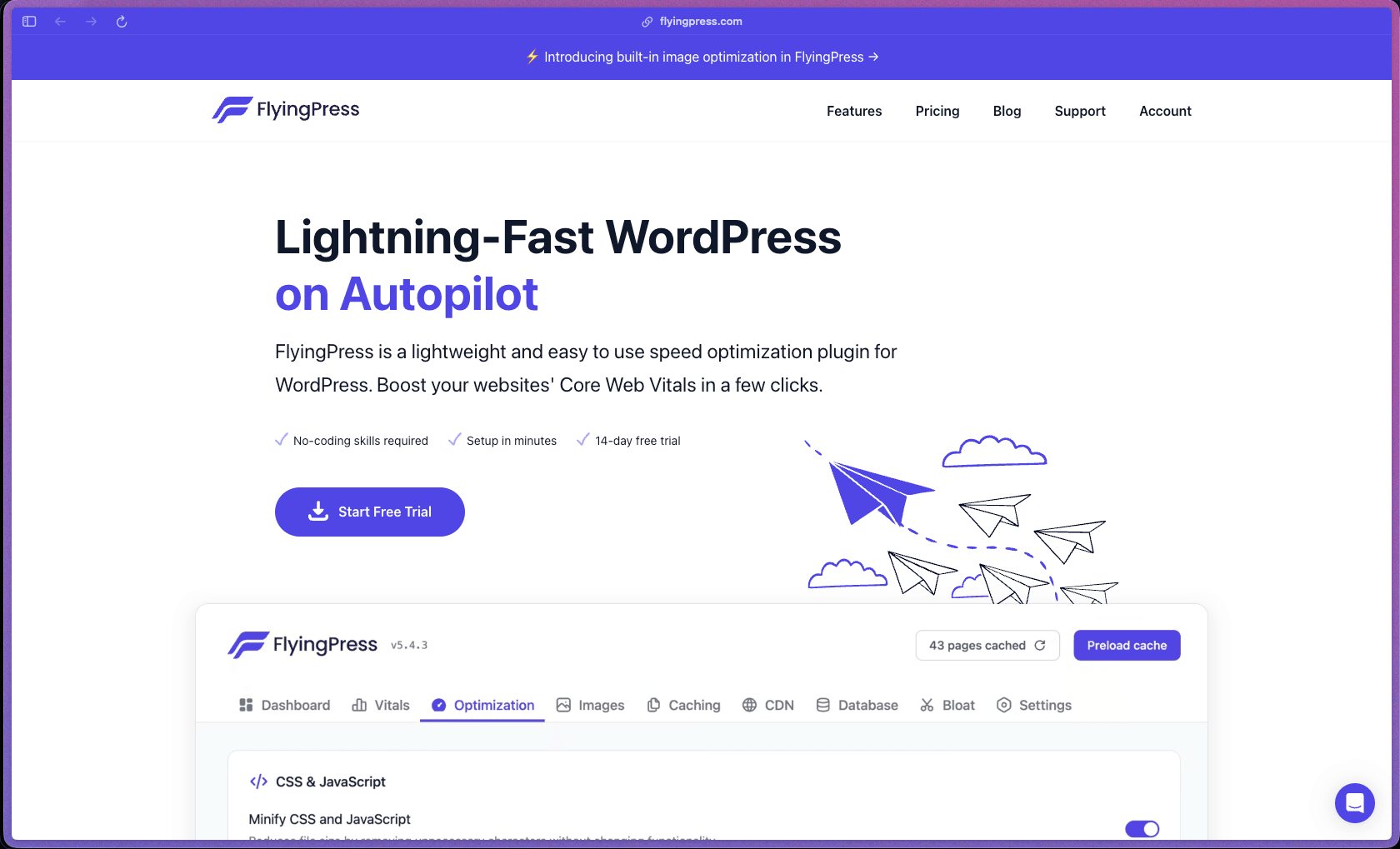
FlyingPress covers the full WordPress speed optimization stack—page caching, image optimization, unused CSS removal, script delay, lazy loading, Google Fonts self-hosting, database cleanup, Core Web Vitals tracking with real user data, and Cloudflare integration—in a single plugin that doesn't require a separate CDN subscription or a second performance plugin. It offloads computationally expensive operations (unused CSS generation, image conversion) to FlyingPress cloud servers rather than running them on your hosting account, which is a practical consideration for sites on shared or resource-limited hosting. Independent reviews from CommerceGurus, SayanSamanta, WPKube, and Gaurav Tiwari across 2025–2026 consistently test real PageSpeed score improvements rather than just describing features—giving this plugin better performance evidence than most in the category.
FlyingPress uses an annual subscription model tiered by the number of sites covered—Starter (1 site), Pro (3 sites), Business (10 sites), and Unlimited (unlimited sites)—with all features included at every tier. No permanently free version is available, but a 14-day free trial with full feature access requires no upfront payment and charges only if you continue after the trial period ends.
FlyingPress offers a 14-day free trial with full access to all features and no charge until the trial period ends. The official pricing page states that refunds are not offered after the trial—the intention is that the free trial period replaces the refund window, so buyers should evaluate fully during the trial before allowing it to convert to a paid subscription.
FlyingPress is "growing/stable"—launched in 2020 and now in its fifth major version (v5, released May 2025), it has approximately 5 years of continuous development with a clearly documented changelog showing consistent feature releases rather than sporadic maintenance updates. The plugin introduced unused CSS removal before most competitors in its class (acknowledged in the v4 release notes as a first-in-category feature), and has evolved from a simple caching plugin to a full performance stack with cloud image optimization and real-user Core Web Vitals monitoring—showing deliberate long-term product investment. A 14-site data point and clear feature depth suggest a growing user base, but unlike WP Rocket (4 million+ sites) or WP Super Cache, FlyingPress does not publish an active install count—buyers should treat its maturity as "established and growing" rather than at the scale of the largest performance plugins.
- G2 carries verified FlyingPress user reviews with reviewers citing Core Web Vitals improvements, ease of setup relative to plugin feature depth, and responsive support as primary strengths—specific review counts are not prominently surfaced but a pros/cons summary is available.
- Independent performance reviews from CommerceGurus (May 2026), SayanSamanta (March 2026), Gaurav Tiwari (April 2026), and WPKube (2026) all include actual before/after PageSpeed and Core Web Vitals test data—providing measurable third-party performance evidence beyond editorial summaries.
- FlyingPress has been featured in WP Rocket's own comparison page as a named direct alternative—an implicit acknowledgment from one of the most widely installed performance plugins in the WordPress ecosystem.
- FlyingPress v5 was released in May 2025 with a CloudOptimizer (cloud-based page optimization), a rebuilt settings panel, and AI-assisted optimization logic—indicating active major-version development rather than a maintenance-only release cadence.
- The developer (Gijo Varghese) is noted across multiple independent reviews as being personally responsive in support channels—and his broader plugin portfolio (Flying scripts, Flying pages) is cited as evidence of performance-focused development expertise.
- Page caching generates static HTML versions of each page and serves them directly from the web server—bypassing PHP and database processing on every visit, which is the single highest-impact change for reducing time-to-first-byte on WordPress sites.
- Cache preloading automatically regenerates the HTML cache in the background whenever content changes—overwriting cached pages one by one rather than purging the entire cache first, so visitors always see a cached version with no uncached gap during rebuilds.
- Unused CSS removal generates critical CSS (the styles needed to render above-the-fold content) and removes all other CSS from the initial page load—processed by FlyingPress cloud servers in under 30 milliseconds per page to minimize impact on the hosting server.
- Script delay loads non-critical JavaScript files only after user interaction (mouse move, click, or scroll)—preventing third-party scripts like chat widgets, analytics, and ad code from blocking the initial page render and inflating Total Blocking Time scores.
- Image optimization converts images to AVIF or WebP format with lossy or lossless compression, using FlyingPress cloud servers for processing—keeping the conversion workload off your hosting CPU while reducing image file sizes.
- Core Web Vitals tracking collects TTFB, LCP, INP, and CLS measurements from real visitors using the Chrome UX Report data—displaying actual user experience performance rather than synthetic lab scores, which can differ significantly from what real visitors experience.
- Cloudflare integration caches pages in Cloudflare's CDN directly from within FlyingPress settings—without purchasing the Cloudflare APO subscription (which normally costs extra), using Cloudflare's free plan cache API instead.
- Lazy loading defers the loading of off-screen images, HTML elements, videos, and iFrames until they are close to entering the viewport—reducing initial page payload size and improving Largest Contentful Paint timing on content-heavy pages.
- Link preloading starts fetching the content of a page in the browser before the user clicks the link—making navigation between pages feel near-instant because the next page's content begins loading the moment the user hovers over a link.
- CSS and JavaScript minification removes whitespace, comments, and unnecessary characters from CSS and JS files—reducing their file size to decrease the amount of data transferred to each visitor's browser on every page load.
- Script deferral prevents render-blocking scripts from delaying page rendering by moving their execution to after the HTML document has been fully parsed—improving First Contentful Paint and reducing the perceived delay before visible content appears.
- Google Fonts optimization self-hosts Google Fonts on your own server, combines multiple font file requests into fewer files, and preloads them in the HTTP headers—eliminating the DNS lookup and round trip to Google's servers that font loading normally requires.
- Layout shift reduction automatically adds missing width and height attributes to image elements—providing the browser with image dimensions before images load, preventing the content jumping that causes Cumulative Layout Shift score penalties.
- Database optimization cleans up and optimizes WordPress database tables (post revisions, transients, spam comments, orphaned metadata) on demand or on an automated schedule—reducing database bloat that can slow query performance over time.
- Caching for logged-in users optionally serves cached pages to authenticated WordPress users—useful for membership sites and WooCommerce stores where logged-in customers would otherwise always bypass the page cache and hit PHP on every request.
- Query string caching extends cache coverage to URLs with query parameters—including WordPress search pages and filtered product pages on WooCommerce stores—which are normally excluded from page caching in simpler implementations.
- Cloudflare cache purge integration automatically clears cached pages in Cloudflare when content is updated in WordPress—ensuring visitors always see current content from the CDN cache without manually purging the Cloudflare cache through the Cloudflare dashboard.
- Redis Object Cache integration support connects FlyingPress page caching to a Redis object cache layer when available on the hosting environment—enabling persistent in-memory caching that survives PHP process restarts and further reduces database queries.
- FlyingCDN (FlyingPress's own optional CDN service) can handle CSS and JavaScript minification and delivery from CDN edge nodes—offloading file transformation and distribution from the origin server for additional performance gains beyond what page caching alone provides.
- WooCommerce compatibility is explicitly supported—FlyingPress handles WooCommerce-specific cache bypass rules (cart, checkout, account pages) and has been tested by CommerceGurus specifically on WooCommerce store configurations.
- Developer filter and action hooks allow custom cache exclusion rules, custom bypass conditions based on cookies, and integration with custom hosting configurations—documented at docs.flyingpress.com for teams with specific compatibility requirements.
- Automated cache preloading runs in the background when content changes are detected—rebuilding the static HTML cache proactively so new visitors always get a cached page rather than triggering an on-demand cache generation on the first post-update visit.
- Auto-optimize for new image uploads applies the chosen image optimization settings (AVIF or WebP, lossy or lossless) to every new image uploaded to the WordPress media library automatically—without requiring a manual bulk optimization step each time new content is added.
- Scheduled database cleanup automates the database optimization process on a defined schedule—running table optimization, revision pruning, and transient cleanup automatically without requiring manual database maintenance via phpMyAdmin or a separate plugin.
- Cache bypass rules for cookies allow FlyingPress to automatically serve uncached pages to users with specific cookie states (logged-in users, users with WooCommerce cart items, or any custom cookie condition)—preventing personalized or dynamic pages from being incorrectly served from static cache to the wrong visitors.
Core Web Vitals dashboard displays real-user metric data for TTFB, LCP, INP, and CLS per page—sourced from actual Chrome browser visits rather than synthetic testing tools—giving site owners ongoing visibility into how real visitors experience performance without switching to the Google Search Console or CrUX API separately.
- Per-page and per-URL cache exclusion rules allow specific URLs, page templates, or URL patterns to be excluded from page caching—accommodating dynamic pages, membership-gated content, or A/B testing landing pages that should not be served from static cache.
- Selective script delay allows specific JavaScript files to be included or excluded from delay rules—so critical scripts (payment processing, form validation) can be excluded from the user-interaction delay trigger while non-critical scripts are delayed.
- Stylesheet exclusion from unused CSS removal lets specific CSS files be preserved in full rather than processed through the unused CSS removal engine—preventing false positives where dynamically loaded styles are incorrectly stripped as "unused."
- Cache settings are fully configurable from a responsive admin dashboard that works on mobile devices—allowing cache purge and preload actions to be triggered from a phone or tablet without accessing a desktop.
- Import/export settings functionality (introduced in v4) allows FlyingPress configuration to be exported from one site and imported to another—useful for agencies applying a consistent performance configuration across multiple client sites.
- Cloudflare integration with automatic cache purge on content updates prevents stale cached pages from being served after a site compromise or emergency content removal—ensuring that if you pull a page or correct a security disclosure, visitors see the updated version from CDN immediately rather than a cached version that persists until the next scheduled purge.
- Cache bypass rules enforce automatic exclusion of logged-in sessions, WooCommerce cart and checkout pages, and pages with defined security-sensitive cookies from the static page cache—preventing authenticated or transactional page data from being incorrectly served to the wrong visitor from a shared static cache.
- FlyingPress does not itself provide server-level security features (firewall, malware scanning, DDoS protection, or brute-force blocking)—these remain the responsibility of your hosting provider or a dedicated WordPress security plugin; FlyingPress's security-relevant scope is limited to correct cache management that prevents data leakage through incorrect cache serving behavior.
- The plugin is distributed directly from flyingpress.com (not WordPress.org), meaning it does not go through WordPress.org's code review and scanning pipeline; buyers on strict plugin vetting policies should factor this into their evaluation, though no published security incidents related to FlyingPress have been identified in available sources.
- WordPress bloggers and content publishers on shared hosting with PageSpeed scores below 70 who want to improve Core Web Vitals and LCP timing without manually configuring multiple individual performance plugins for caching, CSS, scripts, and images separately.
- WooCommerce store operators who need a performance plugin with built-in WooCommerce cart/checkout cache bypass rules, image optimization for product images, and Core Web Vitals monitoring—without purchasing WP Rocket plus a separate image optimization service.
- WordPress agencies and freelancers managing 3–10+ client sites who want a single multi-site license covering the full optimization stack (caching, images, CSS, scripts, fonts, database) with import/export settings to replicate configurations across client projects.
- WordPress developers building membership sites or LMS platforms who need cache-for-logged-in-users support, per-cookie cache bypass rules, and developer hooks for custom exclusions to handle complex authenticated user scenarios.
- Site owners already using Cloudflare who want to use Cloudflare's CDN for page caching without the Cloudflare APO subscription add-on, by using FlyingPress's free-plan Cloudflare cache API integration instead.
- Use it for improving Core Web Vitals scores when you need to address LCP, CLS, and INP metrics with automated unused CSS removal, lazy loading, layout shift fixes, and link preloading rather than manually diagnosing and fixing each metric separately.
- Use it for optimizing a WooCommerce store for speed when you want image compression (AVIF/WebP), script delay for non-critical third-party code, and page caching with correct WooCommerce cart and checkout bypass rules—all managed from one plugin.
- Use it for reducing page load times on shared hosting when your hosting resources can't handle on-server CSS processing—by offloading unused CSS removal and image optimization to FlyingPress cloud servers instead of consuming your own CPU and memory.
- Use it for replacing a multi-plugin performance stack when you currently run separate plugins for caching, image optimization, script management, and database cleanup—and want to consolidate into a single plugin with fewer compatibility risks.
- Use it for integrating Cloudflare CDN caching into your WordPress site when you want full-page Cloudflare caching with automatic cache purging on content updates—without upgrading to the Cloudflare APO subscription or managing cache purges through the Cloudflare dashboard manually.
- Use it for ongoing Core Web Vitals monitoring when you want to track TTFB, LCP, INP, and CLS from real users over time within WordPress admin—rather than running periodic manual speed tests through PageSpeed Insights or GTmetrix.
- WordPress plugin (premium, self-hosted)—requires WordPress 5.0+ and PHP 7.4+; FlyingPress is distributed directly from flyingpress.com (not through the WordPress.org plugin repository) and installed by uploading the plugin ZIP file through the WordPress admin.
- Hybrid processing architecture—standard caching, script management, lazy loading, and font optimization run on your own WordPress server, while unused CSS removal and image optimization (AVIF/WebP conversion) are processed on FlyingPress cloud servers to protect hosting CPU and memory resources.
- Cloudflare integration uses the Cloudflare free-plan cache API for full-page CDN caching and automated cache purge on content updates—no Cloudflare APO subscription is required.
- FlyingCDN is an optional add-on CDN service offered by FlyingPress for CSS/JS delivery from edge nodes, separate from the Cloudflare integration—enabling CDN delivery of minified assets without a third-party CDN subscription if preferred.
- Redis Object Cache integration is supported for hosting environments that provide Redis—extending caching beyond static HTML to include PHP object caching for database query results.
- Developer API: Filter and action hooks for custom cache exclusion, custom cookie bypass conditions, and custom optimization rules are documented at docs.flyingpress.com—covering common agency and developer customization scenarios.
- Compatible with major WordPress hosting providers, page builders (Elementor, Beaver Builder, Divi), and WooCommerce—compatibility list is maintained in the official documentation, though FlyingPress notes some configuration tuning may be required for complex setups.
FlyingPress's most direct competitors are WP Rocket, NitroPack, and Perfmatters—all covering the WordPress performance optimization space with varying feature scopes and pricing models. Compared to WP Rocket (which focuses on ease of use with more automated compatibility handling but requires a separate image optimization service like Imagify), FlyingPress includes image optimization, Cloudflare CDN integration without an APO subscription, and real-user Core Web Vitals tracking as built-in features in the base license—reducing the number of supplementary plugins or services needed. Compared to NitroPack (which is SaaS-based with per-page-view pricing at scale), FlyingPress is a flat-rate annual plugin where processing costs are covered by the license rather than metered by traffic—making it more predictable for high-traffic sites.
- Support is provided via the official FlyingPress support portal (support tickets); the developer Gijo Varghese is noted across multiple independent reviews as personally responsive on support channels, though no specific first-response time SLA is publicly stated.
- Documentation at docs.flyingpress.com covers installation, all major feature configuration (page caching, unused CSS, script delay, image optimization, Cloudflare integration, database cleanup), cache exclusion rule setup, developer hooks and filters, and FAQ for common compatibility issues—structured for both beginner and developer audiences.
- No official community forum, Discord, or Facebook group is prominently listed as a FlyingPress support resource; peer discussion occurs primarily through WordPress-focused communities and Reddit threads rather than an official community channel.
- FlyingPress does not offer a money-back guarantee after the trial period converts to paid—the 14-day free trial is explicitly the risk-reduction mechanism, with the pricing page stating refunds are not provided after the trial ends; buyers should use the full trial period actively rather than treating it as a guaranteed refund window.
- WP Rocket's own comparison page notes that FlyingPress requires more manual configuration than WP Rocket—particularly for exclusion rules and per-page optimization tuning—meaning users who want a plugin that applies sensible defaults automatically with minimal setup may find WP Rocket's automated configuration approach less demanding.
- FlyingPress is not distributed through the WordPress.org plugin repository—licenses and downloads are managed directly through flyingpress.com, which means automatic plugin updates in the WordPress admin require an active license connection; an expired license stops receiving updates through the standard WordPress dashboard update mechanism.
- The FlyingCDN add-on for CSS/JS delivery is a separate service with its own pricing rather than a feature bundled into the FlyingPress license—buyers who want edge-node CSS/JS delivery in addition to Cloudflare page caching should clarify FlyingCDN costs before budgeting total optimization stack expenses.
Related Products
Elementor

Recently Added!
Crocoblock

Recently Added!
LearnDash

Recently Added!
BitFlows

Amelia

Recently Added!
Dynamic.ooo

Recently Added!
Microthemer & Amender

Recently Added!
LifterLMS

Recently Added!
Masteriyo

Products With Lifetime Deals
Recently Added!
FluentForms

Recently Added!
Divi Theme

Recently Added!
ConvertPro

Recently Added!
CartFlows

Recently Added!
Bullet Proof Security

Recently Added!
WP Booking Calendar

Recently Added!
BeaverBuilder

Recently Added!
Avada

Recently Added!
Independent Analytics

You Recently Viewed These
Recently Viewed
BitFlows
Recently Viewed
Amelia
Recently Viewed
Dynamic.ooo
Recently Viewed
Microthemer & Amender
Recently Viewed
LifterLMS
Recently Viewed
Masteriyo
Recently Viewed
Zynith SEO

Recently Viewed
Wrike

Recently Viewed
WPMU Dev

Recently Viewed
wpDataTables

Recently Viewed
WP Booking Calendar
Recently Viewed
Webflow
