
FluentCRM
FluentCRM

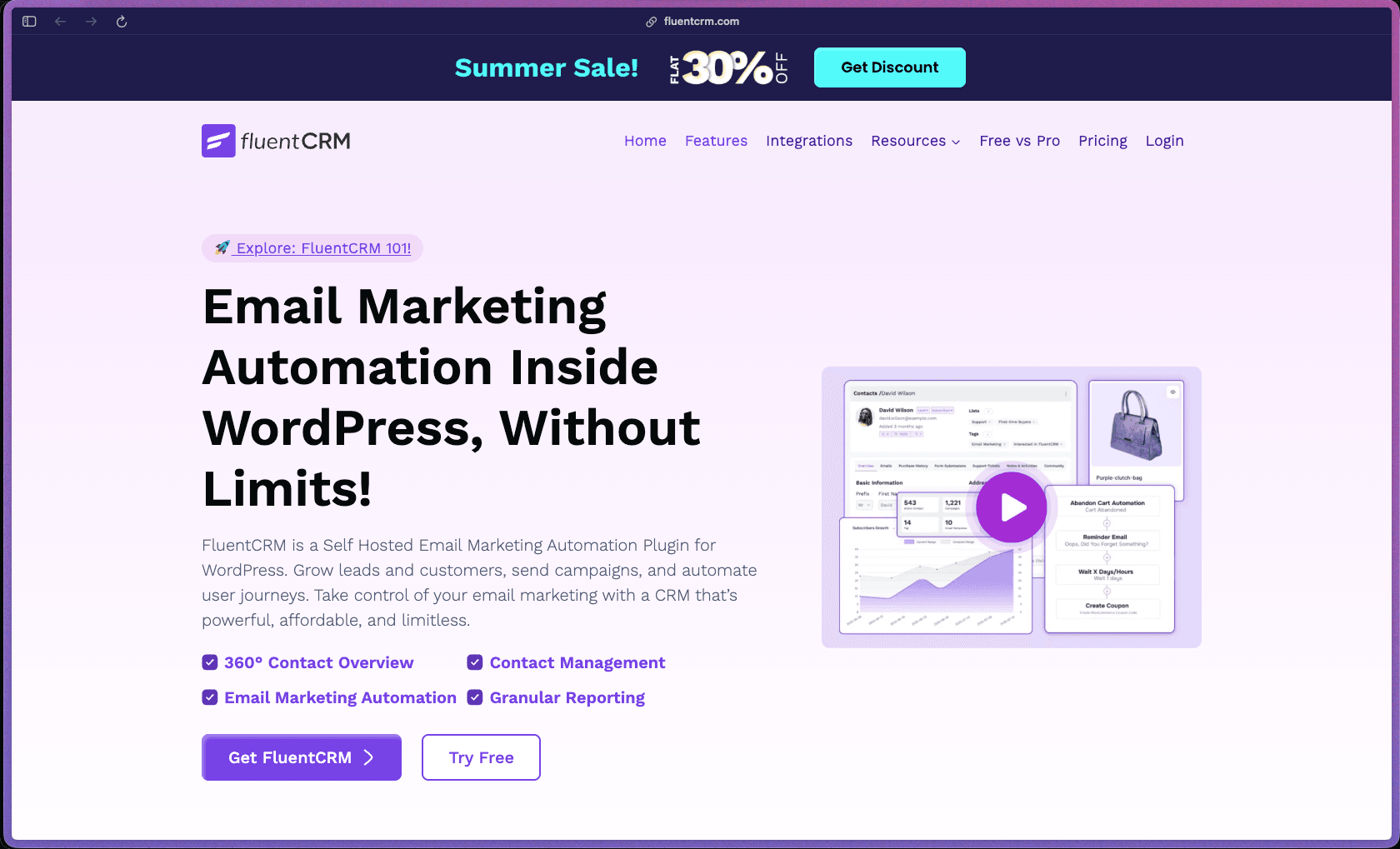
FluentCRM's most concrete advantage over hosted email marketing SaaS platforms is that all contact data, campaign records, and automation history live on your own WordPress server—your data doesn't go to Mailchimp, ActiveCampaign, or any third-party infrastructure, eliminating per-contact pricing tiers that increase costs as your list grows. The flat annual license includes unlimited contacts, unlimited email campaigns, and all features regardless of list size—a pricing model that becomes significantly more cost-effective at 10,000+ contacts compared to per-contact SaaS pricing at comparable automation depth. With 70,000+ active installations, a 4.8/5 WordPress.org rating from 225 reviews, and 1.4 million total downloads, it has the installation scale and user satisfaction to be taken seriously as a production CRM tool.
FluentCRM uses an annual subscription model with flat-rate tiering based on the number of sites licensed—plans cover 1 site, 5 sites, and 50 sites respectively, with all features and unlimited contacts included at every tier. A free version (FluentCRM Lite) is permanently available on WordPress.org with core CRM, contact management, basic segmentation, and limited automation functionality, making it an open-core model.
FluentCRM Pro offers a 30-day money-back guarantee on all annual plans—refund requests submitted within 30 days of purchase are honored. The permanently free version on WordPress.org allows evaluation of core CRM and basic automation features before any purchase is made.
FluentCRM launched in 2020 and has reached "growing/stable" status—accumulating 70,000+ active installations and 1.4 million downloads in approximately 5 years, which is a faster adoption rate than typical for a premium-oriented CRM plugin competing against established hosted SaaS alternatives. The plugin is developed by WPManageNinja (the team behind Fluent Forms, Ninja Tables, and FluentSupport)—a multi-product WordPress software company based in Dhaka with active development across multiple commercial plugins, providing organizational stability beyond a single-product indie developer. The developer documentation (developers.fluentcrm.com) covers REST API, custom automation triggers, 200+ action and filter hooks, Vue 3 frontend architecture, and a full database schema reference—indicating a maturing product with serious developer documentation investment rather than a purely user-facing tool.
- Rated 4.8 out of 5 on WordPress.org from 225 ratings, with 206 of those being 5-star reviews—a strong positive skew across a meaningful review volume for a CRM plugin.
- Over 70,000 active installations on WordPress.org and 1.4 million total downloads as of March 2026, demonstrating sustained adoption across a growing production user base.
- The official FluentCRM features page states that 60,000+ businesses use FluentCRM—noted here as a company-reported figure rather than a third-party verified number.
- G2 reviewers specifically compare FluentCRM favorably against Brevo, noting it includes all expected CRM features with easy WordPress configuration—and rate FluentCRM easier to use, set up, and administer than Agile CRM in head-to-head G2 comparison data.
- Independent editorial reviews from Gravity Forms Blog (May 2026), WPMayor, FatLab Web Support, and Blog Marketing Academy cover FluentCRM comprehensively with positive-to-neutral assessments—reflecting active third-party coverage through mid-2026.
- AutomagicWP assigns FluentCRM a B health score with 75% support resolution on the public WordPress.org forum, indicating moderate-to-good support thread activity compared to the plugin category average.
- A 360° contact view aggregates each subscriber's full history—email open and click activity, purchase history from WooCommerce or EDD, course enrollment status from LMS plugins, form submission records, and support ticket activity—all visible on a single contact profile without switching between plugins.
- Email campaign management covers composing broadcast emails with a block-based editor, filtering and segmenting the recipient audience, scheduling or immediately sending, and viewing open rate, click-through rate, and revenue attribution data—all from a single campaign screen within WordPress admin.
- Email sequences (drip campaigns) allow you to build a series of time-delayed emails triggered by a specific event—user registration, product purchase, tag assignment, or form submission—running automatically in sequence without manual scheduling after initial setup.
- Automated email funnels (visual automation builder) provide a flowchart-style workflow builder covering trigger events, conditional branching, wait steps, tag additions, list changes, and email sends—allowing complex multi-path marketing sequences to be built without writing automation rules in a form-based interface.
- Advanced contact segmentation using lists, tags, and dynamic smart segments allows you to group contacts by any combination of behaviors, custom fields, purchase history, and plugin-specific data—enabling highly targeted campaign sends to specific audience subsets rather than full-list broadcasts.
- Custom contact fields extend the standard contact record with any additional data your business tracks—survey responses, company name, location, lead source, or any custom attribute—which can be used in segmentation conditions and email personalization.
- Email newsletter management supports broadcast campaigns to defined list segments with scheduling, A/B subject line testing, and per-campaign reporting—covering the standard weekly/monthly newsletter use case alongside more complex automation workflows.
- Company/organization records allow B2B-oriented sites to associate contacts with a company entity—tracking company-level relationships across multiple contacts who share the same organizational affiliation.
- Smart links allow you to embed tracked links in emails that automatically apply a tag, remove a tag, update a field, or trigger an automation sequence when clicked—enabling behavioral segmentation based on link click activity without a form or explicit sign-up action.
- WooCommerce integration syncs purchase events, order value, product categories purchased, and customer lifetime value data directly into FluentCRM contact records—enabling purchase-triggered automations, win-back sequences, and customer segmentation based on real WooCommerce order data without manual data imports.
- Easy Digital Downloads integration connects digital product sales from EDD stores to FluentCRM contact records and automation triggers—enabling post-purchase sequences, license renewal reminders, and buyer segmentation for EDD-based stores.
- LearnDash and LifterLMS integrations sync course enrollment, lesson completion, and quiz score events to FluentCRM—enabling course progress-triggered email sequences (e.g., drip course content delivery, completion congratulations, upsell to next course) without a separate LMS email plugin.
- Fluent Forms integration (from the same developer team) enables native form submission data to create or update FluentCRM contacts and trigger automations directly—providing the tightest possible form-to-CRM data flow for sites already using Fluent Forms.
- AffiliateWP integration connects affiliate program events (signup, commission approved, referral generated) to FluentCRM contact records and automations—supporting affiliate onboarding sequences and commission milestone emails.
- Paid Memberships Pro and MemberPress integrations sync membership plan enrollment, cancellation, expiration, and upgrade events to FluentCRM—enabling membership lifecycle email sequences managed from within the CRM rather than through separate membership plugin email settings.
- WPFusion integration provides a compatibility bridge between FluentCRM tags and dozens of additional third-party tools that WPFusion connects to—extending FluentCRM's native integration library to the full WPFusion integration ecosystem.
- REST API with full CRUD access to contacts, campaigns, tags, lists, and automations is available—enabling custom integrations, external data pipelines, and developer-built connections to tools not covered by native integrations.
- Webhook support allows FluentCRM to send outbound event data (contact created, tag added, purchase completed, etc.) to external tools and automation platforms via HTTP webhook—connecting FluentCRM to Zapier, Make/Integromat, and any platform that accepts webhook payloads.
- A visual automation funnel builder maps multi-step workflows with triggers, conditional wait steps, branching logic (if/else conditions), goal benchmarks, and action blocks—allowing marketing sequences to adapt based on contact behavior rather than sending every contact the same fixed sequence.
- Automation triggers cover 20+ entry points including form submissions, tag assignments, list membership changes, WooCommerce purchases, course enrollments, membership sign-ups, link clicks, and WordPress user registration—covering the full range of WordPress ecosystem events without requiring a middleware automation tool.
- Goal benchmarks within automation funnels allow you to define a conversion event (e.g., "purchased product," "clicked a specific link," "enrolled in a course") that, when reached, moves a contact forward in the workflow or exits them from a sequence—ensuring contacts don't continue receiving pre-purchase emails after buying.
- Wait steps and date-based delays within automation sequences support precise time-interval control—pausing a sequence for a defined number of hours, days, or weeks before the next action fires, or triggering at a specific date (e.g., one week before subscription expiration).
- Lead scoring (Pro) assigns point values to specific contact behaviors—email opens, link clicks, purchases, form submissions—accumulating a numeric score per contact that can be used as a segmentation condition or automation trigger.
- Email send scheduling and time-zone-aware delivery allow campaigns to be sent at a defined local time per recipient—improving open rates by ensuring emails arrive at the same time of day regardless of the recipient's geographic location.
- Campaign-level reporting shows delivered, opened, clicked, unsubscribed, and bounced counts per broadcast campaign—with revenue attribution for WooCommerce-connected stores showing the dollar amount of orders placed by campaign recipients.
- Automation funnel analytics display contact counts at each step of an automation workflow—identifying the steps where contacts drop off, complete a goal, or exit a sequence, giving you data to optimize funnel performance over time.
- Contact-level activity logs show each individual contact's full history of email interactions, automation enrollments, purchases, form submissions, and tag changes—accessible on the contact profile page for customer service reference and lead qualification.
- Dashboard overview provides aggregate metrics for list growth, campaign performance, and automation activity across a defined date range—giving a high-level health check on email marketing performance without navigating to individual campaign reports.
- Dynamic merge tags insert contact-specific data into email content—first name, last name, custom field values, WooCommerce last order details, course enrollment data, and any other stored contact attribute—enabling personalized email content without manual segmentation.
- Conditional block display in the email builder (Pro) lets you show or hide specific content blocks within a single email based on the recipient's tags, list membership, or custom field values—sending a single campaign that displays different content to different audience segments.
- The email editor uses a custom Gutenberg-style block editor for email composition with reusable template blocks, image support, button styling, and column layouts—providing a familiar editing experience for WordPress users without a visual drag-and-drop email builder app.
- Role-based access control allows you to assign FluentCRM access with granular permissions to WordPress team members—restricting certain users to campaign management only, or contact viewing only, without granting full CRM admin access.
- Double opt-in configuration is available per list, allowing compliance with consent-based email marketing requirements by requiring new subscribers to confirm their subscription via a confirmation email before being added to active lists.
- All contact and campaign data is stored in custom database tables on your own WordPress server—no contact data is transmitted to FluentCRM's own servers or third-party infrastructure, providing full data ownership without cloud data transfer.
- Custom database tables (separate from the core WordPress wp_posts and wp_options tables) store CRM data in a way that avoids bloating the main WordPress database and prevents CRM query overhead from affecting front-end site performance.
- GDPR compliance tools include double opt-in, unsubscribe link inclusion in all emails, and contact data deletion capabilities—covering the basic EU data protection compliance requirements for email marketing without a separate consent management plugin.
- WordPress membership site operators using MemberPress, Paid Memberships Pro, or WishList Member who want membership lifecycle email automation (onboarding, renewal reminders, cancellation win-back) managed within the same WordPress dashboard as their membership plugin—without paying a hosted email SaaS monthly fee that scales with contact count.
- Online course creators using LearnDash or LifterLMS who want course progress-triggered email sequences—lesson completion emails, course completion certificates, upsell nudges to next course—without relying on the LMS plugin's limited built-in email system.
- WooCommerce store owners with 10,000+ customers who need segmented post-purchase email flows, abandoned cart sequences, and product-category-specific promotions—and who find that per-contact SaaS pricing at this list size is significantly more expensive than FluentCRM's flat annual license.
- WordPress agencies and freelancers who manage multiple client sites on a 5-site or 50-site plan license and want to implement CRM, email marketing, and automation infrastructure for clients without recommending a separate hosted SaaS subscription per client.
- SaaS founders and product sellers using Easy Digital Downloads who want post-purchase drip sequences, license renewal reminders, and upsell emails triggered by EDD purchase events—without exporting customer data out of WordPress to a third-party email platform.
- Use it for replacing a hosted email marketing SaaS when you have a growing WordPress contact list and want to eliminate per-contact pricing by switching to a flat-rate, unlimited-contact tool where your data stays on your own server.
- Use it for post-purchase onboarding email sequences when you run a WooCommerce store or EDD site and want buyers to automatically receive a series of product usage emails, review requests, or upsell offers triggered by their specific purchase.
- Use it for membership lifecycle automation when you want new member onboarding emails, renewal reminder sequences, and post-cancellation win-back campaigns to run automatically based on MemberPress or Paid Memberships Pro membership events.
- Use it for drip course content delivery when you want enrolled LearnDash or LifterLMS students to receive a timed sequence of lesson reminder emails, study tips, or supplementary content at defined intervals after enrollment without the LMS handling the emails.
- Use it for contact segmentation and targeted broadcasts when you want to send a campaign only to WooCommerce customers who purchased a specific product category in the last 90 days—using purchase history data from your own WordPress database rather than relying on Mailchimp or ActiveCampaign to sync that data.
- Use it for building visual multi-step automation funnels when you want conditional email sequences that branch based on whether a contact clicked a link, made a purchase, or enrolled in a course—rather than sending every contact the same fixed sequence regardless of their behavior.
- WordPress plugin (self-hosted, premium with free tier)—requires WordPress 5.5+ and PHP 7.3+; the free FluentCRM Lite version is installable from the WordPress.org plugin repository; the Pro version is installed via file upload after license purchase.
- 100% self-hosted—all contact data, campaign records, and automation history are stored in custom database tables on your own WordPress server with no external API calls to FluentCRM servers for contact storage or email management.
- Email sending is not included in the plugin—FluentCRM manages contact data and automation logic, but actual email delivery requires a separately configured SMTP service; the official recommendation is Amazon SES for reliability and cost-effectiveness, though SendGrid, Mailgun, and any SMTP-compatible service are supported.
- Frontend built with Vue 3 and Element Plus (runs only in the WordPress admin dashboard—no front-end performance impact on visitor-facing pages), with backend built on WPFluent (a Laravel-style MVC framework for WordPress).
- Native integrations (40+): WooCommerce, Easy Digital Downloads, LearnDash, LifterLMS, Fluent Forms, AffiliateWP, Paid Memberships Pro, MemberPress, WishList Member, WPFusion, Uncanny Automator, BuddyBoss, TutorLMS, and additional WordPress ecosystem plugins.
- Developer API: Full REST API with authentication via WordPress Application Passwords or wp_nonce, webhook support for outbound event payloads, and 200+ action and filter hooks for custom integration development.
FluentCRM's most direct value comparison is against hosted email CRM platforms like ActiveCampaign, Mailchimp, ConvertKit, and Brevo—all of which charge subscription fees that scale with contact list size and store your contact data on their own infrastructure. FluentCRM eliminates both of those constraints—flat annual licensing regardless of contact count, and complete data residency on your own WordPress server—making it particularly well-suited for WordPress-centric businesses with larger lists who find hosted SaaS pricing disproportionate to the features they actually use. G2 comparison data shows FluentCRM rated easier to use and set up than Agile CRM, and Brevo reviewers on G2 specifically note FluentCRM's feature completeness and easy WordPress configuration as reasons for switching—a practical validation of the cross-platform value narrative.
- Pro plan holders have access to a priority support ticket system; the public WordPress.org forum covers the free version with a 75% support resolution rate tracked by AutomagicWP—above average for a plugin in this category and reflecting active support team engagement on public threads.
- Documentation at fluentcrm.com/docs covers installation, campaign creation, automation funnel setup, all major integrations, custom field configuration, REST API usage, SMTP setup, and troubleshooting—with a separate developer documentation site (developers.fluentcrm.com) providing REST API reference, hook documentation, Vue 3 frontend architecture, and custom module development guides.
- A Facebook community group and a YouTube channel from the WPManageNinja team provide supplementary tutorials, use case walkthroughs, and community Q&A—while no formal Discord or dedicated community forum is prominently listed as an official support channel.
- FluentCRM does not include its own email delivery infrastructure—you must configure and pay for a separate SMTP service (Amazon SES, SendGrid, Mailgun, Postmark, etc.) to actually send emails; this adds a required second tool and an additional cost that should be factored into total pricing when comparing against hosted platforms where email delivery is included.
- The email block editor does not have autosave functionality—multiple G2 reviewers specifically note losing email draft work due to the absence of autosave, which is a meaningful workflow risk when building complex email templates.
- FluentCRM is exclusively for WordPress self-hosted environments—it cannot be used on WordPress.com hosted plans (free or managed), Shopify, or any non-WordPress platform; businesses with mixed or non-WordPress storefronts need a platform-agnostic CRM solution.
- The G2 review set notes that the block-based email editor has limited design flexibility compared to visual drag-and-drop email builders in hosted platforms—buyers who prioritize pixel-perfect email design with a rich WYSIWYG editor may find the email composition experience constraining.
Related Products
Elementor

Recently Added!
Crocoblock

Recently Added!
LearnDash

Recently Added!
BitFlows

Amelia

Recently Added!
Dynamic.ooo

Recently Added!
Microthemer & Amender

Recently Added!
LifterLMS

Recently Added!
Masteriyo

Products With Lifetime Deals
Recently Added!
FluentForms

Recently Added!
Divi Theme

Recently Added!
ConvertPro

Recently Added!
CartFlows

Recently Added!
Bullet Proof Security

Recently Added!
WP Booking Calendar

Recently Added!
BeaverBuilder

Recently Added!
Avada

Recently Added!
Independent Analytics

You Recently Viewed These
Recently Viewed
BitFlows
Recently Viewed
Amelia
Recently Viewed
Dynamic.ooo
Recently Viewed
Microthemer & Amender
Recently Viewed
LifterLMS
Recently Viewed
Masteriyo
Recently Viewed
Zynith SEO

Recently Viewed
Wrike

Recently Viewed
WPMU Dev

Recently Viewed
wpDataTables

Recently Viewed
WP Booking Calendar
Recently Viewed
Webflow
