
Duplicator
Duplicator
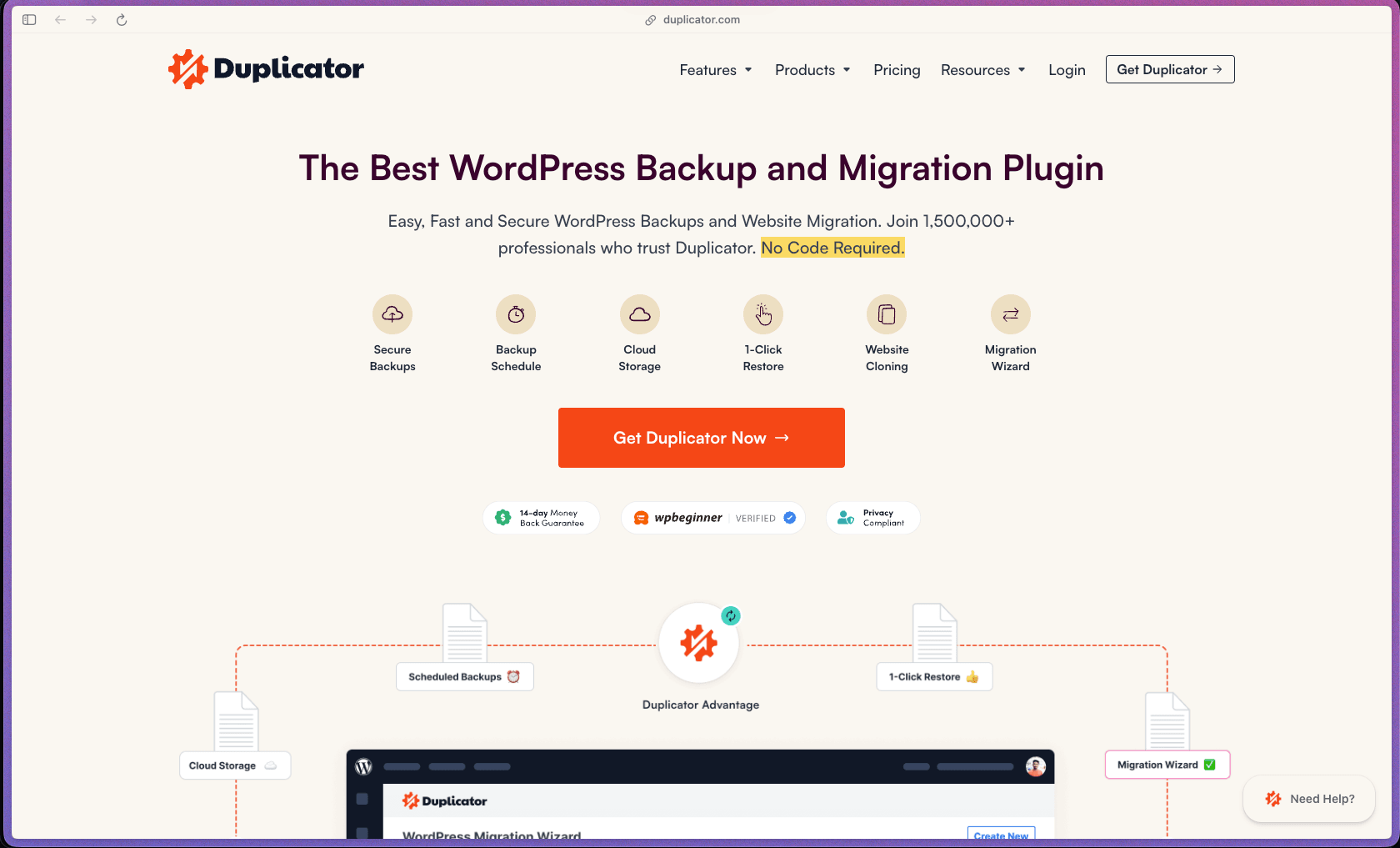
Duplicator is one of the few WordPress backup and migration tools with over 1.5 million active installations and a 4.9/5 rating from 4,000+ reviews on WordPress.org—a combination of scale and rating that is rare in any plugin category and reflects genuine, sustained user satisfaction over many years. Its ability to migrate sites of any size across servers, hosts, and domains without requiring cPanel, FTP access, or command-line skills makes it accessible to non-technical users while remaining capable enough for developers handling large-scale or complex migrations. The free tier on WordPress.org provides meaningful functionality for occasional use, and Pro adds the scheduled backup automation and cloud storage integrations that regular site management requires.
Duplicator Pro uses an annual subscription model with tiered plans based on the number of websites licensed—covering 1 site, up to 3 sites, and up to 100 sites, with all core features (scheduled backups, cloud storage, 1-click restore) included at every tier. A permanently free version (Duplicator Lite) is available on WordPress.org with core backup and manual migration functionality, making it an open-core model.
Duplicator Pro offers a 14-day money-back guarantee on all Pro plans—refund requests submitted within 14 days of purchase are honored. A permanently free version is available on WordPress.org before committing to a paid plan, allowing evaluation of core features without any purchase.
Duplicator is "mature/established"—the free plugin has been available on WordPress.org since 2012 and has accumulated over 34 million total downloads across its lifetime, making it one of the longest-running and most downloaded backup and migration plugins in the WordPress ecosystem. The plugin's WordPress.org listing was updated as recently as June 23, 2026, confirming active maintenance and compatibility with current WordPress releases rather than an abandoned or stagnant codebase. With 1.5 million active installations, 4,000+ reviews, and consistent editorial coverage on major WordPress resource sites through 2026, Duplicator demonstrates the user base and longevity of a well-established tool.
- Rated 4.9 out of 5 on WordPress.org from 4,859 ratings—one of the highest-rated and most-reviewed plugins in its category on the platform.
- Over 1.5 million active installations reported on the official site, with 34 million total downloads—placing it in the top 35 most-installed plugins on WordPress.org (#34 rank as of January 2026).
- Rated 4.8 out of 5 on G2 from 55 verified reviews, with G2 reviewers specifically praising its ease of staging site creation, automated URL replacement during migration, and cloud storage integration reliability.
- Rated "Excellent" at 4.5 out of 5 on Trustpilot from 105+ reviews, with reviewers consistently citing reliability on large site migrations as a primary strength.
- Over 3,000 five-star reviews are cited on the official testimonials page, with user comments from long-term users specifically noting reliable performance on large real estate sites, cross-host migrations, and localhost-to-server moves.
- WPBeginner published an independent Duplicator review (updated February 2026), reflecting ongoing editorial coverage by one of the most widely read WordPress resource sites—an indicator of sustained relevance in the WordPress community.
- Complete site packaging bundles your entire WordPress installation—files, database, themes, plugins, media, and configuration settings—into a single portable archive that can be deployed on any server without manually handling database imports or file transfers separately.
- 1-click site migration transfers the complete packaged site to a new host, server, or domain by running the included installer file on the destination server—eliminating the need for cPanel access, FTP file transfers, or phpMyAdmin database imports during a standard migration.
- Automatic URL and database search-and-replace during migration updates all serialized database references (domain names, site URLs, file paths) to match the new destination—a step that commonly breaks migrated WordPress sites when done incorrectly and that Duplicator handles automatically without manual intervention.
- Recovery Points (1-click restore) let you save a restorable snapshot of your site before making major changes—installing a new plugin, running a WordPress core update, or making theme edits—so you can roll back to a known-good state with a single click if something breaks.
- Secure file encryption is available for backup archives, protecting the contents of exported site packages from unauthorized access during storage or transit—relevant for sites containing customer data, private content, or proprietary configurations.
- WordPress Multisite backup and migration support covers network installations, including full network backups and the ability to migrate, clone, or restore individual subsites or the full multisite network—a capability not available in many competing backup plugins at standard plan pricing.
- Server-to-server direct import allows the destination server to pull the backup package directly from the source server or a remote URL during migration—useful for large sites where uploading a multi-gigabyte archive via a browser interface would be impractical or time out.
- File and database table filters allow you to exclude specific files, folders, or database tables from the backup or migration package—keeping archive sizes manageable by excluding cache directories, log files, or unnecessary media files from the exported package.
- Cloud storage integrations connect scheduled backups directly to Amazon S3, Google Drive, Dropbox, OneDrive, FTP/SFTP remote servers, and Wasabi—storing backup archives offsite automatically rather than only on the local server where a hosting failure would also destroy the backup.
- Remote server migration via SFTP/FTP allows you to push a migration package directly to a destination server from within the Duplicator dashboard—without downloading the archive locally and re-uploading it to the new host, which is the standard time-consuming alternative.
- Duplicator's free version is listed on WordPress.org with active integration into the standard WordPress plugin ecosystem—installable directly from the WordPress admin dashboard via the plugin installer without a separate account or download step.
- Scheduled backups allow you to define automatic backup intervals—daily, weekly, or on a custom schedule—so your site is backed up regularly to a cloud storage destination without requiring manual package creation or remembering to run backups before updates.
- Automatic pre-update backup snapshots can be configured to run a backup before WordPress core, plugin, or theme updates are applied—creating a restore point automatically so you have an immediate rollback option without manually creating a backup before each update cycle.
- Email notifications alert you when scheduled backups complete or fail—allowing passive monitoring of backup health without logging in to check status manually, and providing early warning if a scheduled backup has stopped running due to server configuration issues.
- A backup log dashboard within the WordPress admin shows the history of backup packages created, their file sizes, creation timestamps, and storage destinations—giving you a clear audit trail of backup activity without accessing the hosting control panel or cloud storage interface directly.
- Backup health status and storage destination connectivity are surfaced within the Duplicator admin panel—showing whether cloud storage connections are active and accessible so you can confirm backups are reaching their offsite destination rather than only verifying that a backup was created.
- Multiple storage destinations can be configured simultaneously, allowing a single backup schedule to send archives to both a local directory and a remote cloud storage location—providing redundancy without configuring separate backup jobs for each destination.
- Archive format options include standard ZIP and the DupArchive format (Duplicator's own archiving engine), with the ability to select archive compression level and archive engine—allowing optimization for speed versus archive size depending on the server environment and site scale.
- Package templates let you save reusable backup or migration configurations—specifying which files, database tables, and storage destinations to include—so you can run consistent backup jobs across multiple sites without reconfiguring settings each time.
- Pre-built WordPress site templates allow you to create a configured WordPress installation (with your standard plugin stack, theme, and settings pre-applied) as a Duplicator package, then deploy that template on new sites as a starting point—saving the repeated setup time involved in building every new client site from scratch.
- Backup archives can be protected with password-based AES file encryption—preventing unauthorized access to exported site packages stored in cloud storage or transmitted between servers.
- Installer file cleanup after deployment removes the migration installer script from the server after use—reducing the attack surface exposure that an orphaned installer file could create if left publicly accessible post-migration.
- Jetpack's security library rates the current version of Duplicator as "Good (current version safe)," noting that historical vulnerabilities in older versions have been patched and the current release has no known active vulnerabilities.
- The WordPress.org plugin repository version of Duplicator is maintained under the standard WordPress.org code review and security scanning processes, providing a third-party validation layer for the free version's code integrity.
- Freelance WordPress developers who migrate client sites between hosting environments regularly and want a reliable, repeatable method that doesn't require cPanel access, database exports, or command-line server work on the destination host.
- Small WordPress agencies managing 5–30 client sites who need scheduled automated backups running to cloud storage across all client accounts, with 1-click restore capability when a client site breaks after an update.
- Individual WordPress site owners managing a business site who want a simple set-and-forget backup solution with cloud storage offsite protection—without needing to understand server infrastructure to confirm their site is protected.
- Developers maintaining WordPress Multisite networks who need full network backup capability and the ability to migrate or restore individual subsites independently—a use case that most general-purpose backup plugins don't support well.
- WordPress developers building sites in local development environments (Local WP, Laragon, MAMP) who want a reliable way to push a finished local build to a production server without manual file uploads and database import/export steps.
- Use it for migrating a WordPress site to a new hosting provider when you want to move everything—files, database, plugins, theme, and settings—without requesting cPanel access from the destination host or running manual SQL imports.
- Use it for cloning a WordPress site to a staging environment when you need a working copy of a production site for testing updates, plugin changes, or redesigns without affecting the live site.
- Use it for scheduled daily or weekly offsite backups when you want your site automatically backed up to Amazon S3, Google Drive, Dropbox, or OneDrive on a defined schedule—running in the background without manual intervention.
- Use it for deploying a pre-configured WordPress template when you build multiple new client sites starting from the same plugin stack and configuration—saving your base setup as a Duplicator package and redeploying it on each new client installation.
- Use it for rolling back a site after a failed update when you've created a Recovery Point before running WordPress core or plugin updates and need to restore the exact pre-update state in minutes.
- Use it for moving a local WordPress development build to a live server when you've completed a site build in a local environment and need a reliable, tested method to deploy it to production without downtime or URL-related database errors.
- WordPress plugin (self-hosted)—requires WordPress 5.6 or higher and PHP 7.4 or higher; Duplicator Pro is installed from the WordPress admin dashboard or via manual upload; the free Lite version is installable directly from the WordPress.org plugin repository.
- Compatible with standard shared hosting, VPS, dedicated server, and managed WordPress hosting environments; works on any host that provides standard PHP and MySQL/MariaDB database access.
- Cloud storage integrations: Amazon S3, Google Drive, Dropbox, Microsoft OneDrive, FTP remote server, SFTP remote server, and Wasabi—all configured within the WordPress admin dashboard without external apps.
- WooCommerce sites are supported—Duplicator handles WooCommerce database tables and file structures within the standard migration and backup workflow, with no separate WooCommerce-specific configuration required.
- WordPress Multisite is fully supported—including full network backup and individual subsite backup and migration on Pro plans.
Duplicator's closest direct competitors in the WordPress backup and migration space are UpdraftPlus, All-in-One WP Migration, and BackupBuddy—all covering similar core functionality. Duplicator's differentiation is its original strength as a migration tool first, with backup capabilities added around that core—making it a particularly reliable choice when the primary use case is site-to-site moves, localhost-to-server deployments, or staging-to-production pushes rather than simply recurring backup storage. Its 1.5 million active installations and 4.9/5 WordPress.org rating from nearly 5,000 reviewers indicate a level of community trust that surpasses most alternatives in the same category, built over more than a decade of consistent performance across diverse hosting environments.
- Duplicator Pro customers receive priority email ticket support through the official support system at duplicator.com; the free Lite version is supported through the public WordPress.org support forum, where the support resolution rate is reported at 83% based on AutomagicWP's plugin health tracking.
- The Duplicator knowledge base at duplicator.com/knowledge-base covers backup configuration, migration workflows, cloud storage setup, multisite support, recovery point usage, and troubleshooting guides with step-by-step screenshots—actively maintained with documentation dated into 2025 and 2026.
- An active community exists across the WordPress.org support forum for the free plugin, with user-reported resolutions to common migration issues (hosting environment limitations, PHP memory constraints, large site packages)—providing peer troubleshooting context that supplements official documentation.
- The free Lite version on WordPress.org does not include scheduled automatic backups, cloud storage integration, 1-click Recovery Points, or server-to-server direct import—these features require a Pro plan upgrade, meaning the free version is best suited for occasional manual migrations rather than ongoing site protection.
- Some hosting environments—particularly budget shared hosting with low PHP execution time limits and memory constraints—can cause issues with large site packages (5GB+), as the plugin relies on PHP processing to build and extract archives; users with very large sites should confirm hosting resource limits before relying on Duplicator for production backups.
- Duplicator is exclusively a WordPress tool—it cannot back up or migrate non-WordPress sites, server-level configurations, or other CMS platforms; teams managing mixed-CMS hosting environments need separate backup tools for non-WordPress sites.
- The installer file that Duplicator generates for deployment must be manually uploaded to the destination server alongside the archive package when using the standard migration workflow—requiring at minimum FTP or SFTP file access to the destination root directory, which may not always be available on restrictive managed hosting plans.
Related Products
Elementor

Recently Added!
Crocoblock

Recently Added!
LearnDash

Recently Added!
BitFlows

Amelia

Recently Added!
Dynamic.ooo

Recently Added!
Microthemer & Amender

Recently Added!
LifterLMS

Recently Added!
Masteriyo

Products With Lifetime Deals
Recently Added!
FluentForms

Recently Added!
Divi Theme

Recently Added!
ConvertPro

Recently Added!
CartFlows

Recently Added!
Bullet Proof Security

Recently Added!
WP Booking Calendar

Recently Added!
BeaverBuilder

Recently Added!
Avada

Recently Added!
Independent Analytics

You Recently Viewed These
Recently Viewed
BitFlows
Recently Viewed
Amelia
Recently Viewed
Dynamic.ooo
Recently Viewed
Microthemer & Amender
Recently Viewed
LifterLMS
Recently Viewed
Masteriyo
Recently Viewed
Zynith SEO

Recently Viewed
Wrike

Recently Viewed
WPMU Dev

Recently Viewed
wpDataTables

Recently Viewed
WP Booking Calendar
Recently Viewed
Webflow
