
Asana
Asana

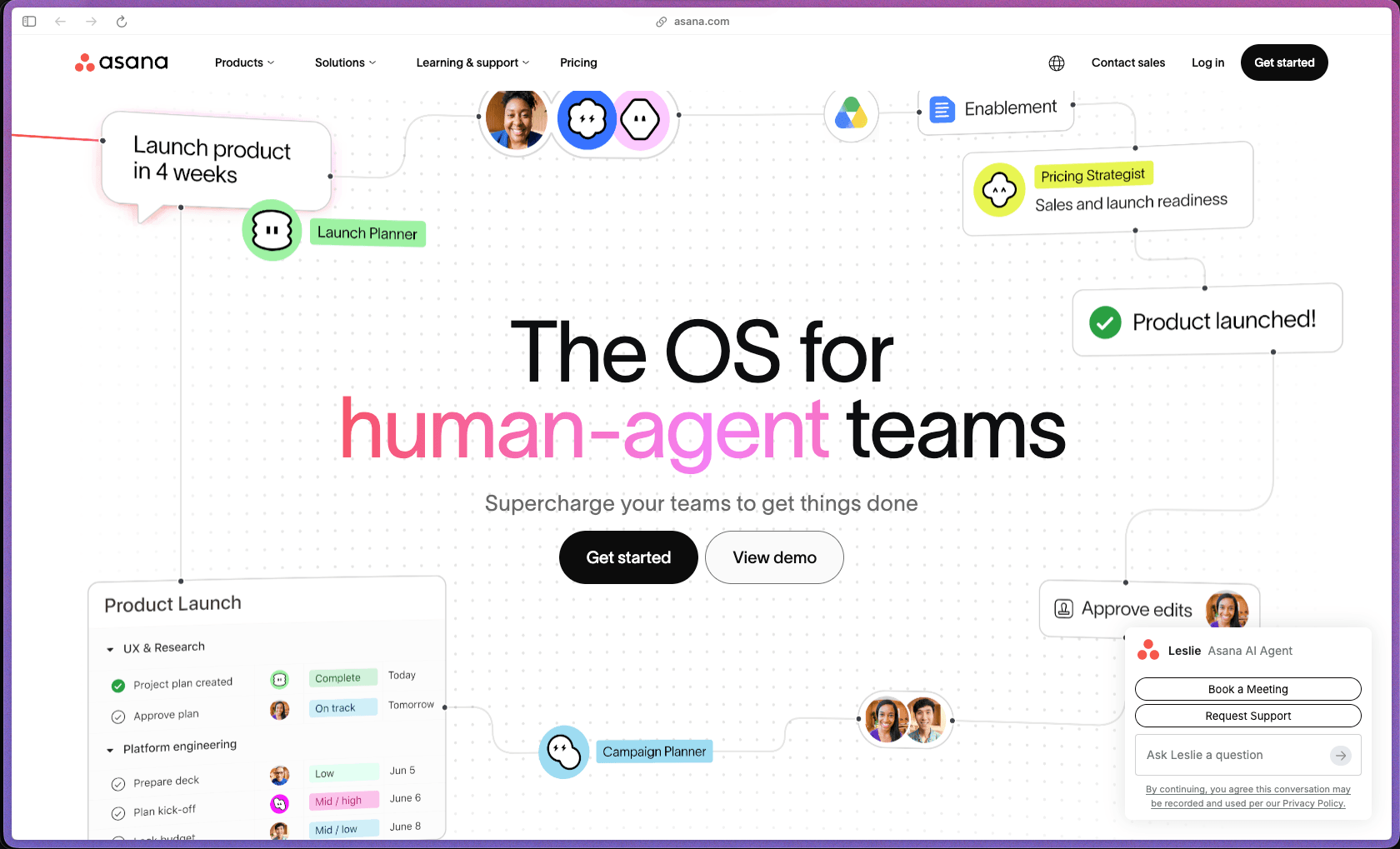
Asana has built one of the most recognizable project management platforms in the market, earning the #2 Best Software Product ranking in G2's 2025 awards—ahead of many larger technology companies—based on 10,000+ verified customer reviews. The platform covers the full project lifecycle from intake forms and task assignment through Timeline views, workload balancing, goal tracking, and cross-project reporting, which makes it practical for teams that have outgrown basic to-do list tools and need actual visibility across multiple projects at once. The free Personal plan is a genuine starting point for small teams, and the Starter tier unlocks the core workflow tools—Gantt view, automations, forms, and Timeline—that most growing teams actually need.
Asana uses a freemium model with a permanently free Personal plan for up to 10 users (with limited features), followed by paid tiers—Starter, Advanced, Enterprise, and Enterprise+—billed per user on a monthly or annual subscription basis.
Asana's standard policy does not automatically issue refunds for unused subscription time after a billing cycle has been processed—cancellation takes effect at the end of your current billing period. A free Personal plan (up to 10 users) is available without a credit card, allowing genuine hands-on evaluation before committing to a paid plan. In cases where a billing error or exceptional circumstance applies, contacting Asana support directly is recommended, as pro-rated refunds have been granted on a case-by-case basis according to user reports, but these are not guaranteed.
Asana was founded in 2008 by former Facebook co-founder Dustin Moskovitz and went public on the NYSE in 2020, placing it firmly in the "mature/established" category with over 15 years of continuous product development. The platform has a large, active user base across global markets and continues to release new capabilities on a regular cadence, including a significant expansion of AI features (Asana Intelligence / AI Studio) across 2024–2026. The volume and consistency of reviews across G2, Capterra, and TrustRadius—spanning 10,000+ reviews each on the major platforms—reflects a product well beyond early adoption, with a mature support infrastructure and enterprise customer base.
- Rated 4.3 out of 5 on G2 from 10,000+ verified reviews, and rated 4.5 out of 5 on Capterra from 12,000+ verified reviews.
- Named #2 Best Software Product overall in G2's 2025 Best Software Awards, and #3 Best Software for Small Business in the same awards cycle.
- Received a 4.7 out of 5 rating in Gartner's Voice of the Customer report for Adaptive Project Management and Reporting.
- Trusted by teams across organizations of all sizes, from small businesses to enterprise companies, with Asana itself listing case studies from brands across marketing, operations, and product teams on its official site.
- Active user community maintained through the official Asana Community Forum, where product questions, workflow advice, and feature discussions are regularly addressed by both community members and Asana staff.
- Multiple project views—including List, Board, Calendar, Timeline (Gantt), and Workload—let team members see their work in the format that fits how they think, without switching to a different tool for each view type.
- Task and subtask management with start dates, due dates, dependencies, custom fields, and file attachments allows projects to be broken down to the level of detail each team needs, from high-level milestones down to individual action items.
- The Timeline view provides a live Gantt-style visualization of how tasks and dependencies fit together across a project, making it easier to catch scheduling conflicts and adjust plans before they become problems.
- Workload view (available on Advanced and above) shows how much work is assigned to each team member across all their active projects, allowing managers to spot overloaded or underutilized people before deadlines slip.
- Goals and Milestones connect individual tasks and projects to higher-level company objectives, so teams can see how their day-to-day work ties to business outcomes—not just whether individual tasks are completed.
- Portfolios (Advanced and above) provide a single view across multiple projects simultaneously, allowing program managers or senior leaders to monitor the status, progress, and health of an entire portfolio of work without checking each project individually.
- Project Dashboards display real-time charts, completion rates, and status indicators for a project, giving stakeholders a quick visual summary without requiring them to read through individual task lists.
- Forms allow teams to standardize how incoming requests, project intakes, or work orders are submitted, automatically creating tasks in the right project from submitted form data.
- Over 200 native integrations are available, covering tools most teams already use—including Slack, Microsoft Teams, Google Workspace, Microsoft 365, Zoom, Salesforce (Advanced plan and above), Tableau, and Power BI.
- Zapier, Make, and other automation platforms connect Asana to thousands of additional tools beyond the native integration library, without requiring any custom development.
- Salesforce and Tableau integrations are available starting at the Advanced plan, allowing CRM deal data or BI visualizations to be linked directly to the project management workflows that support them.
- A REST API and developer documentation are available, allowing technical teams to build custom integrations, sync data from external systems, or trigger Asana actions programmatically.
- The Harvest time-tracking integration is natively supported, allowing time entries to be logged directly on Asana tasks without switching to a separate application.
- The Workflow Builder provides a visual, no-code interface for creating automation rules—such as automatically assigning tasks, updating statuses, sending notifications, or moving work between projects—based on triggers and conditions.
- Custom Rules allow teams to define specific "if this, then that" automations at the project level, reducing the manual status updates, reassignment actions, and follow-up notifications that eat into working time.
- Asana Intelligence (AI features) includes Smart Summaries (AI-generated summaries of task comments and descriptions), Smart Status (AI-drafted project status updates), Smart Answers (natural language questions about project data), and Smart Fields (AI-suggested custom field setup for new projects).
- AI Studio allows teams to build AI-powered workflows that can process incoming work, route requests, and take actions autonomously without manual triggers—available on higher-tier plans.
- Custom templates created from existing projects can be saved and reused for recurring project types, so teams don't have to rebuild the same structure each time a new project of the same kind kicks off.
- Universal Reporting allows custom report charts and dashboards to be built across tasks and projects from any part of the workspace, rather than being limited to single-project reporting.
- Project Dashboards aggregate key project metrics—including completion percentages, overdue tasks, and milestone progress—into a visual summary tab that can be shared with stakeholders without exporting data.
- Status updates can be published to projects and portfolios, giving teams a structured way to communicate project health across the organization in a consistent format.
- Portfolios (Advanced and above) provide a cross-project summary view with workload and status data across multiple active projects, replacing the need for manually aggregated spreadsheet reports.
- Custom Fields let teams add their own data attributes—priority levels, budget figures, categories, contract values, or any other structured information—to tasks and projects, extending the default schema to fit how each team actually tracks work.
- Comment-Only project access allows stakeholders, clients, or read-only team members to view project progress and leave comments without being able to change tasks, due dates, or assignments.
- Admin Console (Starter and above) provides centralized user management, permission controls, and organizational settings—allowing IT or operations teams to govern how Asana is used across the organization.
- Multi-factor authentication (MFA), single sign-on (SSO), and SAML 2.0 support are available on paid plans, providing standard enterprise authentication controls for organizations with identity management requirements.
- Asana maintains SOC 2 Type II certification, confirming that the platform's security controls have been independently audited and verified.
- Data export and deletion capabilities allow organizations to retrieve or permanently remove their data, supporting data governance and compliance requirements.
- End-to-end encryption and Enterprise Key Management (EKM) are available for Enterprise-tier customers who need additional data protection controls beyond the platform's standard encryption.
- Cross-regional backups provide redundant data storage across geographic regions, reducing the risk of data loss from a single-region infrastructure failure.
- Marketing teams at growth-stage startups managing multiple simultaneous campaigns who need a shared view of deadlines, dependencies, and ownership without digging through email threads or Slack messages.
- Operations managers at companies with 10–50 employees who need to coordinate cross-functional projects across departments (product, marketing, engineering, sales) from a single source of truth.
- Product teams running sprint-based workflows who need to map out feature roadmaps, track task dependencies, and link product work to quarterly business goals—all within the same tool.
- Agencies managing multiple client projects simultaneously who need portfolio-level visibility into which projects are on track, which are at risk, and how team capacity is distributed across active work.
- Remote or distributed teams who need asynchronous task coordination—comments on tasks, status updates, and notifications—without requiring everyone to be online at the same time.
- Operations or program managers at larger organizations who need to track work against company-level Goals and OKRs and require formal workload management, approval workflows, and custom reporting.
- Use it for managing cross-functional product launches when multiple teams (design, engineering, marketing, legal) need to coordinate tasks with dependencies and you need a shared timeline everyone can see.
- Use it for standardizing intake and request management when your team receives irregular work requests from internal stakeholders and you need those requests to automatically populate a tracked project queue.
- Use it for running quarterly planning cycles when you need to connect team-level tasks and milestones directly to company OKRs or goals and report progress to leadership without building a manual spreadsheet.
- Use it for managing agency client deliverables when you need project templates that can be duplicated for each new client engagement, with pre-built task structures, due dates, and role assignments.
- Use it for workload balancing when a manager needs to check whether team members are overloaded before assigning new tasks, using the Workload view to see capacity across all active projects at once.
- Use it for replacing status-update meetings when a distributed team needs a shared place to post project status updates and stakeholders can check the Portfolio or Dashboard instead of waiting for a weekly sync.
- Cloud-hosted SaaS web application with no software installation required; accessible from any modern browser on Mac, Windows, or Linux.
- Native iOS and Android mobile apps are available for task management, notifications, and project updates on mobile devices.
- Over 200 native integrations including Slack, Microsoft Teams, Google Workspace, Microsoft 365, Zoom, Salesforce (Advanced+), Tableau, Power BI, and Harvest time tracking.
- REST API and developer documentation are available for building custom integrations and automating data sync with external tools.
- Zapier and Make (formerly Integromat) are supported for connecting Asana to thousands of additional tools outside the native integration catalog without coding.
- Enterprise tier adds SSO with SAML 2.0, Enterprise Key Management (EKM), and advanced Admin Console controls for larger organizations with formal IT governance requirements.
Asana sits between lightweight task tools (like Trello or Todoist) and heavyweight enterprise project management software (like Microsoft Project or Smartsheet), targeting teams that need real cross-project coordination and reporting without requiring dedicated project management certification to operate the tool. Unlike tools that focus purely on task lists or Kanban boards, Asana's combination of Timeline/Gantt views, Workload management, Goals, Portfolios, and AI-powered workflow automation in a single platform makes it practical for teams managing complex, multi-stakeholder projects rather than just tracking simple to-dos. The freemium model lowers the adoption barrier significantly for smaller teams, while the paid tiers scale to support enterprise-grade security, compliance, and cross-organizational reporting needs.
- Paid plan subscribers have access to direct support via the Asana Help Center, with support ticket submission available; the Personal (free) plan has limited access to live support, relying primarily on self-serve documentation.
- Asana maintains an extensive documentation library covering all features, workflows, admin setup, API usage, and troubleshooting, with guides organized by plan tier so users can quickly identify what's available to them.
- The Asana Community Forum is an active peer support channel where users share workflow setups, troubleshooting advice, and feature requests, with Asana staff also participating in threads—particularly for billing and policy questions.
- The free Personal plan is now capped at 10 users and excludes Timeline/Gantt view, automations, forms, custom templates, reporting dashboards, and workload management—meaning most teams doing anything beyond simple task tracking will need a paid plan fairly quickly.
- Asana's standard refund policy does not issue refunds for unused subscription time after a billing cycle has been processed; annual plan buyers who change direction mid-year are unlikely to recover unused months, which makes the annual commitment a meaningful financial risk for teams that haven't fully validated the tool.
- Native time tracking is only available on the Advanced plan and above; teams on the Starter plan who need time logging must rely on third-party integrations such as Harvest or Toggl.
- Workload management, unlimited Portfolios, and Goals are gated at the Advanced tier, meaning teams on the Starter plan who need resource management or OKR tracking will need to upgrade to access those specific features.
Related Products
Recently Added!
Vellum

Recently Added!
UPDF

Recently Added!
Trafft

Recently Added!
Storydoc

Recently Added!
ProWritingAid

Recently Added!
Parallels Desktop

Recently Added!
Bertha AI
Craft
Cogniflow

Products With Lifetime Deals
Recently Added!
FluentForms

Recently Added!
Divi Theme

Recently Added!
ConvertPro

Recently Added!
CartFlows

Recently Added!
Bullet Proof Security

Recently Added!
WP Booking Calendar

Recently Added!
BeaverBuilder

Recently Added!
Avada

Recently Added!
Independent Analytics

You Recently Viewed These
Recently Viewed
BitFlows

Recently Viewed
Amelia

Recently Viewed
Dynamic.ooo

Recently Viewed
Microthemer & Amender

Recently Viewed
LifterLMS

Recently Viewed
Masteriyo

Recently Viewed
Zynith SEO

Recently Viewed
Wrike

Recently Viewed
WPMU Dev

Recently Viewed
wpDataTables

Recently Viewed
WP Booking Calendar
Recently Viewed
Webflow
