
Armember
Armember

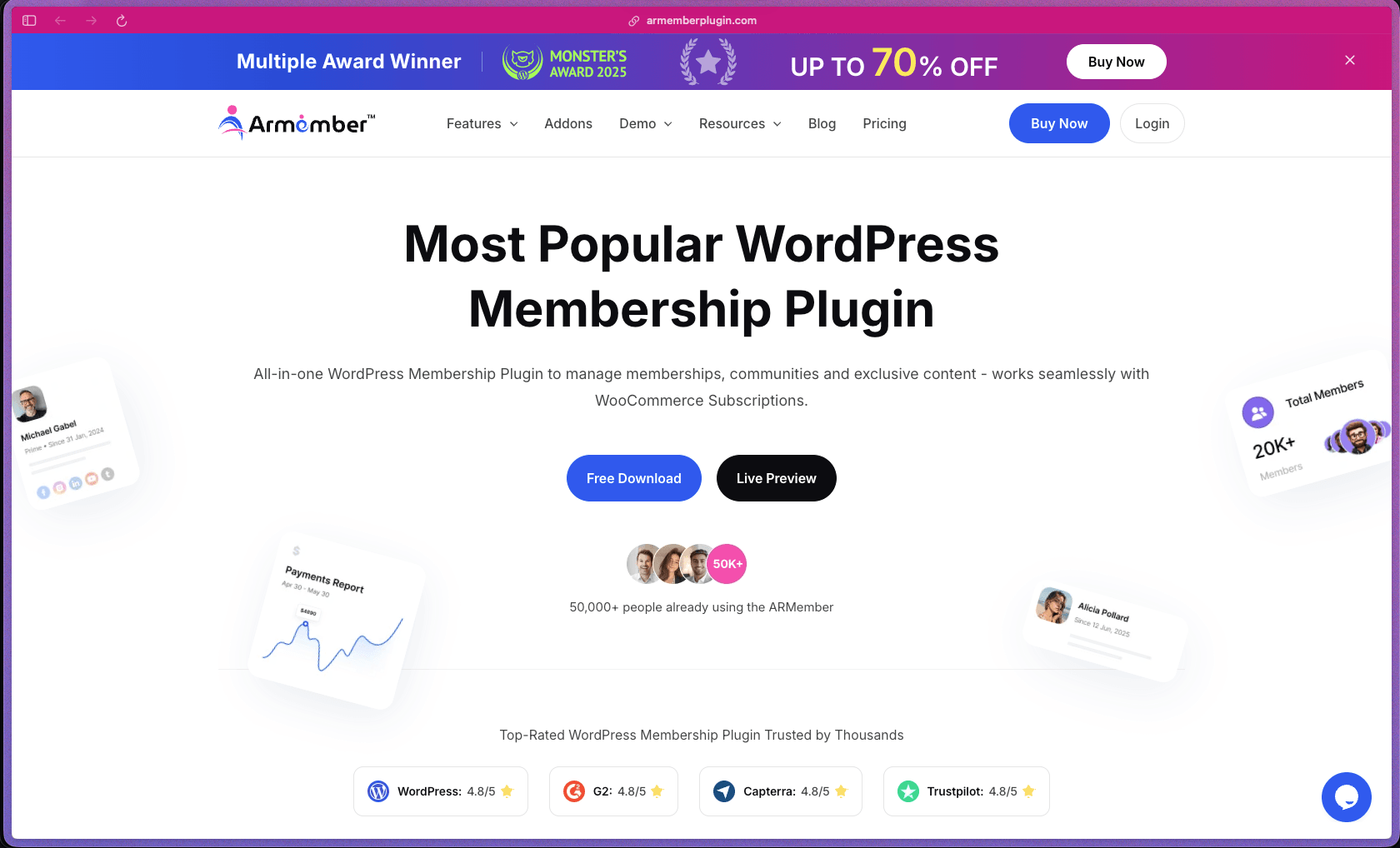
ARMember packages over 57 built-in add-ons (including online courses, affiliate management, social community, and gamification) into the base premium license rather than charging separately for each module—which keeps the total cost predictable compared to membership plugins that upsell core features as paid extensions. Rated 4.8/5 on both G2 and Capterra and supported by a 50,000+ customer base, the plugin has a track record that holds up to scrutiny for a WordPress-native tool at this price range. The 22+ native payment gateway integrations make it a practical choice for teams operating in markets where Stripe or PayPal isn't the primary payment method.
ARMember uses an open-core model—a permanently free Lite version is available on WordPress.org, with the premium plugin sold as an annual subscription starting from one site; add-ons vary by plan tier. No lifetime purchase option is currently advertised on the official pricing page.
ARMember offers a 14-day money-back refund policy on new purchases of the main plugin license, reviewable via their official refund policy page. Renewals, upgrades, and the setup/installation service are not eligible for refunds, and refunds are only available once per product—repeat purchases of the same product are excluded. A permanently free Lite version is available on WordPress.org for pre-purchase evaluation.
ARMember is in the "mature/established" category—the plugin has been commercially available since at least 2016 based on public documentation and review history, with active development continuing through 2025 and a published 2024 Year in Review confirming an ongoing release cadence of major feature updates. The plugin has maintained a consistent presence on WordPress.org and the commercial site, accumulated 50,000+ customers, and expanded from core membership functionality to include online courses, social community features, gamification, and affiliate management as built-in modules over the years. Documentation quality is solid, with a structured knowledge base at armemberplugin.com/documents covering setup guides, feature references, and developer resources.
- Rated 4.5 out of 5 on WordPress.org based on community reviews for the free Lite version.
- Rated 4.8 out of 5 on both G2 and Capterra, as displayed on the official ARMember pricing page.
- Rated 4.0 out of 5 on Trustpilot based on 38 reviews, with a 4.5 aggregate score across platforms per Trustindex.
- ARMember reports 50,000+ customers globally across the plugin's commercial history, as stated on the official product site.
- Multiple WordPress.org forum reviewers specifically call out support response time (often within a few hours) and the quality of technical assistance as standout positives for the premium product.
- Content restriction lets you protect individual posts, pages, custom post types, categories, navigation menu items, and even specific portions of content within a page—making it straightforward to gate exactly what you want without blocking everything.
- Drip content scheduling lets you release full or partial content to members on a schedule—useful for course delivery, weekly newsletter archives, or staged onboarding sequences that keep members engaged over time rather than giving everything at once.
- Subscription plan management supports one-time purchases, recurring billing (weekly, monthly, yearly, or fully custom cycles), free trials (paid and free), and multiple simultaneous membership levels with independent pricing, duration, and content access settings.
- Online Courses module (built-in) allows course creation with lesson and module organization, progress tracking, and enrollment management directly inside ARMember without a separate LMS plugin.
- The Member Panel gives each subscriber a front-end account dashboard where they can view their membership status, update their profile, check payment history, download invoices, and manage their own subscription.
- Partial content restriction lets you show a preview of gated content to non-members—displaying a teaser paragraph or intro section—before requiring a login or purchase, which improves conversion compared to a hard block.
- Gamification features (badges, rewards, and points systems) are built in for community and engagement-focused membership sites without requiring a third-party gamification plugin.
- A coupon management system supports up to 1,000 discount codes with customizable conditions, allowing promotional campaigns and member-specific discounts without a separate coupon tool.
- 22+ native payment gateways are supported, including PayPal, Stripe, Authorize.Net, and a wide range of regional payment processors—allowing global payment acceptance without routing transactions through a third-party connector that adds extra fees.
- WooCommerce integration is included, allowing membership plans to be sold through the WooCommerce checkout flow and combining WooCommerce subscription capabilities with ARMember's content restriction system.
- Email marketing integrations are available for popular platforms including Mailchimp, GetResponse, and other automation tools, so new member signups can automatically be added to mailing lists and drip email sequences.
- Social login is supported via Facebook, Google, LinkedIn, X (Twitter), and Instagram, allowing members to register and sign in with their existing social accounts rather than creating a new username and password.
- BuddyPress and BuddyBoss integration allows ARMember's content restriction rules to extend to community and social network pages built with these plugins, so membership levels can control access to groups, forums, and activity feeds.
- WPML, Polylang, TranslatePress, and Weglot translation plugins are supported, making multilingual membership sites feasible without a custom integration.
- bbPress forum integration allows forum access to be gated by membership level, so premium members can be granted access to restricted discussion areas.
- A developer-friendly REST API and hooks/filters system is available for custom integrations, allowing technical teams to connect ARMember with external systems beyond the built-in integration catalog.
- Automated email notifications keep members informed about signup confirmations, payment receipts, subscription renewals, upcoming expiry reminders, and plan cancellations without requiring manual outreach.
- Conditional landing page redirection automatically routes logged-in members, new registrants, or plan purchasers to different pages based on membership plan, user status, or behavior triggers—removing the need for manually configured redirect rules.
- Account auto-lock automatically locks member accounts when shared account activity is detected, enforcing one-account-per-user policies without manual admin intervention.
- Keyword-based URL blocking automatically restricts access to any URL containing specified keywords, protecting patterns of content (such as all URLs containing "/premium/") without individually listing every protected page.
- The analytics and reporting dashboard provides a summary view of member activity, payment history, active subscriptions, and coupon usage across the site, giving site administrators a clear view of revenue and membership health without exporting data to a spreadsheet.
- Transaction management shows a complete log of all payment activity, which can be filtered and reviewed for accounting, member disputes, or subscription status audits.
- The form builder with a real-time editor lets you create custom registration, login, and profile forms with custom fields, and apply inbuilt form templates—all without writing code or using a separate form plugin.
- Popup/modal forms support allows signup, login, and subscription forms to appear as overlays rather than full page loads, reducing friction in the registration and conversion flow.
- Plan-wise profile forms allow different editable profile fields to be shown to members based on their subscription level, so premium members can have richer profile options than free-tier members.
- User role management integrates with WordPress's native role system, allowing membership levels to map to specific user roles with distinct capabilities and permissions.
- A white-label setup is available for agencies who need to deliver the membership system under their own branding for client sites.
- A full shortcode library covers all key membership elements—login forms, registration forms, member dashboards, plan pricing tables, and content restriction notices—so everything can be placed anywhere on the site with a simple shortcode.
- Two-factor authentication (2FA) is built in for member accounts, providing an additional layer of account security without a third-party 2FA plugin.
- IP blocking allows specific IP addresses to be denied access to the membership area, giving administrators a tool to handle fraudulent accounts or brute-force login attempts.
- Auto-lock for shared account detection protects revenue from credential sharing by identifying and locking accounts showing signs of concurrent multi-user access.
- Independent course creators and educators building a self-hosted online course site on WordPress who need LMS functionality, content dripping, and payment collection without subscribing to a hosted platform like Teachable or Thinkific.
- Content publishers and bloggers running subscription-based access to premium articles, newsletters, or video libraries who need partial content restriction with a readable teaser to encourage free-to-paid conversion.
- Fitness coaches, consultants, and service businesses running membership communities on WordPress who need member profiles, gamification, and social login in addition to basic content gating.
- Small agencies building WordPress membership sites for clients who need a plugin with a multi-site licensing option and white-label capability to deliver under their own branding.
- WooCommerce store owners who want to add a membership tier model to their existing store—offering member-only pricing, early access, or exclusive digital content as a subscription upsell.
- Use it for building a paid online course platform on WordPress when you need course modules, lesson dripping, enrollment management, and member payments all in one plugin without a separate LMS subscription.
- Use it for creating a freemium content model when you want to show partial previews of articles or videos to visitors and require account creation or plan purchase to access the full content.
- Use it for running a community membership site when you need member profiles, discussion access via bbPress or BuddyPress, gamification with badges and points, and subscription billing managed from one plugin.
- Use it for accepting international membership payments when your audience is spread across regions and you need support for regional payment gateways beyond Stripe and PayPal without adding a separate payment connector.
- Use it for automating subscription lifecycle management when you want renewal reminders, expiry notifications, and account auto-lock on shared accounts handled without manual admin work.
- Use it for delivering a structured email course or content drip sequence when you need to release protected content to members on a schedule based on their signup date without a separate automation tool.
- WordPress plugin (self-hosted): requires WordPress 4.0 or higher and is compatible through the latest WordPress version; no hosted subscription is required.
- Compatible with standard shared hosting, managed WordPress hosting (WP Engine, Kinsta, etc.), and VPS environments; no specific server requirement beyond a standard WordPress-compatible PHP/MySQL stack.
- 22+ native payment gateway integrations including PayPal, Stripe, Authorize.Net, and regional processors; WooCommerce payment methods are also supported via the WooCommerce integration.
- Email marketing integrations are available for Mailchimp, GetResponse, and other CRM/automation platforms via the built-in add-on system.
- BuddyPress, BuddyBoss, and bbPress community plugins are natively supported for gating social and forum content by membership level.
- Translation plugin compatibility covers WPML, Polylang, TranslatePress, and Weglot for building multilingual membership sites.
- A REST API is available for developers who need to build custom integrations or extend functionality with external systems.
ARMember competes directly with MemberPress, Restrict Content Pro, and similar WordPress membership plugins, differentiating itself primarily on the value of its built-in add-on bundle—57+ modules including online courses, affiliate management, gamification, social community features, and form builder are included in the base premium license rather than sold as separate paid extensions. This matters most for teams building feature-rich membership sites who would otherwise need to stack multiple plugins or pay for several expensive add-ons to reach the same functionality elsewhere. The 22+ native payment gateway integrations and offline payment support also distinguish it for businesses serving audiences in markets with limited Stripe or PayPal availability.
- Priority email support is included with all paid plans; multiple WordPress.org and Trustpilot reviewers independently noted fast response times from the support team, with some citing replies within a few hours—a positive indicator for a plugin at this price tier.
- Documentation is available at armemberplugin.com/documents and covers setup guides, feature-by-feature references, refund policy, and developer resources; the breadth of the knowledge base reflects years of iterative development.
- No publicly listed dedicated Discord or user community forum is advertised beyond the standard support channel; the main community interaction point appears to be the WordPress.org support forum for the free Lite version and direct ticket support for premium users.
- Renewals and plan upgrades are explicitly excluded from the 14-day refund policy—only the initial new purchase is eligible—so teams that commit to an annual plan and then upgrade or renew without evaluating first carry the full cost with no refund option.
- The Lite (free) version is significantly limited compared to the Pro tier; most of the meaningful features—payment gateways beyond basic, drip content, online courses, advanced reporting, social community, gamification—require the paid license, meaning the free version is primarily useful for basic content restriction evaluation.
- The plugin's documentation references WordPress versions up to 5.5.3 in some older pages, which may reflect documentation lag; buyers building on newer WordPress versions should confirm compatibility via the WordPress.org plugin page before purchasing.
- There is no free trial period with access to premium features—evaluation of the full feature set before purchase requires either purchasing the paid license (within the 14-day refund window) or relying on the limited Lite version on WordPress.org.
Related Products
Elementor

Recently Added!
Crocoblock

Recently Added!
LearnDash

Recently Added!
BitFlows

Amelia

Recently Added!
Dynamic.ooo

Recently Added!
Microthemer & Amender

Recently Added!
LifterLMS

Recently Added!
Masteriyo

Products With Lifetime Deals
Recently Added!
FluentForms

Recently Added!
Divi Theme

Recently Added!
ConvertPro

Recently Added!
CartFlows

Recently Added!
Bullet Proof Security

Recently Added!
WP Booking Calendar

Recently Added!
BeaverBuilder

Recently Added!
Avada

Recently Added!
Independent Analytics

You Recently Viewed These
Recently Viewed
BitFlows
Recently Viewed
Amelia
Recently Viewed
Dynamic.ooo
Recently Viewed
Microthemer & Amender
Recently Viewed
LifterLMS
Recently Viewed
Masteriyo
Recently Viewed
Zynith SEO

Recently Viewed
Wrike

Recently Viewed
WPMU Dev

Recently Viewed
wpDataTables

Recently Viewed
WP Booking Calendar
Recently Viewed
Webflow
