
All-in-One SEO
All-in-One SEO

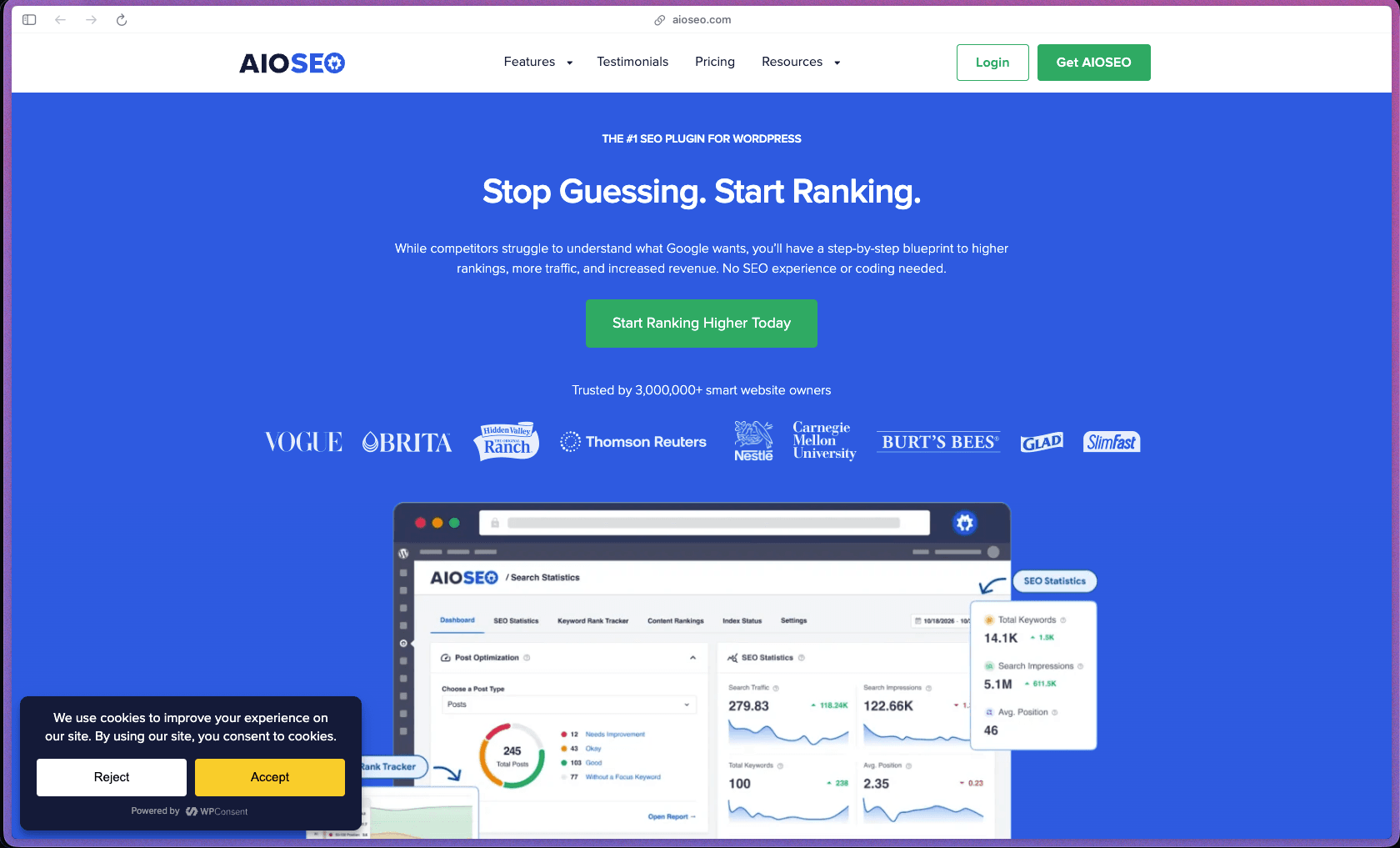
AIOSEO has been active for over 16 years and has accumulated 3,000,000+ active installs on WordPress.org, making it one of the most widely deployed SEO plugins in the WordPress ecosystem—a signal of longevity and stability that matters when a plugin is deeply embedded in your content workflow. The free version is genuinely functional for basic SEO needs, and the paid tiers add meaningful tools—Link Assistant for internal linking, WooCommerce SEO, Local SEO with multi-location support, and AI writing assistance—without requiring a separate third-party SEO platform subscription.
AIOSEO uses an open-core model with a permanently free Lite version available on WordPress.org, plus four annual subscription tiers (Basic, Plus, Pro, Elite) billed per year with the number of licensed sites increasing at each tier.
AIOSEO offers a 14-day no-questions-asked full refund on all paid plans, submitted via their online refund form at aioseo.com/refund-survey. Refunds are not available after the 14-day window or on renewal charges, so it's worth evaluating during the initial purchase period. A permanently free Lite version is available on WordPress.org with no credit card required, which allows evaluation of core features before upgrading.
AIOSEO is firmly in the "mature/established" category—originally launched in 2007, it has been in continuous development for nearly two decades under its current ownership by Awesome Motive (the company behind WPBeginner and WPForms). With 3,000,000+ active installs and consistent updates through 2025–2026 (last updated on WordPress.org in June 2026), the plugin has a track record and ecosystem integration depth that newer SEO plugins lack. The plugin's documentation at aioseo.com/docs covers setup guides, feature-by-feature references, and developer resources, reflecting the investment in support infrastructure typical of a mature commercial WordPress plugin.
- Listed on WordPress.org with 3,000,000+ active installations, making it one of the most widely installed SEO plugins in the WordPress repository.
- Rated 4.6 out of 5 on WordPress.org based on 1,400+ community reviews.
- Rated 4.6 out of 5 on G2 based on 144 verified reviews, with strong scores across SEO auditing, SERP rank tracking, local SEO, and custom reporting feature categories.
- Rated "Great" on Trustpilot with 300+ reviews, with multiple reviewers specifically calling out support quality and the TruSEO content analysis tool as standout strengths.
- The plugin celebrated its 16th anniversary in 2023, confirming a continuous development history dating back to 2007 and making it one of the oldest actively maintained WordPress SEO plugins available.
- The TruSEO on-page analyzer scores your content in real time as you write inside the WordPress editor, flagging focus keyphrase placement, title length, meta description quality, and readability issues so you can act on them before publishing.
- Smart XML Sitemaps are automatically generated and updated whenever you publish or modify content, with options to include or exclude specific post types, taxonomies, and individual URLs—and direct submission to Google Search Console is supported.
- Schema Markup supports dozens of structured data types—including Article, Product, FAQ, How-To, Local Business, Recipe, Review, and Event—added to pages without touching code, which helps search engines display rich snippets for relevant searches.
- The SEO Audit Checklist scans your entire website and produces an actionable list of issues across meta tags, indexability, crawlability, social sharing setup, and technical configuration, with prioritized recommendations for each issue found.
- The Headline Analyzer evaluates post titles and page headings against readability and SEO criteria, giving a scored assessment and specific recommendations for improving click-through rates from search results.
- Open Graph and Twitter Card meta tags are automatically generated for all posts and pages, controlling how content previews appear when shared on Facebook, Twitter/X, LinkedIn, and other social media platforms.
- The Redirection Manager handles 301, 302, 307, 308, and 410 redirects from inside WordPress, with automatic 404 monitoring and the ability to redirect broken URLs to correct destinations without installing a separate redirect plugin.
- Image SEO (Plus and above) automatically adds ALT text and title attributes to images across the site, which improves accessibility and helps image-based searches index your content correctly.
- Google Search Console integration pulls search performance data—impressions, clicks, average position, and keyword rankings—directly into the AIOSEO dashboard without leaving WordPress.
- WooCommerce SEO (Basic and above) optimizes product pages, product category pages, and product archive pages with dedicated SEO settings, Open Graph tags for product sharing, and structured data for product rich results in search.
- Local SEO (Plus and above) adds structured data for business name, address, phone number, and opening hours for single or multiple locations, improving visibility in local search and Google Maps results.
- Social media platform connections (Facebook, Twitter/X, Pinterest) allow you to set custom sharing images, titles, and descriptions for each post independently from the SEO title and meta description used for search engines.
- An import tool allows one-click migration of all SEO settings from Yoast SEO, Rank Math, SEOPress, and other popular SEO plugins, which removes the main switching barrier for sites already configured with a different plugin.
- Video SEO (Pro and above) adds video schema markup and video sitemaps to help YouTube-embedded videos and self-hosted video content appear as video rich results in Google search.
- The AI Writing Assistant (powered by an integrated AI content tool) generates title tags, meta descriptions, and content suggestions from a prompt, reducing the manual effort of writing optimized metadata across large sites with many pages.
- Automatic 404 monitoring detects broken internal and external links across the site and logs them so they can be addressed through the Redirection Manager, removing the need for a separate broken link checker tool.
- Link Assistant (Pro and above) automatically scans all posts and pages, identifies opportunities for adding internal links, and shows where pages are under-linked or over-linked, with suggested anchor text for each recommended link insertion.
- The Robots.txt editor lets you manage crawl directives for search engine bots from inside WordPress, with the ability to allow or disallow specific paths without accessing server files directly.
- The SEO Overview dashboard shows a summary of site-wide SEO health, recent audit findings, indexability status, and direct links to open issues so the most pressing problems are visible without running a manual scan.
- Search Statistics (connected via Google Search Console) shows keyword position tracking, click and impression trends, and content performance over time directly inside the WordPress admin—without logging into Google Search Console separately.
- Custom SEO Reports (Pro and above) can be generated and exported for stakeholder reporting or client delivery, with white-label options available for agencies that need to brand the reports with their own logo.
- A Smart Tags system lets you insert dynamic variables (site name, post title, post date, category, author, custom fields, and more) into SEO title and meta description templates, so metadata follows a consistent pattern across all posts without manual editing.
- Per-page and per-post SEO settings allow complete override of the global template defaults for any individual page, giving you control over title tags, meta descriptions, schema type, Open Graph images, and canonical URLs at the individual content level.
- The Feature Manager inside the plugin dashboard allows individual modules—sitemaps, schema, redirects, local SEO, video SEO—to be toggled on or off independently, keeping the plugin footprint lean by only loading the modules you're actually using.
- White-label mode (Elite plan) allows agencies to rebrand the AIOSEO plugin admin interface with their own agency name and logo, so client sites show the agency's branding rather than AIOSEO's.
- Role-based access control allows WordPress site administrators to set which user roles can access and modify AIOSEO settings, preventing editors or contributors from inadvertently changing technical SEO configurations.
- The plugin does not store or transmit personal user data to external servers for standard on-page optimization features; all content analysis runs locally within WordPress without sending post content to a third-party service (except for optional connected features like AI writing and Search Console, which require explicit user authorization).
- Solo bloggers and content creators running WordPress sites who want a guided SEO setup that doesn't require reading an SEO textbook—the setup wizard and TruSEO content scoring handle the basics automatically.
- Small business owners with a single WordPress site who need local SEO (business name, address, schema) and WooCommerce product page optimization without hiring an SEO consultant.
- Marketing agencies managing 10–100 WordPress client sites who need a single plugin license (Pro or Elite) that covers all client sites, with white-label reporting and import/migration tools to streamline onboarding.
- WooCommerce store owners who need product pages, category pages, and product schema markup handled through a single plugin rather than combining WooCommerce with a separate SEO tool.
- Established content sites with large post archives who need the Link Assistant to identify internal linking gaps systematically, rather than reviewing hundreds of posts manually to find missed link opportunities.
- Use it for configuring foundational on-page SEO on a new WordPress site when you need meta tags, XML sitemaps, Open Graph tags, and schema markup set up correctly from launch without relying on a developer.
- Use it for optimizing existing content at scale when you have a large post archive and need the TruSEO analyzer and Link Assistant to systematically identify pages with weak metadata or missing internal links.
- Use it for local business SEO when you run a bricks-and-mortar business or a multi-location service business and need structured data for address, phone number, and hours added to your WordPress site.
- Use it for WooCommerce product SEO when you want product rich snippets (price, availability, review stars) to appear in Google search results for individual product pages without configuring schema markup manually.
- Use it for migrating from another SEO plugin when you're moving from Yoast or Rank Math and need all existing meta titles, descriptions, and redirects preserved through the one-click import tool.
- Use it for managing site-wide redirects and 404 errors when you're restructuring your URL structure, rebranding, or merging content and need a central place to track and resolve all broken links.
- WordPress plugin (self-hosted): installed directly inside the WordPress admin; requires WordPress 5.3+ and PHP 7.4 or higher, as documented on WordPress.org.
- Compatible with all major WordPress page builders and themes, including Elementor, Divi, Beaver Builder, and block-based (Gutenberg) editors.
- WooCommerce integration is natively supported for product page SEO, product schema, and category optimization.
- Google Search Console can be connected directly for search performance data and keyword tracking without leaving the WordPress dashboard.
- Works alongside any caching plugin, CDN, or managed WordPress hosting (WP Engine, Kinsta, SiteGround, Cloudflare) without compatibility conflicts, based on independent reviewer testing.
- REST API add-on is available separately for developers who need to read and write AIOSEO metadata programmatically via the WordPress REST API.
AIOSEO positions itself as a comprehensive alternative to Yoast SEO and Rank Math, covering comparable core functionality (on-page optimization, sitemaps, schema) while adding proprietary features like TruSEO content scoring, a built-in Link Assistant, and a Headline Analyzer that aren't available in all competing plugins at the same price point. The multi-site licensing structure (up to 100 sites on the Elite plan) makes it practical for agencies and developers who manage large WordPress portfolios, where per-site pricing from competing tools can become expensive as the site count grows. The 16-year track record and backing by Awesome Motive (which also owns WPBeginner, WPForms, and MonsterInsights) provides organizational stability that smaller or independently maintained SEO plugins may not be able to match.
- Priority email support is available for all paid plan subscribers, with the free Lite version supported through the WordPress.org support forum; multiple Trustpilot reviewers specifically noted positive support experiences including responsive troubleshooting on complex issues.
- Documentation at aioseo.com/docs is comprehensive and organized by feature, covering quick-start guides, feature-by-feature references, developer resources, and a refund/billing policy page—reflecting a mature support infrastructure.
- No dedicated Discord or community forum is advertised beyond the WordPress.org support forum and direct email support, so teams looking for a peer-to-peer user community would need to rely on broader WordPress communities (WPBeginner Facebook Group, WordPress.org forums) rather than an AIOSEO-specific channel.
- The 14-day refund window is strict—refunds are not issued after the window closes or on subscription renewals, so buyers who don't evaluate the plugin thoroughly in the first two weeks after purchase carry the full annual subscription cost regardless of subsequent usage.
- Many of the most useful features—Link Assistant, Video SEO, Local SEO for multiple locations, white-label reporting—are gated at the Pro or Elite tier, which means the Basic plan covers WooCommerce but leaves out internal linking and local SEO tools that many small businesses specifically need.
- Site audit scanning can run slowly on large WordPress sites with thousands of pages, which is a known limitation noted in multiple independent reviews—teams running high-page-count sites should test performance on their server before committing.
- There is no native rank tracking dashboard for monitoring keyword positions over time without connecting Google Search Console; teams that need daily keyword rank tracking independent of Google Search Console data would need a separate rank tracking tool.
Related Products
Elementor

Recently Added!
Crocoblock

Recently Added!
LearnDash

Recently Added!
BitFlows

Amelia

Recently Added!
Dynamic.ooo

Recently Added!
Microthemer & Amender

Recently Added!
LifterLMS

Recently Added!
Masteriyo

Products With Lifetime Deals
Recently Added!
FluentForms

Recently Added!
Divi Theme

Recently Added!
ConvertPro

Recently Added!
CartFlows

Recently Added!
Bullet Proof Security

Recently Added!
WP Booking Calendar

Recently Added!
BeaverBuilder

Recently Added!
Avada

Recently Added!
Independent Analytics

You Recently Viewed These
Recently Viewed
BitFlows
Recently Viewed
Amelia
Recently Viewed
Dynamic.ooo
Recently Viewed
Microthemer & Amender
Recently Viewed
LifterLMS
Recently Viewed
Masteriyo
Recently Viewed
Zynith SEO

Recently Viewed
Wrike

Recently Viewed
WPMU Dev

Recently Viewed
wpDataTables

Recently Viewed
WP Booking Calendar
Recently Viewed
Webflow
