
ACF
ACF

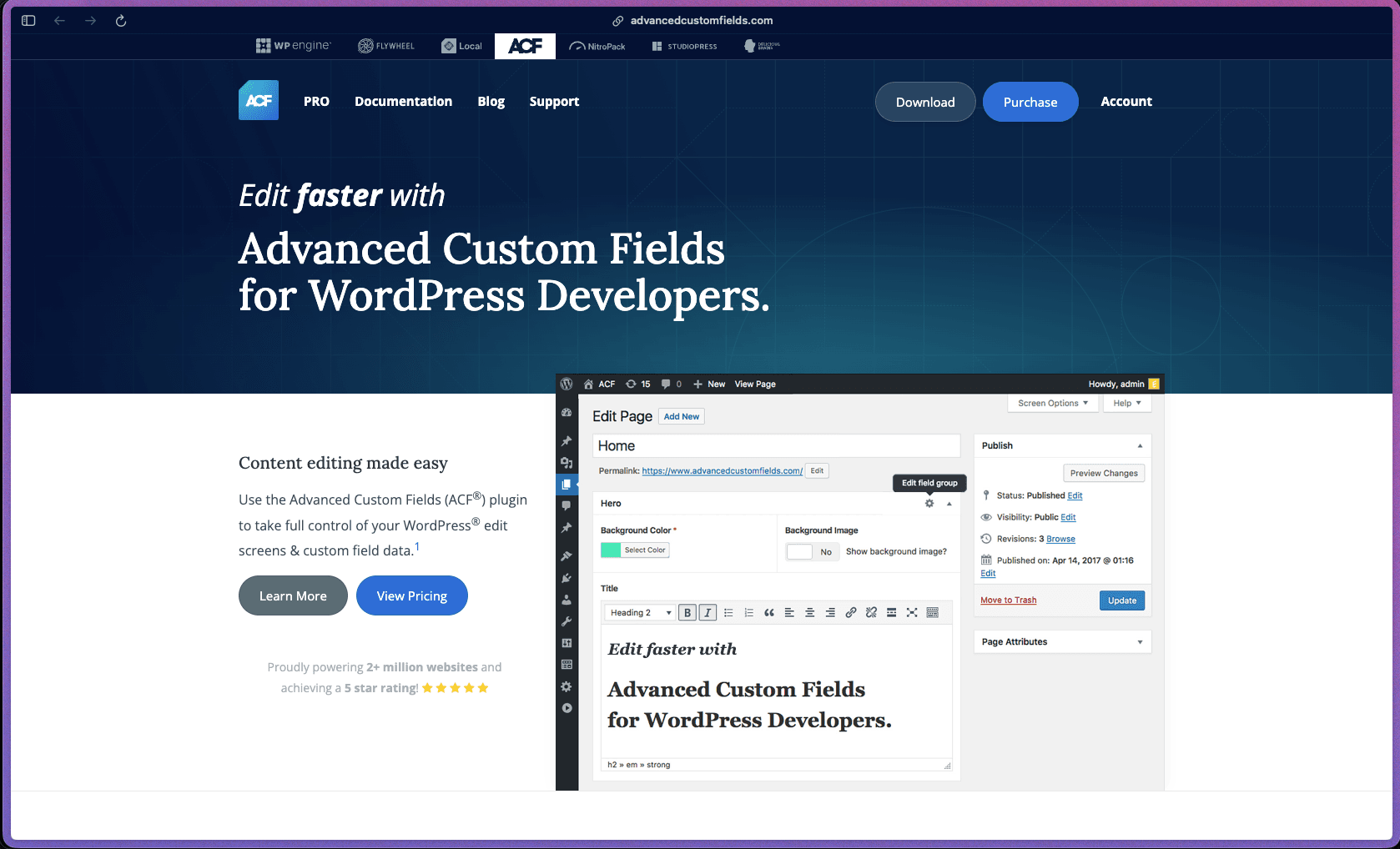
ACF has been a foundational plugin in the WordPress development ecosystem for over a decade, with millions of active installs and a release history that shows consistent, security-aware maintenance. The free version is genuinely useful for a wide range of projects, and the PRO tier adds repeating fields, flexible content layouts, and custom Gutenberg block support that fill real gaps in WordPress's native editing experience. The combination of a mature codebase, thorough documentation, and WP Engine's backing makes this a low-risk choice for WordPress developers.
ACF follows a freemium model—the core plugin is free with no time limit, available on WordPress.org, and the PRO version is sold as an annual subscription tiered by the number of sites covered (Personal, Freelancer, and Agency).
ACF PRO comes with a 30-day, 100% money-back guarantee on all paid plans—no questions asked, as stated on the official pricing page. There is no free trial for ACF PRO, but the free version of ACF is available without any time limit and covers a significant portion of the core functionality.
ACF was first released in 2011 and has been in continuous active development for over 15 years, making it one of the most established plugins in the WordPress ecosystem. The current version (6.8.x as of May 2026) shows a consistent cadence of security patches, feature releases, and bug fixes—with multiple releases per quarter across the past two years. The plugin is maintained under the Delicious Brains/WP Engine umbrella, which adds organizational stability to what was previously an independent developer project.
- Rated 4.6 out of 5 on WordPress.org based on 1,400+ verified user reviews.
- Over 2 million active installations on WordPress sites, according to the WordPress.org plugin repository.
- Translated into 35 languages, with community contributors supporting localization across a global user base.
- The plugin's GitHub repository is publicly maintained and has received regular security patches and feature releases through 2025 and into 2026.
- Maintained by WP Engine—one of the largest managed WordPress hosting companies—since the acquisition of the plugin from its original creator Elliot Condon.
- The visual field builder lets you create and configure custom fields from the WordPress admin without writing any code—adding fields like text, images, dates, color pickers, and more in a few clicks.
- Over 30 field types are included in the free version, covering simple inputs (text, textarea, number, email), selection fields (dropdown, radio, checkbox), media fields (image, file), relational fields (post object, taxonomy, user), and presentation fields (message, accordion, tab).
- Fields can be attached to any content type in WordPress—posts, pages, custom post types, users, taxonomy terms, media, comments, and custom options pages—giving complete control over where custom data appears.
- Custom post types and taxonomies can be registered directly from the ACF admin interface without code, replacing the need for a separate CPT plugin or manual register_post_type() calls.
- Location rules let you define precisely which edit screens display a given field group—for example, showing a "featured quote" field only on posts assigned to a specific category.
- Developer-friendly functions (get_field(), the_field(), have_rows()) provide a clean PHP API for retrieving and displaying custom field data inside theme templates.
- Local JSON auto-export saves field group configurations as .json files in your theme, allowing version control and easy synchronization across development, staging, and production environments.
PRO-ONLY CORE FEATURES
- The Repeater field creates a set of sub-fields that can be duplicated as many times as needed, making it practical for managing lists of structured data like team members, FAQs, or event schedules.
- The Flexible Content field works as a full content layout manager—allowing editors to add, reorder, and delete predefined layout blocks within a single field, which is useful for modular page building without a visual page builder.
- ACF Blocks provides a PHP-based framework for building custom Gutenberg blocks using ACF fields, allowing developers to create editor-native block types without writing React or JavaScript.
- The Gallery field gives editors an intuitive interface for managing collections of images, including adding, sorting, and editing multiple image entries in a single field.
- Options Pages lets you add custom admin pages with ACF fields that store site-wide settings—useful for global header/footer options, API keys, or theme configuration.
- The Clone field lets you reuse existing field or field group configurations across multiple field groups without duplicating settings manually.
- WooCommerce order and subscription field support (via PRO) allows custom fields to be added to WooCommerce order edit screens, including High-Performance Order Storage (HPOS) compatibility.
- Block Bindings API support (added in ACF 6.2.8) allows ACF field values to be bound directly to native WordPress block attributes in the block editor using the acf/field source.
- WordPress Multisite is fully supported; PRO license activation limits are counted per subsite, and development/staging environments are excluded from the activation count.
- WP-CLI integration (added in ACF 6.8.0) provides command-line tools for importing, exporting, syncing, and checking the status of ACF JSON configuration files—useful for deployment workflows.
- The WordPress Abilities API integration (added in ACF 6.8.0) allows external tools, including AI assistants, to manage field groups, post types, and taxonomies when explicitly enabled.
- Local JSON sync automatically exports field group configurations to a /acf-json/ directory in your theme every time a field group is saved, keeping code and database in sync without manual export steps.
- Field import and export via the ACF Tools page allows bulk transfer of field group configurations between WordPress installations in JSON format.
- Conditional logic on fields allows entire fields or groups to show or hide automatically based on the value of another field, reducing clutter in the edit screen for editors without requiring custom code.
- AJAX-powered relationship and user fields load results dynamically as you type rather than pre-loading all records, which keeps the edit screen fast on large sites.
- The ACF Tools page provides a full export view of all registered field groups, custom post types, and taxonomies in JSON or PHP format, giving developers a clear snapshot of the entire data model configuration at any point in time.
- The Local JSON sync status screen shows which field groups are in sync, out of sync, or pending import between the database and the filesystem—so developers can immediately see whether the live site matches the version-controlled configuration.
- Field group activation status is visible across the WordPress admin, making it straightforward to audit which field groups are active, which are inactive, and which are registered via code versus the UI.
- WP-CLI commands (added in ACF 6.8.0) allow developers to generate status reports on ACF JSON files from the command line, which is useful for CI/CD pipelines that need to verify configuration consistency before deployment.
- PHP actions and filters throughout the codebase allow developers to customize field behavior, output formatting, validation logic, and UI at nearly every point in the plugin's workflow.
- Field group Display Titles (added in ACF 6.6.0) allow a separate label for the field group in the editor, independent of the group's internal name—useful when the internal name needs to stay technical but the editor-facing label should be readable.
- Color Picker fields can use a custom palette or pull colors from the active theme.json configuration, aligning field choices to the site's design system.
- Select fields can be configured to allow creating new options inline during editing—without requiring a trip back to the field group settings.
- The plugin maintains an active and well-documented security patch record, with multiple security-focused releases across 2024 and 2025 addressing XSS vulnerabilities, nonce validation, permission checks, and AJAX endpoint hardening.
- ACF frontend forms (acf_form()) were updated in version 6.8.2 to only save fields explicitly assigned to the form, preventing unauthorized data writes from crafted POST requests.
- User field AJAX queries enforce field-configured role restrictions and validate search permissions, preventing unauthorized users from discovering restricted content through relationship queries.
- Inline script tags now use wp_print_inline_script_tag() for Content Security Policy (CSP) compliance and nonce support, improving compatibility with strict CSP configurations.
- Block preview rendering correctly checks that the current user has permission to edit the specific post being previewed, preventing unauthorized content access through block AJAX requests.
- WordPress developers building custom themes for clients who need a structured way to add and manage site-specific content fields without writing everything from scratch.
- Freelance web builders managing 2–10 WordPress projects who want a consistent, code-light method for building custom post types and data fields across different client sites.
- Digital agencies creating content-managed websites for clients where non-technical editors need clearly labeled, purpose-built fields rather than a generic WYSIWYG block editor.
- WooCommerce store operators who need custom fields on product pages, order edit screens, or checkout flows that aren't covered by WooCommerce's native field options.
- Developers building headless WordPress sites who need a reliable, API-accessible custom fields layer with REST API support and structured JSON output.
- WordPress site owners building portfolio, directory, or listing sites where each content entry has structured attributes (e.g., location, price range, category) beyond standard post fields.
- Use it for building a custom team member directory when you need structured fields for name, role, photo, bio, and social links that display consistently across all staff profile pages.
- Use it for managing modular page layouts when you want editors to build pages from predefined section templates (hero, feature block, testimonial) without exposing the raw block editor to clients.
- Use it for creating structured product or listing data when your site displays real estate, job postings, events, or any content type with custom attributes beyond the standard title and body.
- Use it for storing site-wide configuration settings when you need a custom WordPress admin page (via Options Pages) for global values like a phone number, social links, or API credentials.
- Use it for registering and managing custom post types and taxonomies when you want to keep the full content model configuration in one place rather than split across multiple plugins or custom functions.
- Use it for building custom Gutenberg blocks (ACF PRO) when you need editor-native blocks for a client site but don't want to write React components to define each block's controls.
- WordPress plugin—requires a self-hosted WordPress installation running WordPress 6.2 or newer and PHP 7.4 or newer (as of ACF 6.3.0).
- Fully self-hosted—all custom field data is stored in the WordPress database (postmeta, usermeta, termmeta) on your own server with no third-party data dependency.
- WooCommerce is a supported integration, with fields attachable to product, order, and subscription edit screens.
- WordPress Multisite is supported on both the free and PRO versions; PRO license terms count each subsite activation against the plan's activation limit.
- A REST API is available for external access to ACF field data from headless frontends, mobile apps, or third-party tools.
- WP-CLI support (added in 6.8.0) enables command-line management of ACF JSON files for development and deployment workflows.
ACF occupies a unique place in the WordPress ecosystem as a field management layer rather than a full page builder or CMS replacement—it extends WordPress's native data model without replacing the editor or the theme system. Compared to alternatives like Pods or Meta Box, ACF has the largest installed user base and the most extensive documentation, which reduces the learning curve and makes it easier to find answers, tutorials, and third-party add-ons. The ACF PRO Blocks feature specifically addresses a pain point for PHP developers who want to create Gutenberg blocks without adopting a React-heavy workflow, which has no direct equivalent in most competing plugins.
- Paid (PRO) license holders have access to a dedicated Help Desk for technical support; free users are directed to the Community Forums, with no guaranteed response from the ACF team on free forum posts.
- Documentation is extensive and covers all field types, PHP functions, REST API usage, and advanced topics like Local JSON, Gutenberg block development, and conditional logic—with over 10 years of accumulated guides, code examples, and tutorials.
- Community support forums on WordPress.org are active and searchable, with a large existing thread base accumulated over 15+ years of plugin use—most common questions have already been answered.
- The Repeater, Flexible Content, Gallery, Clone, ACF Blocks, and Options Pages features are all PRO-only and unavailable in the free version—projects that depend on these need an active PRO subscription.
- Free version users do not receive prioritized support—community forums are the primary resource, and response from the ACF team is not guaranteed.
- ACF is WordPress-only and has no equivalent for Shopify, Webflow, Squarespace, or other non-WordPress platforms.
- The ACF shortcode ([acf field="..."]) is now disabled by default on new installations for security reasons, meaning sites relying on shortcode-based field output in content areas need to re-enable it consciously.
Related Products
Elementor

Recently Added!
Crocoblock

Recently Added!
LearnDash

Recently Added!
BitFlows

Amelia

Recently Added!
Dynamic.ooo

Recently Added!
Microthemer & Amender

Recently Added!
LifterLMS

Recently Added!
Masteriyo

Products With Lifetime Deals
Recently Added!
FluentForms

Recently Added!
Divi Theme

Recently Added!
ConvertPro

Recently Added!
CartFlows

Recently Added!
Bullet Proof Security

Recently Added!
WP Booking Calendar

Recently Added!
BeaverBuilder

Recently Added!
Avada

Recently Added!
Independent Analytics

You Recently Viewed These
Recently Viewed
BitFlows
Recently Viewed
Amelia
Recently Viewed
Dynamic.ooo
Recently Viewed
Microthemer & Amender
Recently Viewed
LifterLMS
Recently Viewed
Masteriyo
Recently Viewed
Zynith SEO

Recently Viewed
Wrike

Recently Viewed
WPMU Dev

Recently Viewed
wpDataTables

Recently Viewed
WP Booking Calendar
Recently Viewed
Webflow
