
Nero
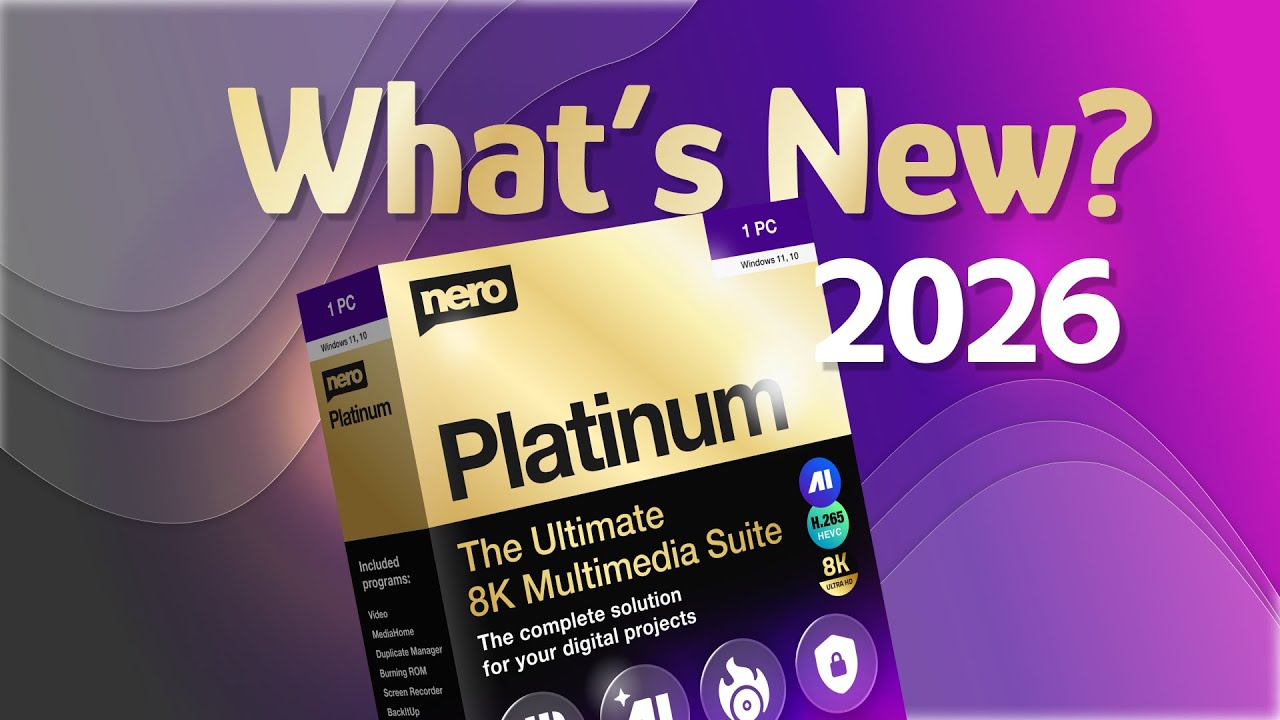

Nero Platinum Suite brings together video editing, photo enhancement, disc burning, backup, and system optimization in one package, which is practical if you prefer a single vendor for core digital tasks. The 2025 edition adds AI‑powered photo restoration and smarter video workflows on top of Nero’s long history in burning and multimedia, making it a credible option for Windows users who want familiar tools with modern features.
Nero Platinum is sold as a consumer desktop license with options for subscription and lifetime purchase, depending on edition and reseller. A free trial is available so you can test the suite before buying.
Nero’s support site explains how to request a refund through your Nero account but does not prominently state a universal money‑back period for all purchases from nero.com. Refund terms can also vary by reseller (for example, electronics retailers may apply their own 15–30 day policies), so buyers should confirm conditions at checkout. Refund policy timing is therefore not clearly specified on the main product page.
Nero has roots going back to the 1990s, originally as a leading CD/DVD burning solution, and has since grown into a full multimedia suite. The Platinum Suite is updated yearly (2024, 2025, 2026 editions), with fresh AI features and workflow improvements, indicating a mature, actively developed product rather than a one‑off release.
- Trustpilot shows Nero Platinum Suite reviews with hundreds of user ratings, describing it as a complete package for managing and editing digital media.
- G2 reviews of Nero and Nero AI highlight satisfaction with disc burning, media handling, and AI‑based image quality improvements.
- Independent review sites cover Nero Platinum Suite 2025 and 2026 in depth, reflecting an active user base and continued interest in new releases.
- Nero positions itself as having around 30 years of experience in multimedia software, underlining longevity and brand recognition.
- Nero Platinum bundles over 20 programs to handle video editing, photo management, audio tools, backup, and disc burning on a Windows PC.
- Nero Video lets you cut, trim, and enhance videos with effects like picture‑in‑picture, slow motion, time‑lapse, and 8K playback, plus new options to swap timeline clips without losing settings.
- Nero Start acts as a central launcher where you manage downloads, activations, updates, and access to the various Nero tools.
- Cloud backup support in Nero’s backup tools works with services such as Google Drive, OneDrive, MagentaCLOUD, HiDrive, pCloud, and QLOUD, letting you mix local and cloud storage.
- Backup utilities can run automated jobs with incremental snapshots and versioning, reducing manual effort and helping protect against data loss.
- PC optimization tools scan for issues, update drivers, and offer one‑click or step‑by‑step fixes to improve system performance.
- Backup modules track versions and snapshots so you can see what was backed up and when, aiding restore decisions.
- System tuning tools report on problem areas that might be slowing down your PC, such as outdated drivers or startup items.
- Nero PhotoSnap and its AI tools support photo restoration, background removal, face enhancement, colorization, and noise reduction, giving you control over how images look with minimal manual work.
- The suite offers many themed templates for movies and slideshows, so you can quickly apply consistent styles for holidays, events, and occasions.
- Backup components offer 256‑bit encryption for CDs, DVDs, USB sticks, and other media, helping keep archives private.
- Multi‑destination backup (external drives, optical discs, and supported clouds) allows redundant copies, which increases resilience against hardware failure.
- Home users who want a single Windows multimedia suite for photo organization, video editing, and music management instead of separate apps.
- Creators who work mainly on Windows desktops and need templates and guided tools to turn footage and photos into polished videos and slideshows.
- Users with large photo libraries who want AI‑assisted tagging, face recognition, duplicate detection, and quick clean‑up tools.
- People who still rely on optical media for archiving or sharing content and want reliable disc burning and encryption.
- Use it for organizing and cleaning up years of photos when you need face tagging, AI scene recognition, duplicate detection, and map/timeline views.
- Use it for producing home movies or simple marketing clips when you want ready‑made video templates and effects without professional editing software.
- Use it for backing up important documents, photos, and videos to external drives, discs, and cloud storage with encryption and scheduled jobs.
- Use it for speeding up a sluggish Windows PC by cleaning issues, updating drivers, and tuning startup behavior.
- Nero Platinum Suite is Windows desktop software compatible with Windows 11, 10, and 8, with specific system requirements listed on the product page.
- It runs locally on your PC and does not require a cloud account for core media management; certain AI photo tools leverage online services while keeping local integration.
- Nero Start provides a unified launcher and update mechanism for all included Nero programs, and the suite interoperates internally (for example, Nero Video can open images directly in PhotoSnap).
Unlike single‑purpose video editors or backup tools, Nero Platinum aims to cover most everyday multimedia tasks—editing, burning, backup, photo management, and PC tuning—in one Windows suite. This works well for users who value convenience and a familiar interface across tasks more than having separate specialized applications for each job.
- Nero’s support portal offers a virtual support agent, knowledge base, and ticket system covering downloads, installation, orders, features, and system requirements.
- Official videos and blog posts explain what is new in each Nero Platinum release and walk through key workflows like using Nero Start, Nero Video, and PhotoSnap.
- Users can manage licenses and request refunds via their Nero account, with detailed steps documented in the support section.
- Nero Platinum is focused on Windows and does not provide a native macOS version, so it is not suitable if your primary machine is a Mac.
- Some advanced AI tools (such as certain AI upscalers or screen recording features) may be sold or licensed separately from the main Platinum bundle.
- Trustpilot feedback includes reports of slow or unresponsive support and frustrations around activation and upgrade prompts in older versions, so teams depending on fast support should factor this in.
Related Products
Webflow

vidBoard
Sniply

Pinnacle Studio
OpenArt

miniOrange

Lovo AI

Jupitrr AI
Base44

Products With Lifetime Deals
Support Candy

New!
Bit Integrations

Amelia

Bricks Builder
BitFlows

Crocoblock

You Recently Viewed These
Recently Viewed
Deel
Recently Viewed
Craft
Recently Viewed
Cello

Recently Viewed
Butter
Recently Viewed
Bricks Builder
Recently Viewed
Brevo
Recently Viewed
Umso - Website Builder
Recently Viewed
Amelia
Recently Viewed
Zynith SEO

Recently Viewed
Wrike

Recently Viewed
wpDataTables

Recently Viewed
Webflow