
BitFlows


Bit Flows runs automation entirely within your WordPress environment rather than through external platforms like Zapier, which eliminates per-task fees and keeps data flows on your own server. The visual workflow builder supports complex multi-step sequences with routers, delays, conditional logic, and iterators, giving you flexibility that simple trigger-action plugins can't match. With active development, frequent updates adding new integrations monthly, and strong user reviews highlighting performance and reliability, the plugin shows sustained momentum and community trust.
Freemium model with a free version offering core automation features and 150+ integrations. Pro version unlocks premium tools, unlimited workflows, and priority support with annual licensing.
14-day money-back guarantee on the Pro version according to user reviews. Free version available for unlimited testing of core features without credit card or payment commitment.
Bit Flows launched in beta in January 2025 and has released 12 major versions through December 2025, adding hundreds of new triggers, actions, and integrations each month. The rapid development pace with detailed changelogs, frequent feature additions like AI integrations (OpenAI, Claude, Gemini, DeepSeek), and responsive bug fixes suggest an actively supported product in its growth phase. Based on community feedback, tutorial coverage, and the breadth of platform integrations (200+), the tool has moved beyond early beta into reliable production use for WordPress automation needs.
- Listed on WordPress.org under the plugin slug "bit-pi" with regular updates and active maintenance through December 2025.
- Featured in video tutorials from WordPress education channels including WPTuts, Quick Tips, SaaS Master, and EZ WP 4U, demonstrating real-world adoption and usage.
- Positive user reviews on WordPress.org describe it as "The N8N of WordPress," "The best automation plugin," and "The Missing Piece in WordPress Automation."
- Covered in independent blog reviews from InfluenceWP, WPGlob, and WordPress community sites highlighting workflow capabilities and performance.
- Reddit review rated 3.9/5 praising unlimited workflows, visual builder, and WordPress integration while noting a learning curve for advanced features.
- Provides a visual drag-and-drop canvas for building workflows with triggers, actions, and logic tools arranged on an infinite workspace, so you design automation flows the way you think about them.
- Supports multi-step workflows with unlimited nodes and sequences, allowing complex automations that route data through multiple platforms in a single flow.
- Offers unlimited workflow execution with no task caps or monthly limits, so high-volume sites can automate as much as needed without hitting artificial thresholds.
- Runs all automation tasks asynchronously in the background using an internal queue system, ensuring workflows don't slow down your site even during high-traffic periods.
- Connects to 200+ platforms including WordPress plugins (Contact Form 7, WPForms, Elementor Forms, Gravity Forms, Fluent Forms), CRMs (HubSpot, Salesforce, Zoho), email marketing (Mailchimp, Brevo, ActiveCampaign, MailerLite), and eCommerce (WooCommerce, Shopify, SureCart).
- Integrates with LMS platforms like LearnDash, Tutor LMS, MasterStudy LMS, and LifterLMS for automating course enrollments, lesson completions, and student data syncing.
- Works with page builders including Elementor, Divi, Bricks, Beaver Builder, and Brizy to trigger workflows from form submissions and page interactions.
- Supports project management and productivity tools like Asana, ClickUp, Trello, Notion, Airtable, Slack, Discord, and Telegram for team notifications and task automation.
- Links to external automation platforms including Zapier, Make (Integromat), n8n, Pabbly Connect, Uncanny Automator, FlowMattic, SureTriggers, and AutomatorWP for extending workflows beyond native integrations.
- Connects with AI services including OpenAI, Claude, Gemini, DeepSeek, and Perplexity AI for adding conversational features, sentiment analysis, or content generation to workflows.
- Includes a Router tool that branches workflows into multiple parallel paths so one trigger can send data to several destinations simultaneously with different logic for each path.
- Provides conditional logic that evaluates field values and executes different actions based on rules you set, so workflows adapt to submission data or user behavior.
- Offers a Repeater/Loop tool that iterates through lists or arrays, processing each item individually—ideal for bulk tasks like sending multiple emails or updating inventory items.
- Supports Delay nodes that pause workflow execution for a specified time, useful for rate limiting, scheduling follow-up actions, or spacing out email sequences.
- Features an Iterator that breaks arrays into individual items and processes them one by one, perfect for handling WooCommerce line items or form repeater fields.
- Includes incoming and outgoing webhook support so you can trigger WordPress workflows from external platforms or send processed data to any API endpoint.
- Maintains detailed execution logs with real-time tracking for every workflow step, showing timestamps, status codes, and response data for each node.
- Provides a Test Run feature that lets you execute individual nodes on demand to validate configuration and inspect API responses before activating the full workflow.
- Offers Test Flow Once functionality that runs complete workflows using existing data, allowing you to debug and validate logic without waiting for real triggers.
- Provides a Custom App builder that lets you connect to any API by defining authentication, endpoints, request methods, and response handling without third-party connectors.
- Supports JSON parsing for extracting specific data from API responses and webhook payloads, with XPath support for XML data processing.
- Includes CSV and XML modules for converting file data into structured formats that workflows can process and route to connected platforms.
- Offers node cloning for duplicating workflow segments quickly, plus export/import functionality for backing up flows or deploying them across multiple sites.
- Allows tagging and filtering of workflows for organization when managing many automations across different projects or clients.
- Stores automation credentials and API keys locally within your WordPress database rather than external servers, giving you direct control over sensitive integration data.
- Supports OAuth2 authorization types including client credentials and PKCE for secure connections to third-party platforms.
- Provides multiple hash functions (SHA-1, SHA-256, SHA-512, and others) for data encryption and secure token generation within workflows.
- Security practices are documented in changelogs noting improvements, though detailed security architecture is not extensively covered in public documentation.
- WordPress site owners running forms, memberships, or eCommerce who need to connect submissions to CRMs, email marketing, and spreadsheets without paying Zapier monthly fees.
- WordPress agencies managing multiple client sites that want a single automation solution they can deploy and white-label across projects with different integration needs.
- WooCommerce and eCommerce store operators who need to automate order processing, inventory updates, customer notifications, and fulfillment workflows across multiple platforms.
- Online course creators and membership site owners using LearnDash, Tutor LMS, or MemberPress who want to automate enrollment sequences, progress tracking, and student communications.
- Technical WordPress users and developers who want n8n-style workflow automation inside WordPress with full API control, custom app building, and webhook capabilities.
- Use it for form-to-CRM workflows when you want Elementor, WPForms, or Contact Form 7 submissions to create leads in HubSpot, Salesforce, or Zoho with conditional routing based on form values.
- Use it for WooCommerce automation when new orders need to update Google Sheets, trigger email sequences, sync customer data to CRMs, and notify fulfillment teams simultaneously.
- Use it for multi-platform data syncing when form submissions should go to your CRM, email marketing platform, project management tool, and Slack channel in one automated flow.
- Use it for LMS enrollment automation when LearnDash or Tutor LMS course registrations should trigger welcome emails, add users to CRM segments, create tasks in Asana, and log data in Google Sheets.
- Use it for AI-powered workflows when you want sentiment analysis on support tickets, automated content generation from form inputs, or intelligent routing based on OpenAI or Claude analysis.
- Use it for external platform automation when Shopify orders, Typeform submissions, or SaaS webhooks need to trigger actions inside WordPress or send data to multiple connected tools.
- WordPress plugin installed through the WordPress dashboard from the official plugin repository (slug: bit-pi) or by uploading the Pro version zip file.
- Requires a WordPress installation with compatibility detailed on the plugin page; works with standard shared hosting and managed WordPress environments.
- Supports WordPress multisite installations for agencies managing automation across multiple sites from a single network dashboard.
- Runs automation tasks asynchronously in the background using an internal queue and optionally cloud-based cron for guaranteed execution even if site cron fails.
- Integrates natively with WordPress plugins, page builders, form builders, LMS platforms, and eCommerce tools without requiring external middleware or Zapier accounts.
- Connects to external platforms via webhooks, REST APIs, and OAuth2 authentication for seamless data flow between WordPress and SaaS tools.
Bit Flows differentiates itself by bringing Zapier or n8n-style workflow automation directly into WordPress, eliminating monthly SaaS fees and external dependencies while giving users full control over their automation data. Where simple integration plugins like Bit Integrations offer trigger-action pairs, Bit Flows provides multi-step workflows with branching logic, delays, repeaters, and iterators for handling complex business processes that require multiple decision points. The plugin positions as a cost-effective, self-hosted alternative to external automation platforms, ideal for WordPress-centric businesses that want advanced workflow capabilities without leaving their dashboard.
- Comprehensive documentation covering installation, workflow building, integration setup, and advanced features available on the official site.
- Video tutorial library from both the development team and WordPress education channels like WPTuts, Quick Tips, and SaaS Master demonstrating real-world use cases and setup guides.
- Active Facebook community group for peer support, workflow sharing, and troubleshooting with other Bit Flows users.
- Pro version includes priority support with faster response times compared to community-only assistance on the free tier.
- Free version provides access to core automation features and 150+ integrations, but premium tools and some advanced platform connections require Pro licensing.
- Learning curve exists for users new to workflow automation or visual builders, especially when setting up complex multi-step flows with conditional logic and iterators.
- Runs automation on your WordPress server, so high-volume workflows on shared hosting may require optimization or cloud cron to ensure reliable execution.
- Documentation and tutorials focus on setup and feature overviews; advanced troubleshooting for custom API integrations may require technical knowledge or support assistance.
Related Products
Crocoblock

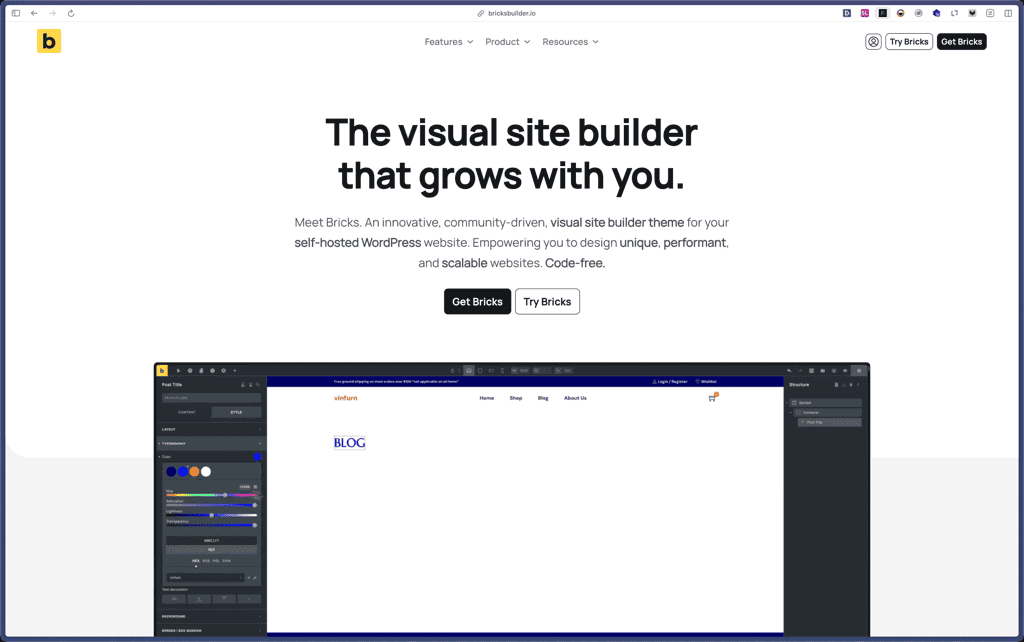
Bricks Builder
BlogVault

Amelia

Zynith SEO

wpDataTables

WP SimplePay

Support Candy

Qi Theme

Products With Lifetime Deals
Support Candy
New!
Bit Integrations

Amelia
Bricks Builder
BitFlows
Crocoblock
You Recently Viewed These
Recently Viewed
Deel

Recently Viewed
Craft
Recently Viewed
Cello

Recently Viewed
Butter
Recently Viewed
Bricks Builder
Recently Viewed
Brevo
Recently Viewed
Umso - Website Builder
Recently Viewed
Amelia
Recently Viewed
Zynith SEO
Recently Viewed
Wrike

Recently Viewed
wpDataTables
Recently Viewed
Webflow
